> For the complete documentation index, see [llms.txt](https://docs.buildings.ability.abb/collection/llms.txt). Markdown versions of documentation pages are available by appending `.md` to page URLs; this page is available as [Markdown](https://docs.buildings.ability.abb/collection/academy/eliona-as-a-ticketing-platform/guide-from-a-service-perspective.md).
# Guide from a Service Perspective
The service is responsible for processing and resolving tickets. Additionally, it maintains the information of the individual service objects and, if necessary, creates new ones.
## Users and Notifications
The service uses a central service login, which is responsible for distributing tickets. Each service employee also has their own account to manage and close the assigned tickets. Although all tickets are visible to all service accounts, only the central service login receives a push notification when a new ticket comes in. However, it is important that all service employees enable push notifications in the browser to be able to recognize changes and newly assigned tickets in a timely manner.
## Managing Tickets
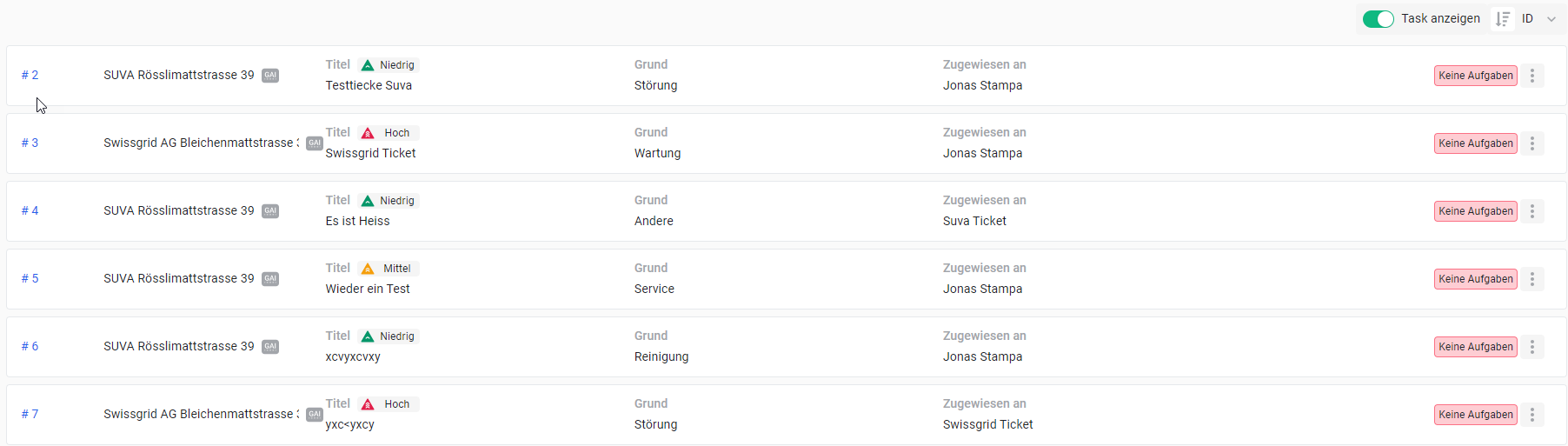
In the Tickets section in the sidebar, all open tickets are visible. The "Assigned to" column shows which employee is currently working on the ticket. The current status of the ticket or the associated task is displayed in the last column. Clicking on a ticket shows all details.
Ticket Overview
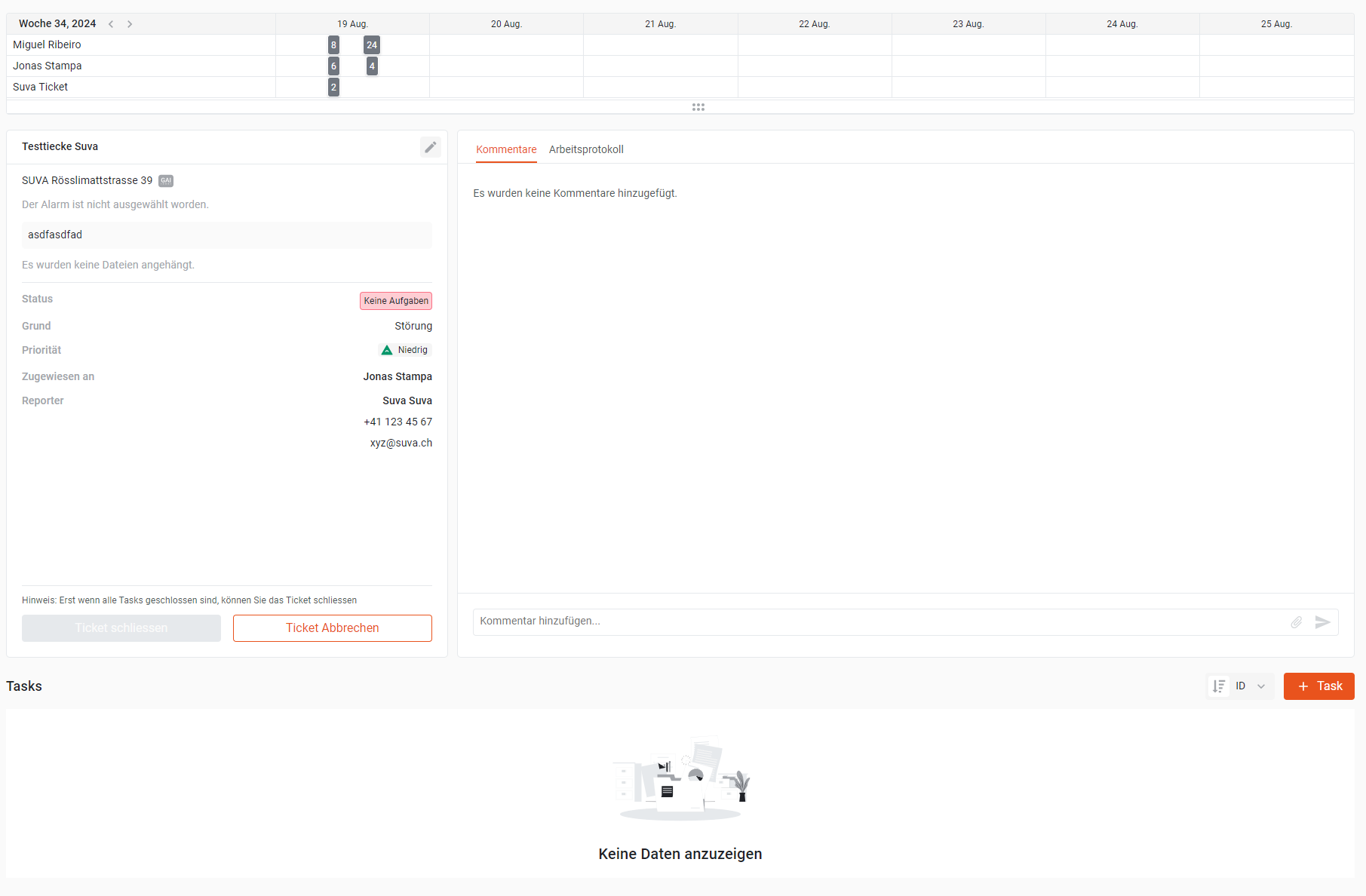
In the upper area, you'll find a timeline that shows the history of the ticket, and on the right is the comment window, which you can use to communicate with other team members. To close a ticket, use the "Close Ticket" button as soon as all active tasks are completed. Tasks can be created and managed in the lower part of the window.
Ticket Details
## Assets
In Assets, new customer objects can be added and existing ones can be supplemented. Clicking on an asset shows all the information about it. On the left side, customer information can be entered. With the "More Info" arrow, additional information configured in "Asset Modeling" can be displayed. On the right, documents for the customer can be placed or links can be entered.
Assets
---
# Agent Instructions
This documentation is published with GitBook. GitBook is the documentation platform designed so that both humans and AI agents can read, navigate, and reason over technical content effectively. Learn more at gitbook.com.
## Querying This Documentation
If you need additional information that is not directly available in this page, you can query the documentation dynamically by asking a question.
Perform an HTTP GET request on the current page URL with the `ask` query parameter, and the optional `goal` query parameter:
```
GET https://docs.buildings.ability.abb/collection/academy/eliona-as-a-ticketing-platform/guide-from-a-service-perspective.md?ask=&goal=
```
`ask` is the immediate question: it should be specific, self-contained, and written in natural language.
`goal` is optional and describes the broader end goal you are ultimately trying to accomplish on behalf of the user. GitBook uses it to tailor the answer towards what is most useful for that goal.
The response will contain a direct answer to the question and relevant excerpts and sources from the documentation.
Use this mechanism when the answer is not explicitly present in the current page, you need clarification or additional context, or you want to retrieve related documentation sections.
.png?alt=media&token=40860081-301a-4141-b0b8-ebb03d112ddd)