

Configure a meter change
Configure meter replacement
A Meter may fail or be replaced by a new one . If only the new meter reading were adopted, already recorded values could be lost, which would lead to data gaps and calculation errors lead.
To prevent this, Eliona offers the option to configure an offset — either manually or through an automatic detection.
Set an offset for a meter
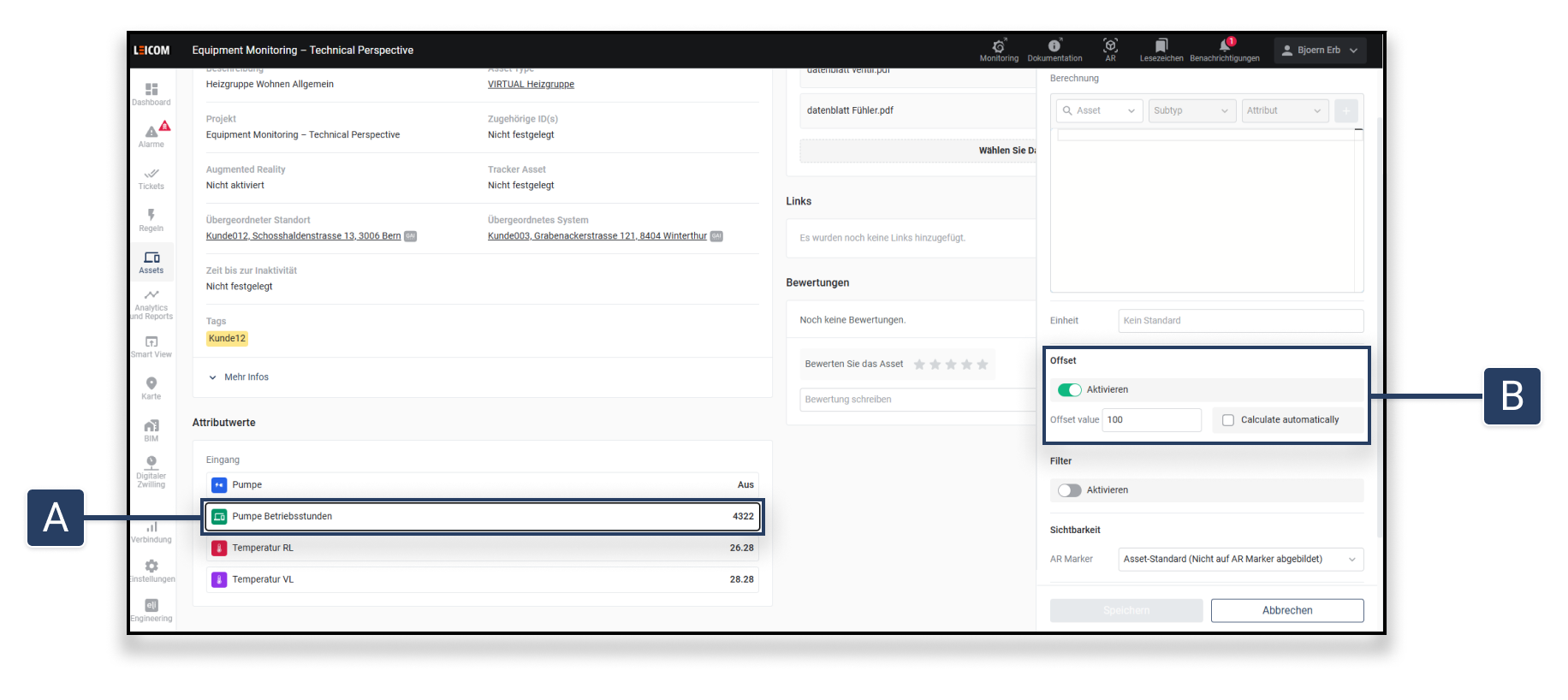
Open the asset details of the affected asset.
Click on the attribute, for which the offset is to be configured [A].
Enable the offset function [B].
Select one of the following methods:
Enter value manually: The offset value is permanently added to all new measured values.
Enable automatic calculation: Eliona automatically detects when a meter replacement has occurred.
If the new value drops by more than 10 %, an offset is automatically set.
Instead of continuing to count with the new value, the previous value remains as base retained.
Last updated
Was this helpful?