

Open the Forecast app
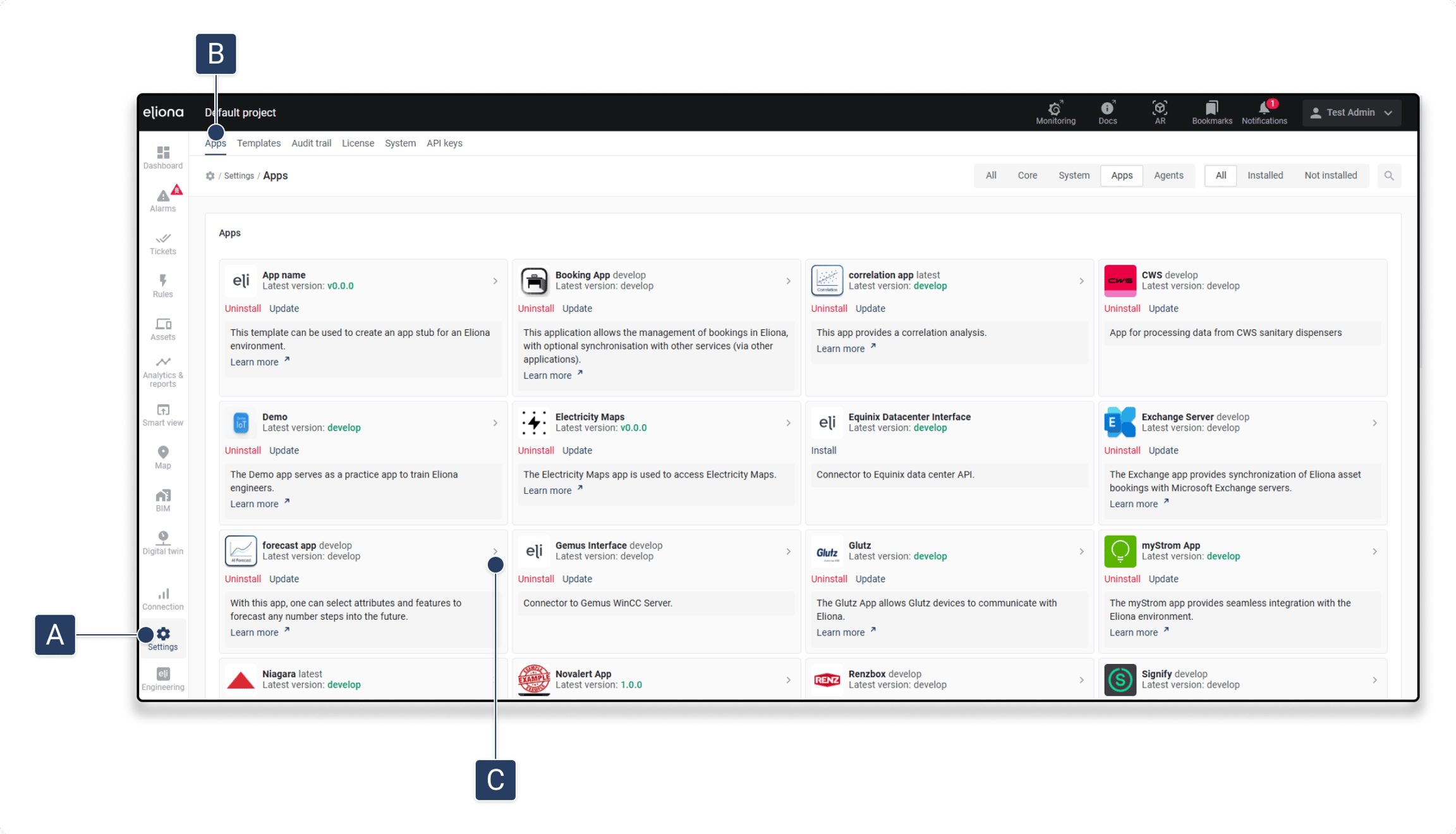
To add the Forecast app to open it, proceed as follows:
Click in the sidebar on [A] Settings ▷ The menu Settings opens.
Click the tab in the upper area [B] Apps ▷ The area Apps with the list of all installed applications is displayed.
Scroll through the list or use the search function at the top right to Forecast app find it.
Click on the entry [C] forecast app on the card. ▷ The detail view of the Forecast app opens.
Last updated
Was this helpful?