> For the complete documentation index, see [llms.txt](https://docs.buildings.ability.abb/collection/llms.txt). Markdown versions of documentation pages are available by appending `.md` to page URLs; this page is available as [Markdown](https://docs.buildings.ability.abb/collection/english-v14/apps/apps/xovis-people-counter.md).
# Xovis People Counter
Subchapter content: Configuration of Xovis People Counter
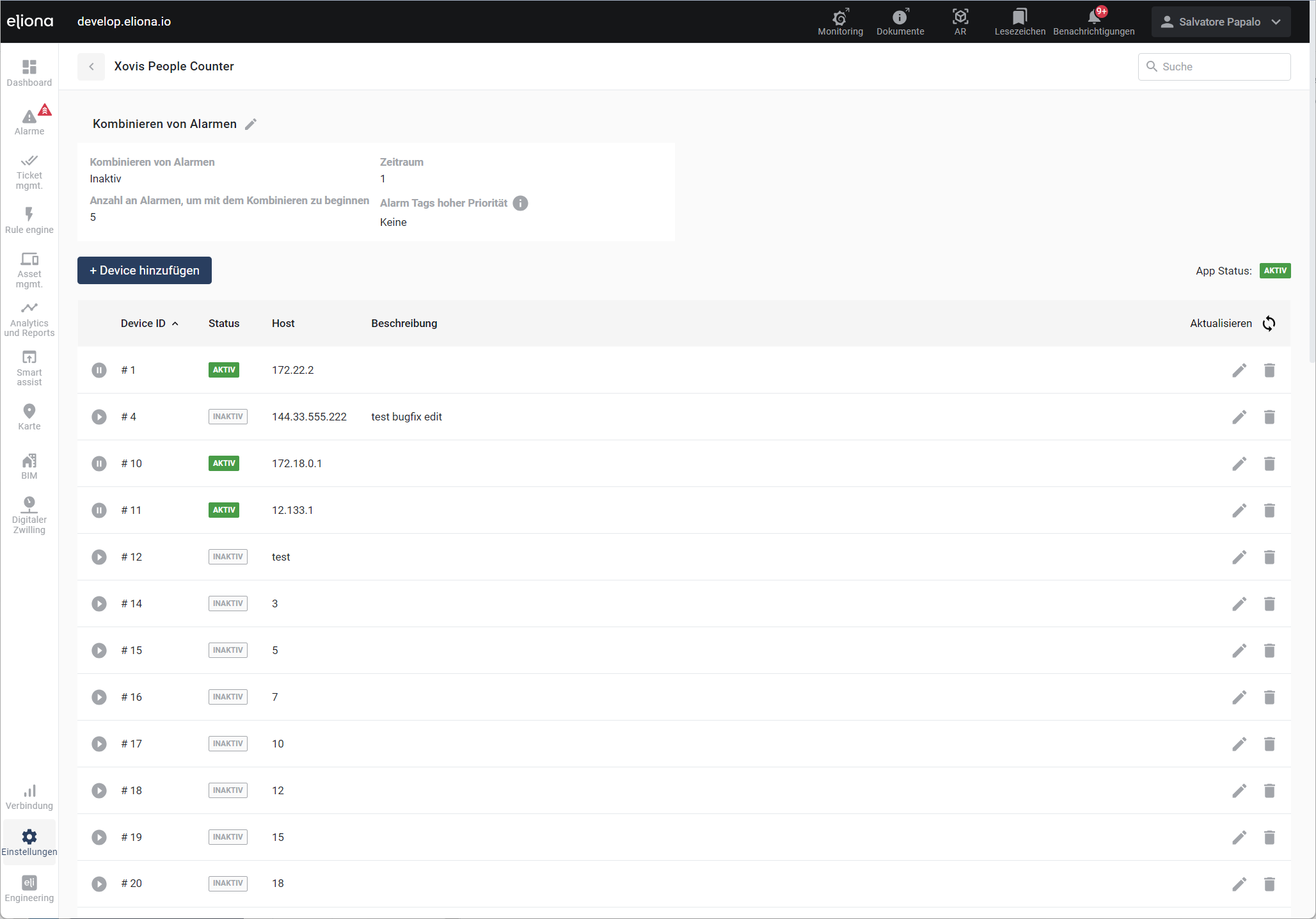
Xovis offers sensors for reliable people counting. The sensor data can be integrated into Eliona and linked with assets. Set up your Xovis devices under Settings > Apps > Xovis People Counter:
Xovis People Counter
To add a new device, click on .
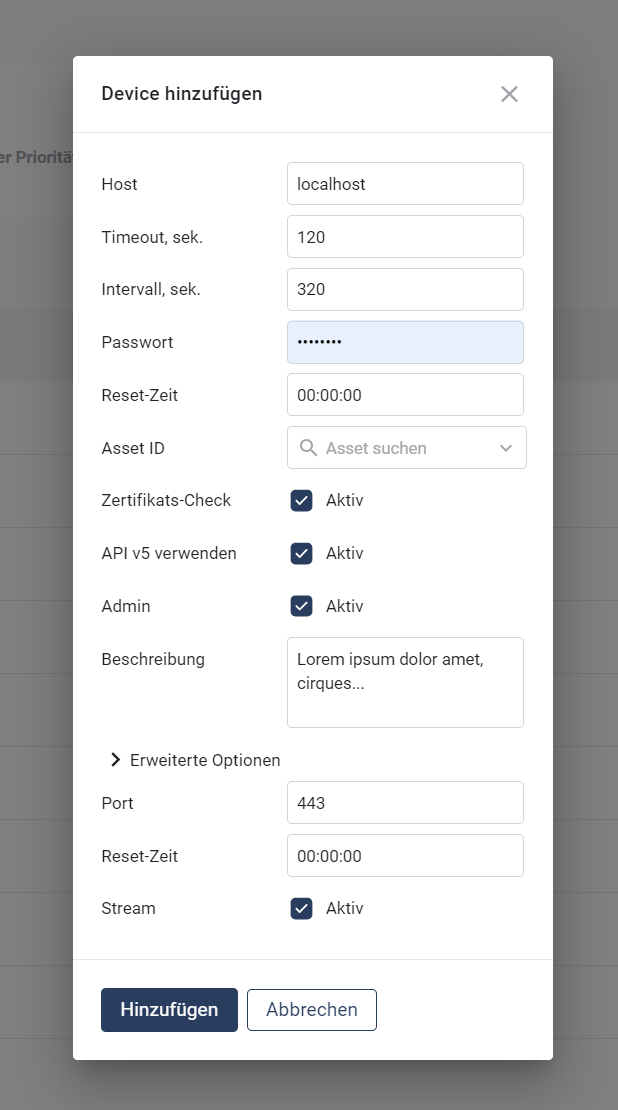
Add device
* **Host:** Enter the network hostname of the device.
* **MAC Address:** Permanent hardware address of the device (printed on a label at the bottom of the device).
* **Timeout:** Set the timeout for the HTTP request.
* **Interval:** Select a request interval for retrieving data from the device.
* **Password:** Enter the password.
* **Reset Time:** Select the time at which the counter is reset to 0.
* **Asset:** Select the corresponding Eliona asset of the device.
* **Certificate Check:** Disable this field to access devices without a signed certificate (i.e. locally in the network). If the device is accessed via the internet, the certificate should be checked to avoid MITM attacks.
* **API Version 5:** Leave disabled only for old firmware (v3 and v4). For all new installations, v5 should be used.
* **Admin:** Select the user type.
* **Description:** Enter a description of the device.
* **Port:** Enter the port of the device.
* **Stream:** Allows receiving push updates from the device.
#### Counter
Xovis people counters allow configuring multiple counters per device (lines and areas).
The counters are set up in the Xovis configuration (on the device itself) and then automatically transmitted to Eliona. *In Eliona, the counters and corresponding asset types are created automatically.*
### Data Push (Live update from Xovis)
#### Xovis
* Settings" -> "Single Sensor Settings" -> "Data Push".
**Add new connection**
* Protocol: HTTP/HTTPS
* Enable SSL/TLS: ON
* Authentication: None
* Advanced settings: Custom header -> Add -> Header name: `X-API-Key`, header value: `**secureElionaApiV2Key**` -> Save
**Add new agent**
* Schedule: Immediate
* Data format -> Format: JSON, format version: 5.0, time format `RFC 3339`
* Data filtering -> Scene events: None, Objects: None, Count events: All, Info events: None
---
# Agent Instructions
This documentation is published with GitBook. GitBook is the documentation platform designed so that both humans and AI agents can read, navigate, and reason over technical content effectively. Learn more at gitbook.com.
## Querying This Documentation
If you need additional information that is not directly available in this page, you can query the documentation by asking a question.
Perform an HTTP GET request on the following URL with the `ask` and `goal` query parameters:
```
GET https://docs.buildings.ability.abb/collection/english-v14/apps/apps/xovis-people-counter.md?ask=&goal=
```
`ask` is the immediate question: it should be specific, self-contained, and written in natural language.
`goal` is what the user is ultimately trying to achieve, the reason they need the answer. Sharing it helps GitBook give you a better, more relevant answer. A goal is most helpful when it describes the outcome the user wants rather than restating the question. For example, with `ask=how do I create an API token`, a goal like `automate deployments from our CI pipeline` lets GitBook tailor the answer to that use case.
The response will contain a direct answer to the question and relevant excerpts and sources from the documentation.
Use this mechanism when the answer is not explicitly present in the current page, you need clarification or additional context, or you want to retrieve related documentation sections.
 .
.