

Endpoint details
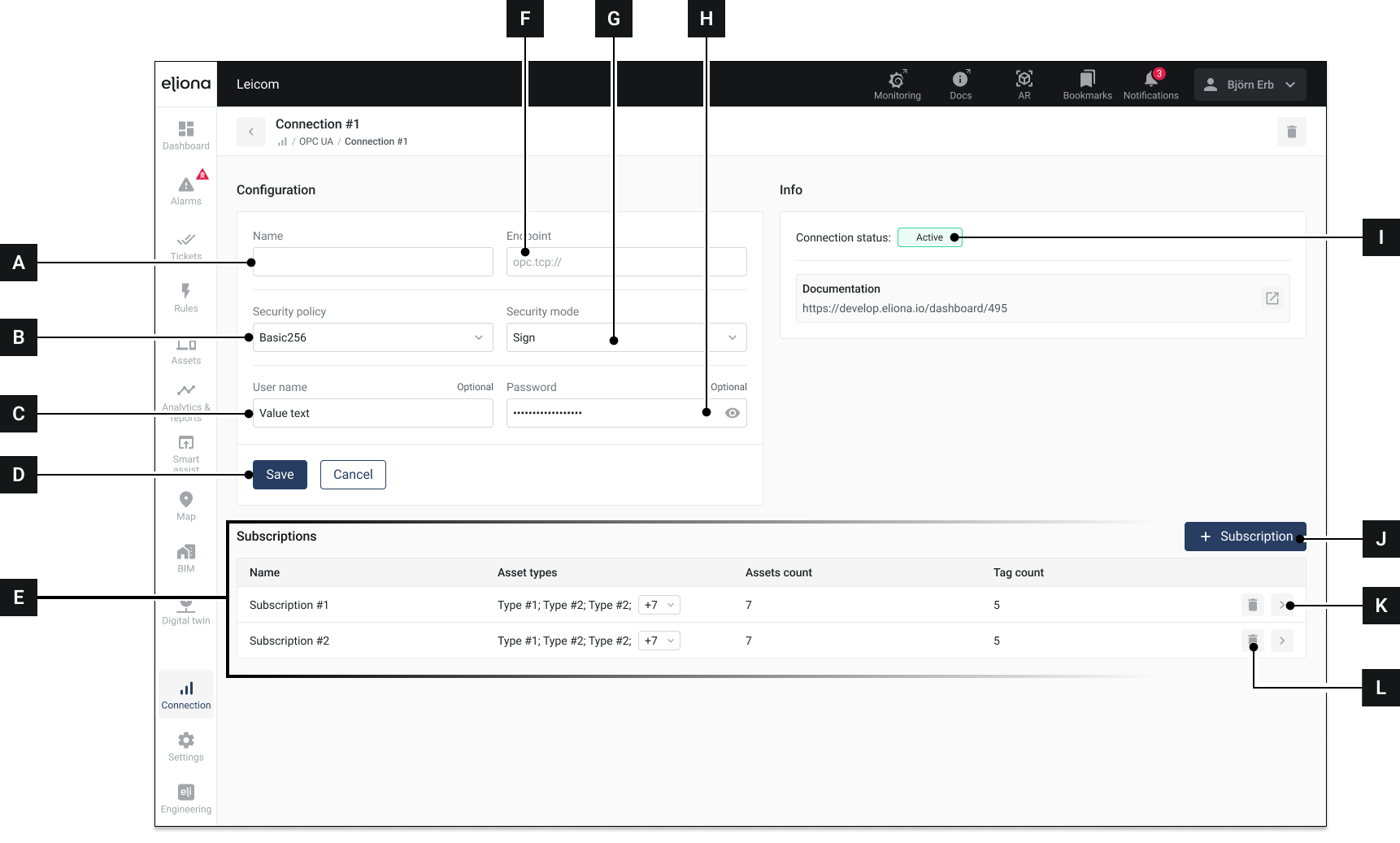
Overview
[A]
Name
Enter the endpoint name here
[B]
Security policy
Select a security policy
[C]
Username
Optional: Enter a username for the OPC connection
[D]
Save
Click here to save the connection details
[E]
Subscriptions
All subscriptions assigned to the corresponding endpoint are listed here
[F]
Endpoint
Enter the endpoint address here
[G]
Security Mode
Select a security mode
[H]
Password
Enter the password for the OPC connection
[I]
Connection status
The connection status is displayed here
[K]
Subscription details
Click here to view the details of the respective subscription. ▷ Opens the window ↗ Connection details
[L]
Delete subscription
Deletes the respective subscription
Create a new subscription
Open the ↗ Connection details
Click on [J], to create a new subscription. The ↗ connection details open
Last updated
Was this helpful?