

Notification provider
Open notification provider
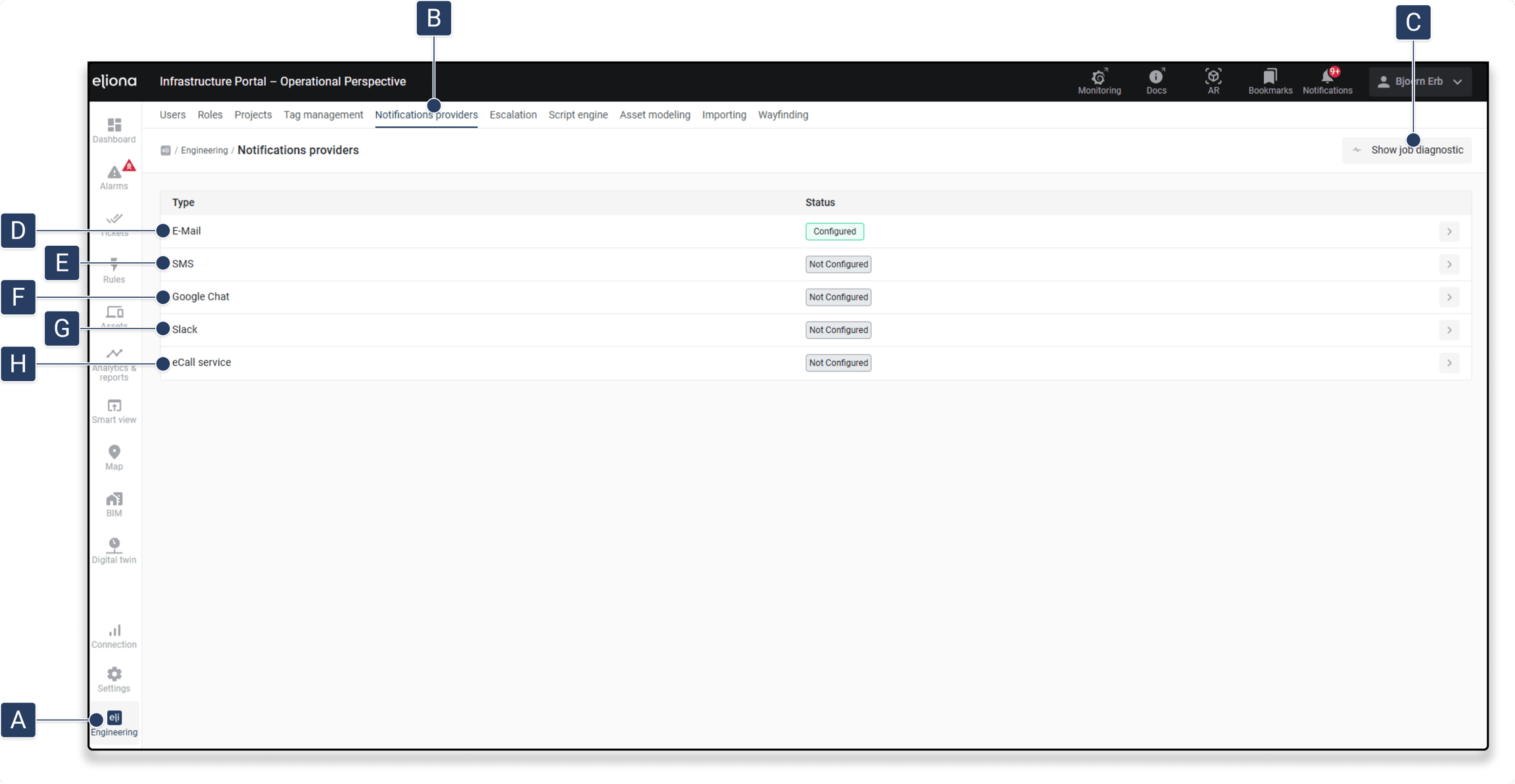
Open the menu item Engineering [A] ▷ The "Engineering" workspace opens.
Click on [B] ▷ The "Notifications providers" menu opens
▷ You will see a list of the available notification providers.
To get to the ↗Job diagnostic click on [C] " Show job diagnostic"
To the email configuration [D] ↗ Email.
To the Google Chat configuration [E] ↗ Google Chat.
To the Slack configuration [F] ↗ Slack.
To the SMS configuration [G] ↗ SMS.
To the eCall configuration [H] ↗ eCall.
For alarms to be successfully escalated to users, the escalation channels (notification providers) must be configured correctly.
Last updated
Was this helpful?