

Google Chat
Google Chat notifications in Eliona
The notification provider Google Chat in Eliona enables the configuration and management of notifications that are delivered directly in a Google Chat room or chat group. This is especially helpful for forwarding alarms and other important information to teams in real time.
Configuration
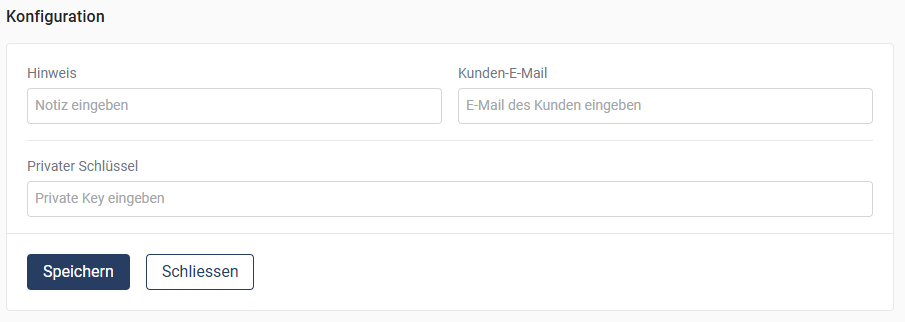
Note: Enter a note or description that is relevant for the configuration. This can, for example, be the name of the Google Chat room.
Customer email: Enter the customer's email address that is used for the Google Chat notifications.
Private key: Enter the private key required for authentication with Google Chat. This key must be in JSON format and provided by your Google Workspace administrator.
Save: Click on "Save", to apply the configuration.
Combining alarms
Alarms can also be grouped here, as with other notification providers.
Group escalationsGoogle Chat templates
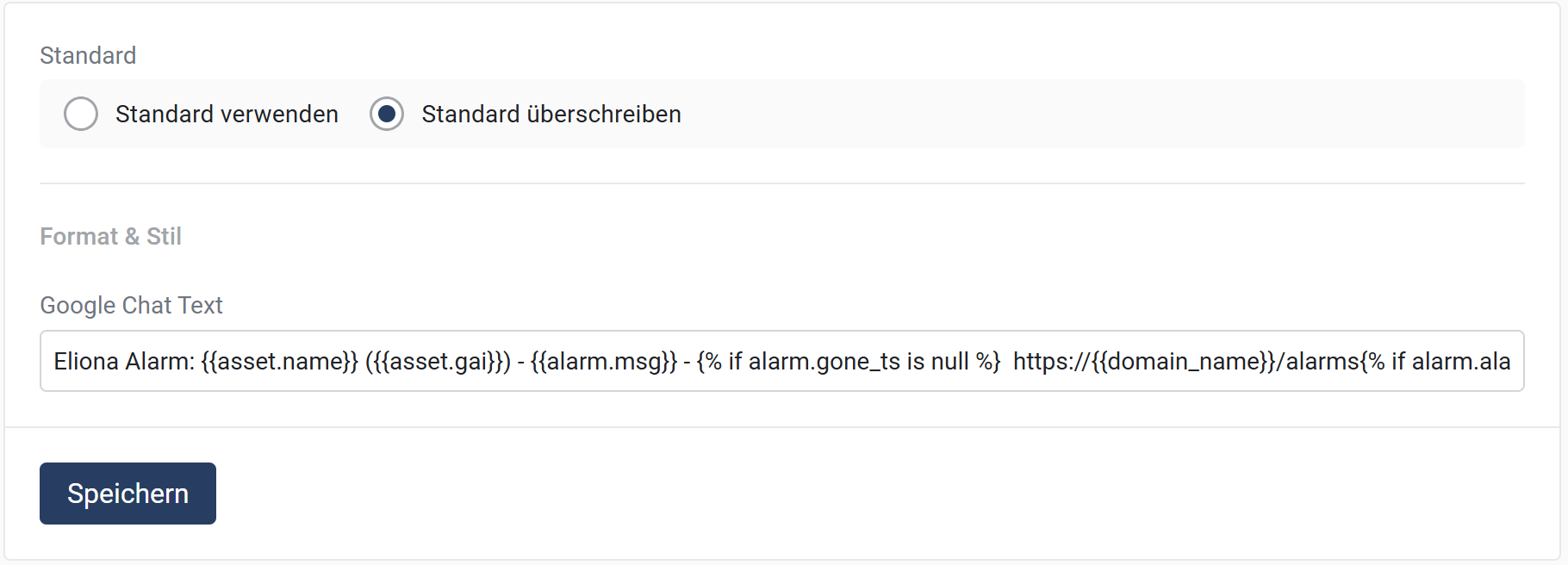
Eliona offers the option to customize individual templates for Google Chat notifications. These templates define what the text style, structure, and content of the notification look like.
Twig templating in ElionaCustomize template: Navigate to your Google Chat template and click on
 .
Override default:
Activate the option "Override default", to make individual changes to the template.
As soon as this option is active, you can edit the notification text.
Edit format & style: The Google Chat text can be customized to present the desired message clearly and understandably. Example of an alarm text:
Save: Click on "Save", to apply the changes. All future notifications will then use the customized template.
Last updated
Was this helpful?