> For the complete documentation index, see [llms.txt](https://docs.buildings.ability.abb/collection/llms.txt). Markdown versions of documentation pages are available by appending `.md` to page URLs; this page is available as [Markdown](https://docs.buildings.ability.abb/collection/english-v14/documentation/assets/die-template-bibliothek.md).
# The template library
Approved. In our asset library you will find templates for a variety of common devices. You can easily import the listed templates into your eliona system [-> import](/collection/english-v14/documentation/assets/die-template-bibliothek/ein-template-importieren.md).
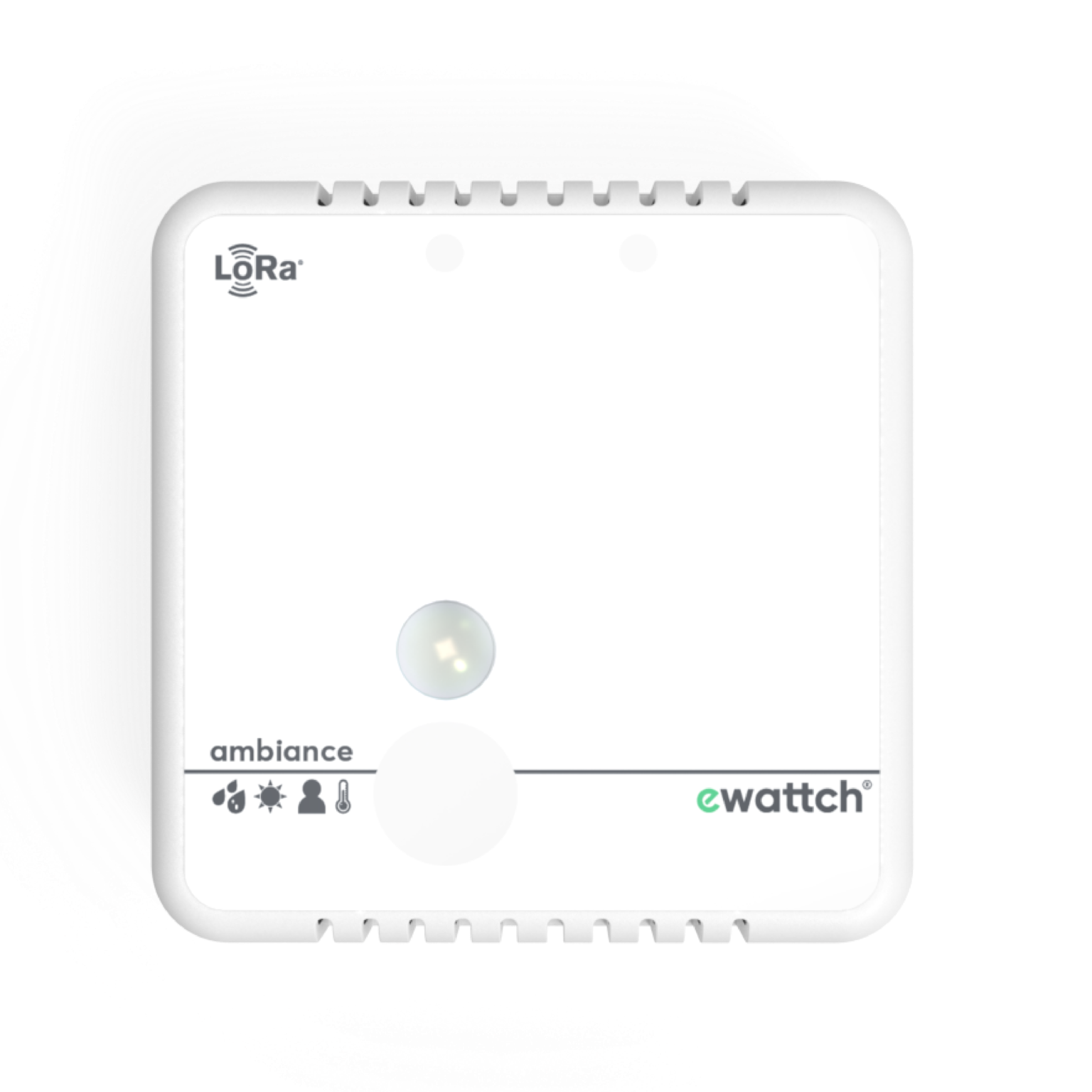
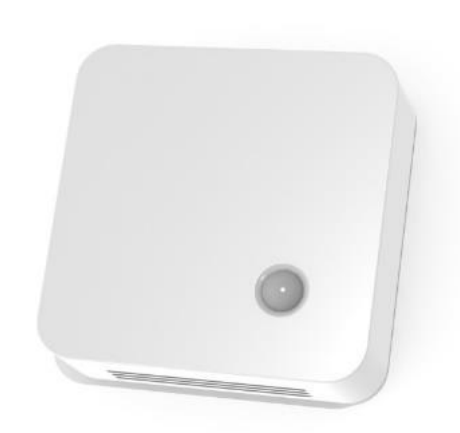
### ewattch Ambiance Sensor
**Attributes:** Battery level, brightness, Counter, CO2, Firmware\_version, humidity, period, presence, RSSI, SNR, temperature, type.
**Power supply:** 2 x 2700mAh lithium batteries (included - autonomy from 2 to 10 years, depending on the data rate).
**Use cases:**
* Allows measuring indoor temperature (from 5°C to 60°C).
* Measures indoor humidity: from 0 to 100%.
* With the presence detection function, you can measure the occupancy level of your buildings.
\[External link] [Learn more.](https://ewattch.com/ambiance/?lang=en#1590419691763-caca80db-6196)
***Example application in Eliona:** Create a dashboard and specify the name of the room in which the sensor is located. Use a separate widget for each sensor. For example, you can use a vertical progress chart for battery level, a display for the people counter, and an analog trend for temperature.*
To import the asset template into your Eliona system, use the following ".json" file:
{% file src="/files/8fb7e19da969eb06caac5d6593d4f3d7e0922ef8" %}
**Infravolt price:** 10 Infravolts
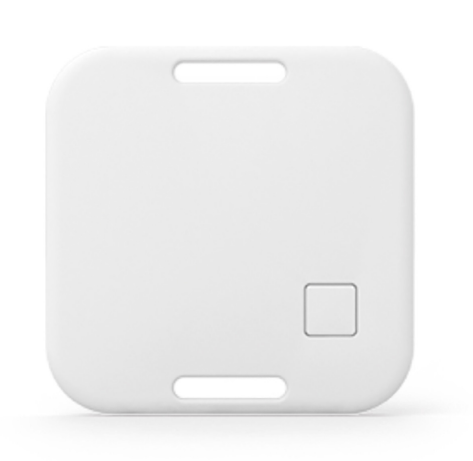
### Kontakt.io Asset Tag S18-3
**Attributes:** Asset\_ID, position in the room.
**Power supply:** 620mAh lithium manganese dioxide battery (up to 15 months).
**Use cases:**
* Asset tracking.
* Asset maintenance & replenishment retrieval.
\[External link] [Learn more.](https://store.kontakt.io/app/uploads/2021/07/Kontakt.io_-Asset-Tag_Technical-Specification.pdf)
***Example application in Eliona:** You can monitor the position of the asset using the tracker in the floor plan view.*
To import the asset template into your Eliona system, use the following ".json" file:
{% file src="/files/5267f44a3ccd11d4752a17c0a5b1221919d60830" %}
**Infravolt price:** 2 Infravolts
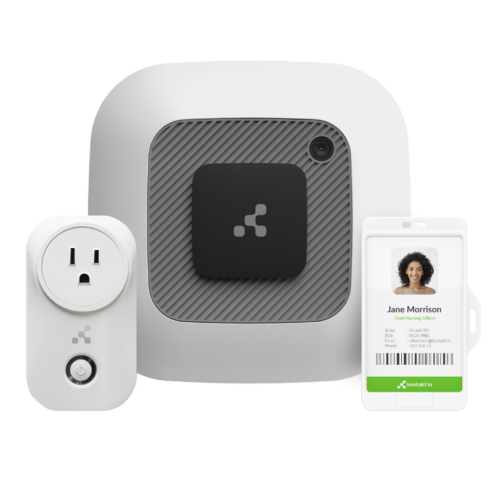
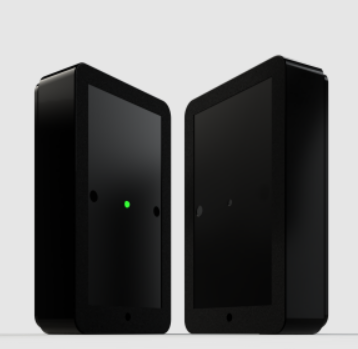
### Kontakt.io Portal Beam
**Attributes:** Firmware, model, battery level, humidity, light intensity, temperature, air quality, air pressure, number of people
**Power supply:**
* DC 6V-24V barrel-type terminal
* 6x ER14505 (15.6 Ah), DC 3.6V (up to 4 years).
**Use cases:**
* Tracks the flow and location of people or assets with room-level accuracy.
* Air quality monitoring.
* Number of people
\[External link] [Learn more.](https://kontakt.io/portal-beam/)
***Example application in Eliona:*** Portal Beam monitors the position of tags and beacons and provides air quality and people count data.
To import the asset template into your Eliona system, please install the Kontakt.io app. This app automatically creates the template and all detected assets.
\[External link] [asset-type-portal-beam.json](https://github.com/eliona-smart-building-assistant/kontakt-io-app/blob/develop/eliona/asset-type-portal-beam.json)
**Infravolt price:** 9 Infravolts
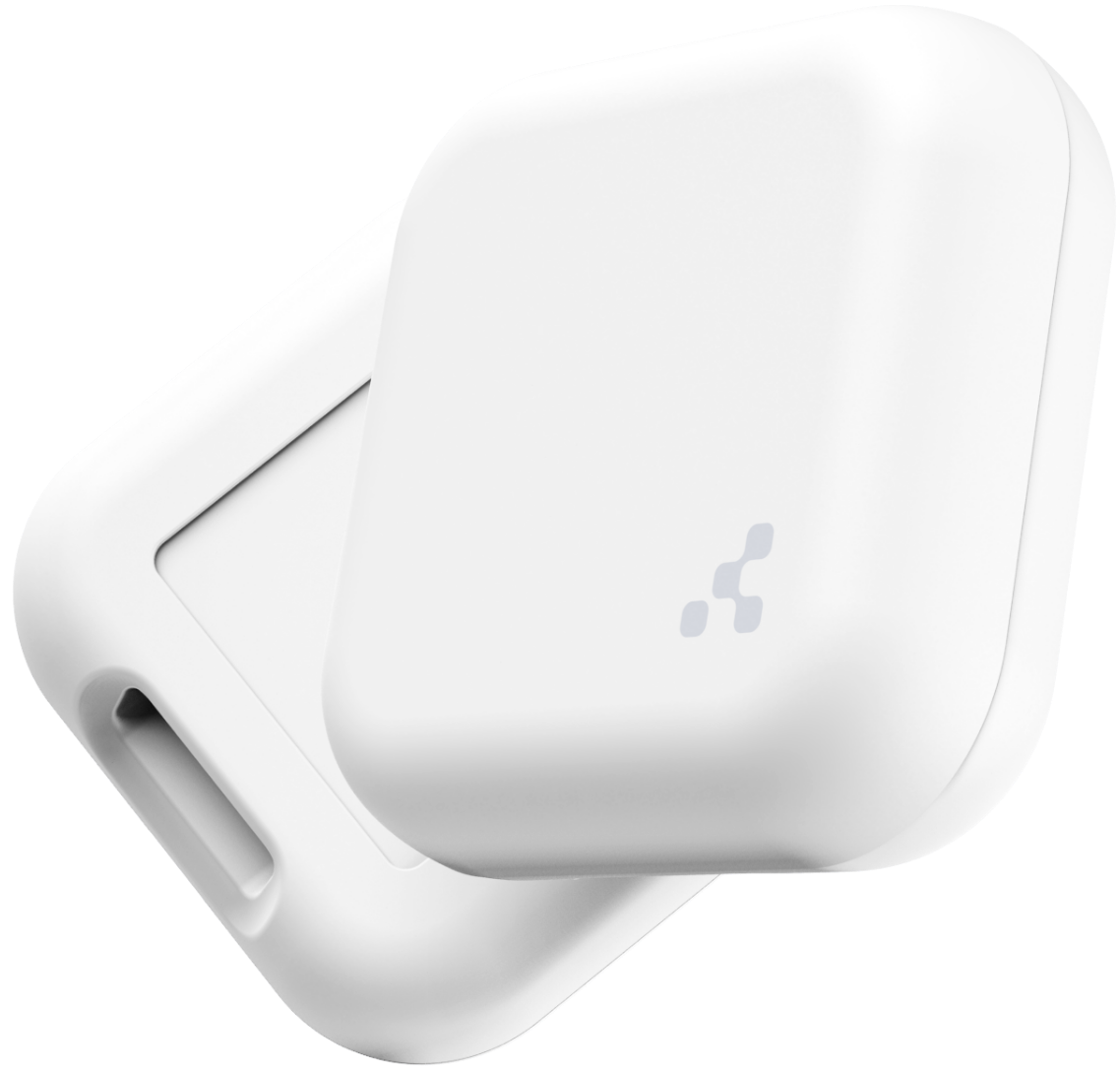
### Kontakt.io Anchor Beacon 2
**Attributes:** Firmware, model, battery level, humidity, light intensity, temperature, air quality, air pressure
**Power supply:** 2x ER14250 (1.2 Ah) (up to 8 years).
**Use cases:**
* Asset tracking.
* Air quality monitoring.
\[External link] [Learn more.](https://kontakt.io/anchor-beacon-2/)
***Example application in Eliona:*** Beacons monitor the position of assets and provide air quality data.
To import the asset template into your Eliona system, please install the Kontakt.io app. This app automatically creates the template and all detected assets.
\[External link] [asset-type-beacon.json](https://github.com/eliona-smart-building-assistant/kontakt-io-app/blob/develop/eliona/asset-type-beacon.json)
**Infravolt price:** 8 Infravolts
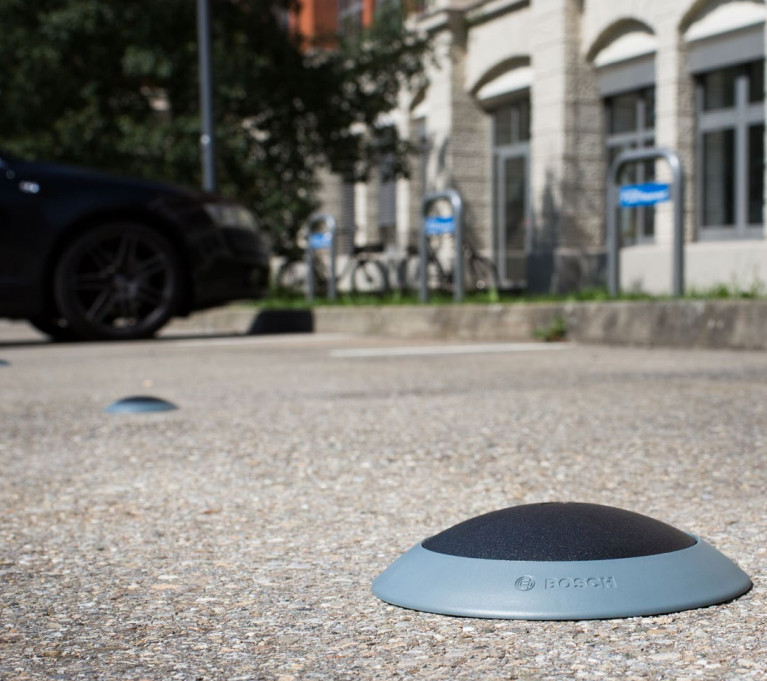
### Bosch Parking Sensor
**Attributes:** Occupancy
**Power supply:** Lithium battery (up to 5 years life)
**Use cases:** Detection and reporting of parking space occupancy
\[External link] [Learn more.](https://lora-alliance.org/wp-content/uploads/2019/07/parking-lot-sensor-datasheet.pdf)
***Example application in Eliona:** Place the sensors on the Eliona map and display them in the dashboard. This gives you an overview of the occupancy of all parking spaces.*
To import the asset template into your Eliona system, use the following ".json" file:
{% file src="/files/90feff54a16ebbcc0113335f22a6978c0a8929d9" %}
**Infravolt price:** 1 Infravolt
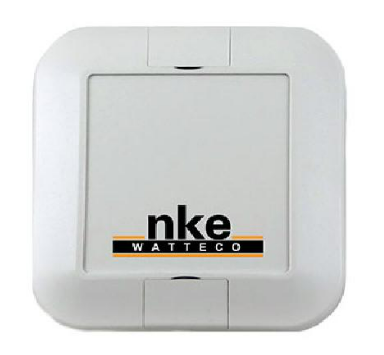
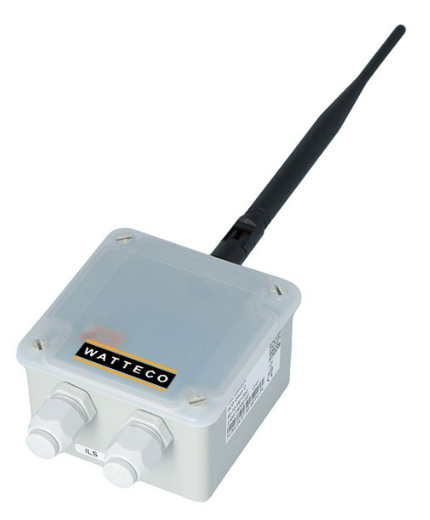
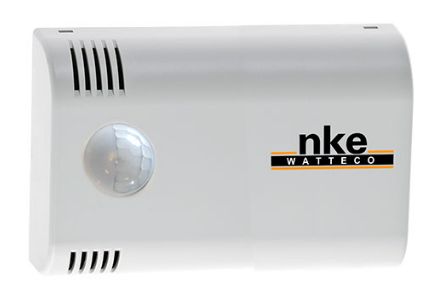
### nke Watteco CelsO Temperature Sensor
**Attributes:** Temperature**,** Battery voltage.
**Power supply:** 3600mAh per Li-SOCl2 lithium battery (more than 7 years of life).
**Use cases:**
* Measurement and recording of temperature with a defined resolution and periodicity.
* Alarm settings for temperature fluctuations.
* Hourly temperature recording with a resolution of 1°C.
\[External link] [Learn more.](https://www.mz-connect.com/shop/media/pdf/c3/09/07/LoRaWAN-Cels_O-Data_sheet-v1-2.pdf)
***Example application in Eliona:** Measure the ambient temperature and display it on your dashboard.*
To import the asset template into your Eliona system, use the following ".json" file:
{% file src="/files/ea39e41bd282a40c0e33fae8b1c15cb351194b61" %}
**Infravolt price:** 2 Infravolts
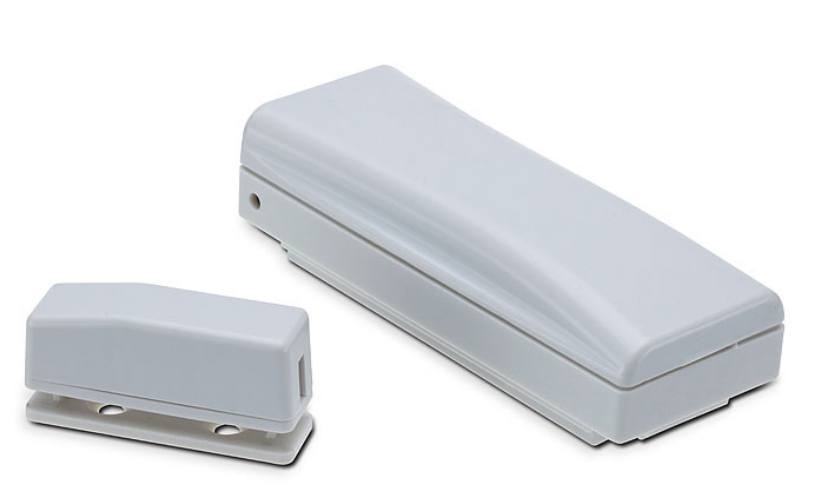
### Ascoel CM868LR Magnetic Contact Sensor
**Attributes:** Battery level, contact, count.
**Power supply:** 3.6V lithium thionyl chloride battery.
**Use cases:** Detection of opening or closing doors and windows.
\[External link] [Learn more.](http://www.ascoel.it/images/Datasheets/CM868LR_eng.pdf)
***Example application in Eliona:** You can place the asset on the floor plan or BIM model and see whether a door or window is open.*
To import the asset template into your Eliona system, use the following ".json" file:
{% file src="/files/0a9bbad819c960b005b610618a7db655a4190e44" %}
**Infravolt price:** 3 Infravolts
### Elsys ERS Environment Sensor
**Attributes:** acceleration\_x, acceleration\_y, acceleration\_z, battery level, brightness, Co2, Input1, Input2, occupancy, presence, air pressure, humidity, Pulse1, Pulse2, temperature, voltage.
**Power supply:** 2\*3.6V AA lithium batteries (up to 10 years).
**Use cases:** Measurement of room climate (temperature, humidity, occupancy, light, sound and CO2 levels).
\[External link] [Learn more.](https://www.elsys.se/en/ers/)
***Example application in Eliona:** Create a dashboard showing comfort in different rooms using the sensors.*
To import the asset template into your Eliona system, use the following ".json" file:
{% file src="/files/10dc45ce90396e8fb01c21af9da8c01beb3e6dfd" %}
**Infravolt price:** 17 Infravolts
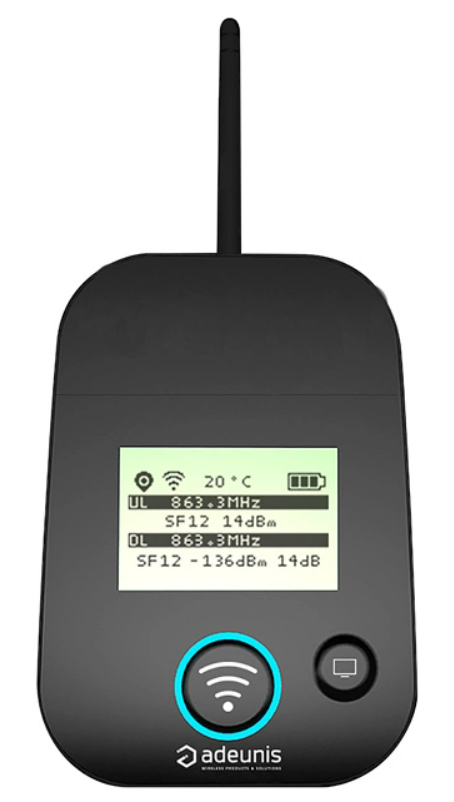
### Adeunis FTD Network Tester
**Attributes:** Battery level, temperature, trigger, voltage.
**Power supply:** Lithium-ion polymer battery 3.7V 2Ah 7.4Wh.
**Use cases:**
* Communication with all network operators.
* Sending and receiving data and immediate display of the results.
\[External link] [Learn more.](https://www.adeunis.com/wp-content/uploads/2020/03/User_Guide_FTD_LoRaWAN_EU863-870_V2.0.0.pdf)
***Example application in Eliona:** In Eliona you can display the temperature received from the Adeunis FTD network tester. Use the "General display" widget, for example.*.
To import the asset template into your Eliona system, use the following ".json" file:
{% file src="/files/c6992a191cf4d0fe11b64c1a16547915d56ca6b2" %}
**Infravolt price:** 4 Infravolts
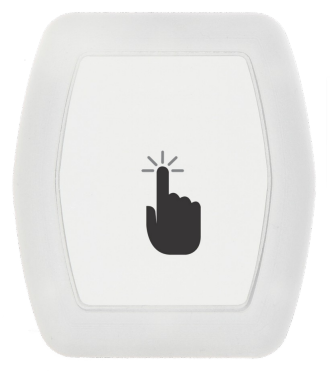
### Miromico FMLR IoT Button
**Attributes:** Battery level, contact.
**Power supply:** 2 x 1.5 V AAA battery (up to 10 years life).
**Use cases:**
* Wireless notification.
* Emergency notification.
* Service-on-demand applications.
***Example application in Eliona:** Define a text mapping in a view and link the button to display the corresponding texts.*
To import the asset template into your Eliona system, use the following ".json" file:
{% file src="/files/0fc72d1602da3b3cef787e1f96f8f65ad3d9e51d" %}
**Infravolt price:** 2 Infravolts
### GWF RCM-LRW Gas Water Flow Sensor
**Attributes:** Battery level, device\_id, model, volume.
**Power supply:** LiSOCl2 5400 mAh battery (expected life: 15 years).
**Use cases:**
* Gas/water meter.
* Transmission of meter readings.
* Various payload contents available (for GDPR compliance).
\[External link] [Learn more.](https://lora-alliance.org/lora_products/rcm-lrw10-2/)
***Example application in Eliona:** You can set the sensor to count hot and cold water consumption. Then open the dashboard and select the "Two analog trends" widget. This lets you see your hot and cold water consumption on the same chart.*
To import the asset template into your Eliona system, use the following ".json" file:
{% file src="/files/66605c7190ede2e5171487df4ef5499baba51122" %}
**Infravolt price:** 4 Infravolts
### Watteco Ino Remote Sensor
**Attributes:** Contact, count.
**Power supply:** 3600mAh lithium battery (up to 10 years).
**Use cases:**
* Process control and automation.
* Detection of power line faults.
* Monitoring and control of water or air valves and pumps, cooling systems, alarm status.
\[External link] [Learn more.](https://www.watteco.com/product/ino-sensor-lorawan/)
***Example application in Eliona:** You can monitor valves and display the respective status on the Eliona dashboard.*
To import the asset template into your Eliona system, use the following ".json" file:
{% file src="/files/24cb7a7c363addc2c666910eb614afc377e5d3e0" %}
**Infravolt price:** 2 Infravolts
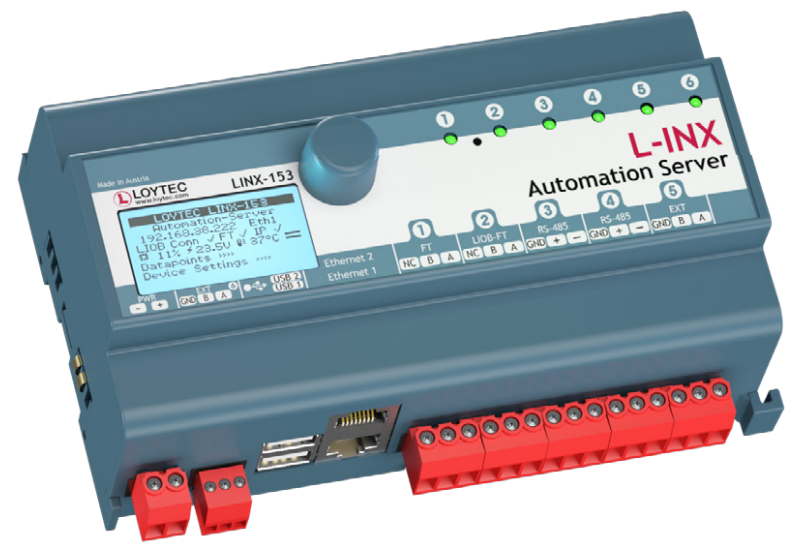
### Loytec L-INX Automation Servers
**Attributes:** Brightness, brightness setpoint, dimmer switch setpoint, dew point, humidity, position, position setpoint, air conditioning status, lamp status, sunshade status, temperature, cooling temperature, cooling setpoint, heating temperature, heating setpoint, temperature deviation, temperature setpoint.
**Use cases:**
* Upload of historical data to analytics services.
* Transmission of alarm messages to alarm processing services or control system operational departments via a cloud service.
\[External link] [Learn more.](file:///C:/Users/anduser/Downloads/Datasheet_LINX-153_LINX-154.pdf)
***Example application in Eliona:** Load data from the server to eliona to display them in various widgets.*
To import the asset template into your Eliona system, use the following ".json" file:
{% file src="/files/4c6c1706350796190b912fef803375aeb1f1e235" %}
**Infravolt price:** 17 Infravolts
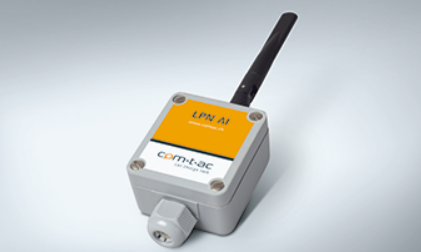
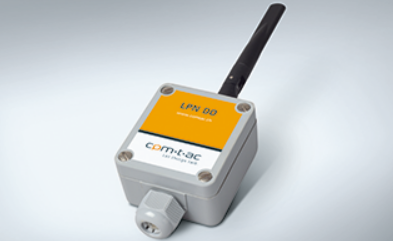
### Comtac LPN AI Analog Input
**Attributes:** Input1, Input2, action type1, action type2.
**Power supply:**
* Input voltage +24VDC (10..36VDC)
* Input current max. 50mA (Typ 6mA @ 24VDC)
**Use cases:** Send or receive the data via any LoRaWAN network.
\[External link] [Learn more.](https://www.eps-energy.com/wp-content/uploads/2019/11/E1347-technical-datasheet-LPN-AI-EN-V1.00.pdf)
To import the asset template into your Eliona system, use the following ".json" file:
{% file src="/files/77ddbf799ab38af0cf62a0cc7c93b44a3a3820c2" %}
**Infravolt price:** 4 Infravolts
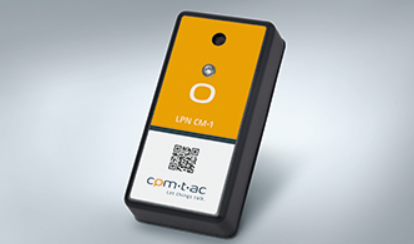
### Comtac LPN CM-1 Temperature Climate Sensor
**Attributes:** Status, temperature, voltage.
**Power supply:** 2 x AAA batteries.
**Use cases:**
* Recording of temperature and humidity in a freely programmable interval.
* Sending measurement data to a network server using LoRaWAN radio technology via gateways of a network operator.
\[External link] [Learn more.](https://www.eps-energy.com/wp-content/uploads/2019/11/E1337-technical-datasheet-LPN-CM-1-EN-V1.02.pdf)
***Example application in Eliona:** Select "Advanced area chart" in Analytics and watch the temperature and humidity on one chart.*
To import the asset template into your Eliona system, use the following ".json" file:
{% file src="/files/1b58596e3888eeff3ac07a5ad620e4511dd7f9d3" %}
**Infravolt price:** 2 Infravolts
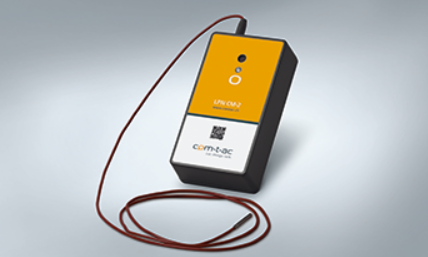
### Comtac LPN CM-2 Climate Sensor
**Attributes:** Current, status, temperature, voltage.
**Power supply:** 2 x AAA batteries.
**Use cases:**
* Recording of temperature and humidity in a freely programmable interval.
* Sending measurement data to a network server using LoRaWAN radio technology via gateways of a network operator.
\[External link] [Learn more.](https://www.eps-energy.com/wp-content/uploads/2019/03/E1364-technical-datasheet-LPN-CM-2-EN-V0.20.pdf)
***Example application in Eliona:** Select "Advanced area chart" in Analytics and watch the temperature and humidity on one chart.*
To import the asset template into your Eliona system, use the following ".json" file:
{% file src="/files/51c3218d04520c5483f26b2cf969b3e210386118" %}
**Infravolt price:** 3 Infravolts
### Comtac LPN DO Digital Output
**Attributes:** Output1\_Error, Output2\_Error, Output1, Output1\_Feedback, Output2, Output2\_Feedback**.**
**Power supply:**
* Input voltage +24VDC (10..36VDC).
* Input current max. 50mA (Typ 4.5mA @ 24VDC).
**Use cases:**
* Monitor power consumption.
* Turn devices on and off with your smartphone.
\[External link] [Learn more.](https://www.eps-energy.com/wp-content/uploads/2019/03/E1347-technical-datasheet-LPN-DO-EN-V0.10.pdf)
***Example application in Eliona:** You can use the "Trend" widget to display power consumption. In addition, you can use the "Switch" widget to manually turn the light on and off.*
To import the asset template into your Eliona system, use the following ".json" file:
{% file src="/files/083ac8570b2e14bd2a8371f6556315e10c7c74bc" %}
**Infravolt price:** 6 Infravolts
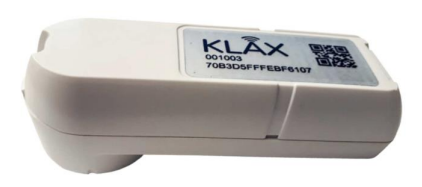
### Comtac Klax IR-Head electricity meter
**Attributes:** device\_id, energy, energy\_high\_tariff, energy\_low\_tariff, power.
**Output power:** Up to 25 mW.
**Use cases:** Continuously measure energy consumption every 15 minutes and optimize current power consumption.
\[External link] [Learn more.](https://lora-alliance.org/lora_products/klax/)
***Example application in Eliona:** To display power consumption at 15-minute intervals, a "digital trend" on the dashboard is well suited.*
To import the asset template into your Eliona system, use the following ".json" file:
{% file src="/files/1fba28b9cb8cb36ee5e40685566bb34ade6b7b92" %}
**Infravolt price:** 5 Infravolts
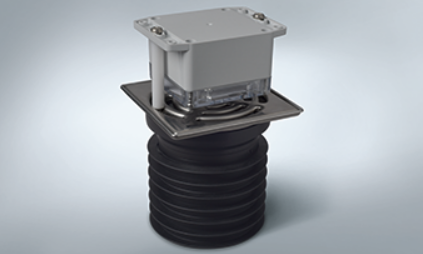
### Comtac LPn LD-1 Level Sensor
**Attributes:** Level, status, timer, voltage.
**Battery life:** up to 5 years.
**Use cases:**
* Prevention of flue gas from entering the building through the siphons, especially in the event of a fire.
* Automatic monitoring of levels, thus offering optimum safety.
\[External link] [Learn more.](https://www.comtac.ch/de/produkte/lora/condition-monitoring/lpn-ld-1.html)
***Example application in Eliona:** You can use the "Progress" widget to display the gas level.*
To import the asset template into your Eliona system, use the following ".json" file:
{% file src="/files/088d110422fe1762e9b216808eb86db87e47e312" %}
**Infravolt price:** 2 Infravolts
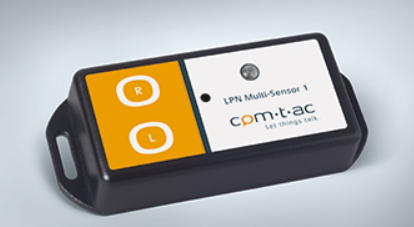
### Comtac LPN Multi-Sensor-1
**Attributes:** Brightness, humidity, LED, status, temperature, voltage.
**Use cases:** Fast "proof of concept" application.
\[External link] [Learn more.](https://www.comtac.ch/de/produkte/lora/multi-sensoren/lpn-multi-sensor-1.html)
To import the asset template into your Eliona system, use the following ".json" file:
{% file src="/files/806ef6e10ad6f0d9755e101c06bda4794a53dcc2" %}
**Infravolt price:** 4 Infravolts
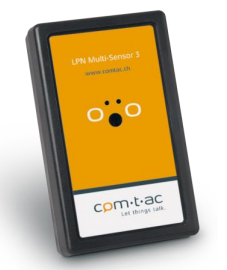
### Comtac LPN Multi-Sensor-3
**Attributes:** Brightness, contact, status, temperature, voltage.
**Power supply:** 2 x AA batteries.
**Use cases:** Measurement of brightness, temperature, humidity and detection of external contacts using microphone, accelerometer and GPS positioning.
\[External link] [Learn more.](https://www.eps-energy.com/wp-content/uploads/2019/11/E1323-technical-datasheet-LPN-Multisensor-3-EN-V0.00_2018-01-11-Ah.pdf)
***Example application in Eliona:** With the "Radar" widget you can display temperature, humidity and light on the same chart.*
To import the asset template into your Eliona system, use the following ".json" file:
{% file src="/files/e6cc622f86b5a35f748f7204001ac0fb1c2077ec" %}
**Infravolt price:** 4 Infravolts
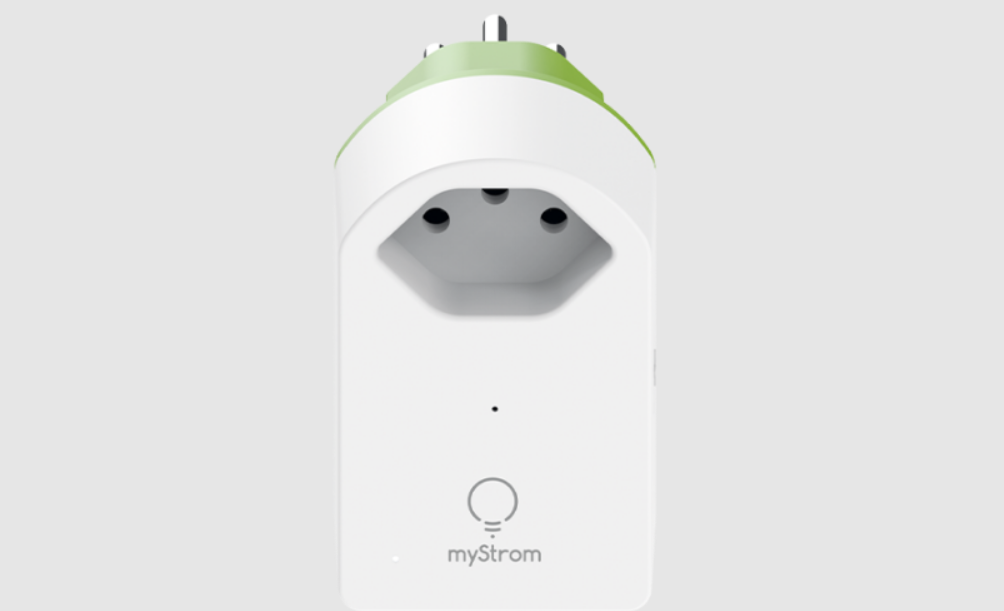
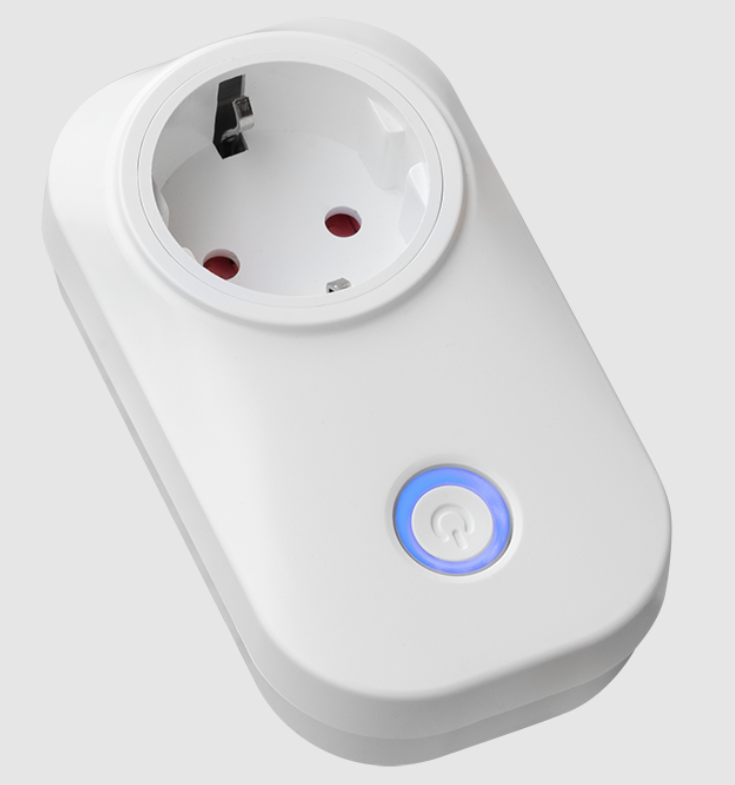
### myStrom WiFi Switch socket
**Attributes:** Power, status, temperature.
**Use cases:**
* Turn devices on and off via smartphone
* Smart energy saving
* Know room temperature
* Measure solar power generation
* Optimize self-consumption
* Prevent break-ins
\[External link] [Learn more.](https://mystrom.ch/wp-content/uploads/2017/01/myStrom_WiFi_Switch_CH_DE.pdf)
***Example application in Eliona:** With the "Switch" widget you can turn the plugged-in device on and off using Eliona.*
To import the asset template into your Eliona system, use the following ".json" file:
{% file src="/files/e472ee01b69d4e0a4020cacf757f601c431f115f" %}
**Infravolt price:** 4 Infravolts
### Netop Temperature & Humidity Sensor
**Attributes:** Battery level, humidity, temperature.
**Power supply:** USB/ LIPO charging / non-rechargeable battery.
**Use cases:** Monitoring ambient temperatures and humidity.
\[External link] [Learn more.](https://market.thingpark.com/media/datasheet/t/e/temperature_and_humudity_sensor_nb-iot.pdf)
***Example application in Eliona:** You can use the "Two analog trends" widget and display a temperature and a humidity view on the same chart.*
To import the asset template into your Eliona system, use the following ".json" file:
{% file src="/files/c0fbacff4f2f50d1d43a2fe73e2a415ca834c399" %}
**Infravolt price:** 3 Infravolts
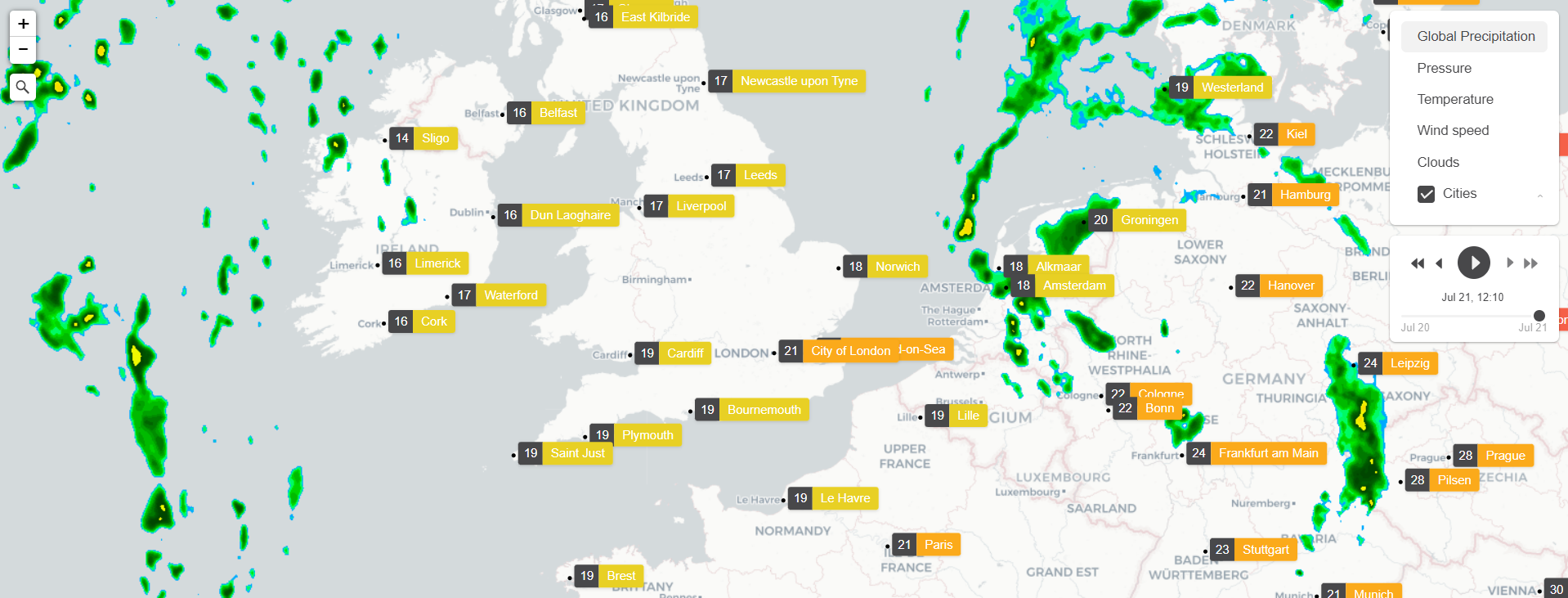
### OpenWeatherMap Weather & Forecast
**Attributes:** Humidity, pressure, temperature.
**Use cases:** Retrieve current, historical or forecast weather data for any coordinates.
\[External link] [Learn more.](https://openweathermap.org/)
***Example application in Eliona:** Display the current weather and weather forecast on your dashboard.*
To import the asset template into your Eliona system, use the following ".json" file:
{% file src="/files/85406bc37991f596c9d64ef7247fd83b163ea0dd" %}
**Infravolt price:** 3 Infravolts
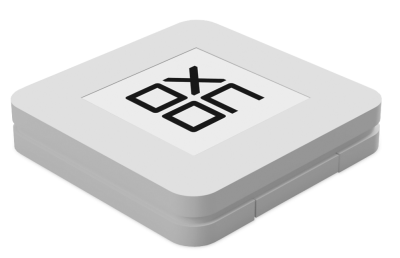
### Oxobutton Q LoRaWan V1
**Attributes:** Battery level, contact, image, device info.
**Power supply:** 3V CR2032 battery (220mAh).
**Use cases:**
* Configure the device behavior via smartphone.
* Communication with a user backend and uploading images to be displayed on the device.
* Trigger uplinks when movement or free fall is detected.
\[External link] [Learn more.](https://oxobutton.ch/products/oxobutton-lorawan)
***Example application in Eliona:** Define a text mapping in a SmartAssist view. Depending on the button press, these texts are displayed.*
To import the asset template into your Eliona system, use the following ".json" file:
{% file src="/files/743168dc96eb2a1c051d8a7b85e87df55e185db4" %}
**Infravolt price:** 4 Infravolts
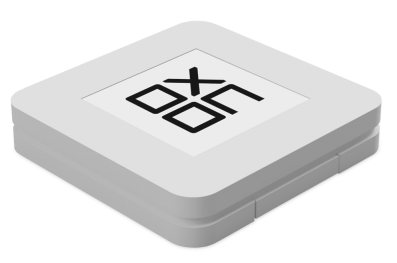
### Oxobutton Q LoRaWan V2
**Attributes:** Battery level, contact, heartbeat, image.
**Power supply:** 3V CR2032 battery (220mAh).
**Use cases:**
* Configure the device behavior via smartphone.
* Communication with a user backend and uploading images to be displayed on the device.
* Trigger uplinks when movement or free fall is detected.
\[External link] [Learn more.](https://oxobutton.ch/products/oxobutton-lorawan)
***Example application in Eliona:** Define a text mapping in a SmartAssist view. Depending on the button press, these texts are displayed.*
To import the asset template into your Eliona system, use the following ".json" file:
{% file src="/files/28eccaf512f4372e40d10ac9496a1e774a54450b" %}
**Infravolt price:** 4 Infravolts
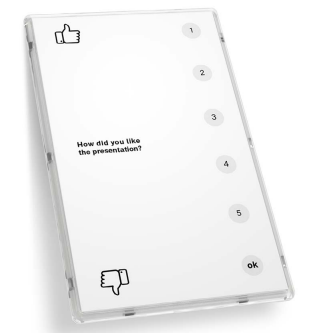
### Oxobuttonboard LoRaWan
**Attributes:** Battery level, contact, heartbeat, image.
**Power supply:** 2400mAh battery (\~4 years at 12 uplinks/day).
**Use cases:**
* Automating food ordering in your store.
* Improving your customer service.
* Receiving user feedback after a service or show.
\[External link] [Learn more.](https://oxobutton.ch/products/buttonboard-lorawan)
***Example application in Eliona:** Define various actions in Eliona which are triggered by the corresponding buttons of the Oxoboard.*
To import the asset template into your Eliona system, use the following ".json" file:
{% file src="/files/b79823fb726a2e4cc2bf269e6256b0b30f91742d" %}
**Infravolt price:** 4 Infravolts
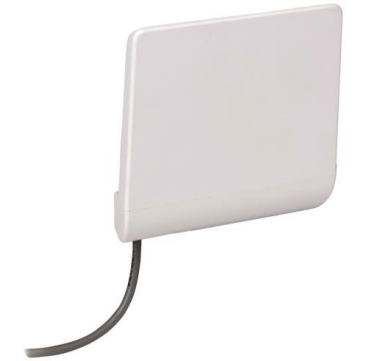
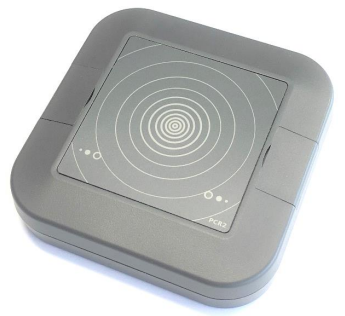
### Parametric PCR2 Radar people Counter
**Attributes:** Left-to-right counter, right-to-left counter, temperature.
**Power supply:** 12VDC or USB.
**Use cases:**
* People counting in stores or shopping centers.
* People flow measurement for trade fairs.
* Building management.
* Indoor security applications.
\[External link] [Learn more.](https://lora-alliance.org/wp-content/uploads/2019/07/PCR2-IN_Datasheet_en-06.pdf)
***Example application in Eliona:** Display in a view how many people are in the building.*
To import the asset template into your Eliona system, use the following ".json" file:
{% file src="/files/dad593f67f6a3c049b6cfb9630928f525f9adbb7" %}
**Infravolt price:** 3 Infravolts
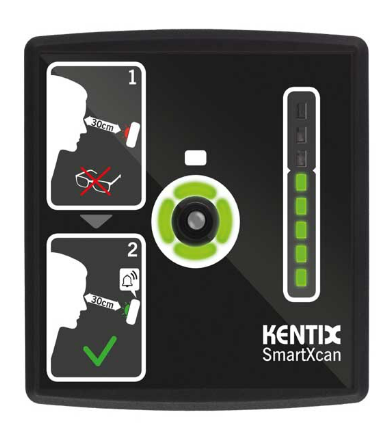
### Kentix SmartXcan Sensor
**Attributes:** Alarm, body\_temperature, outside\_temperature.
**Power supply:** PoE
**Use cases:** Body temperature measurement
\[External link] [Learn more.](https://shop.kentix.com/de-ch/)
***Example application in Eliona:** You can create the "Temperature range" widget to monitor the body temperature of all people entering the building.*
To import the asset template into your Eliona system, please install the Kentix app or the KentixONE app. These apps automatically create the template and all detected assets.
\[External link] [asset-type-multi-sensor.json](https://github.com/eliona-smart-building-assistant/kentix-app/blob/master/eliona/asset-type-multi-sensor.json)
**Infravolt price:** 3 Infravolts
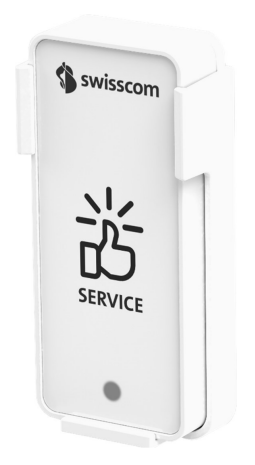
### Swisscom Multisense
**Attributes:** acceleration\_x, acceleration\_y, acceleration\_z, battery, button\_event, heartbeat, humidity\_event, humidity, motion\_counter, motion\_event, occupancy, reed\_counter, reed\_event, temperature\_event, temperature, time\_event, consumption\_control, usage\_start.
**Battery life:** 3-10 years (depending on application).
**Use cases:**
* Detection of door openings.
* Measurement of temperature and humidity.
* Alarm triggering on movement.
* Detection of workplace occupancy.
* As a general service button.
\[External link] [Learn more.](https://www.swisscom.ch/de/business/enterprise/angebot/iot/multisense.html)
***Example application in Eliona:** You can use "Two analog trends" in a dashboard to display temperature and humidity and monitor whether the door is open*.
To import the asset template into your Eliona system, use the following ".json" file:
{% file src="/files/a098a31401b96120bce65b0f8ec2f3fce495b7b4" %}
**Infravolt price:** 17 Infravolts
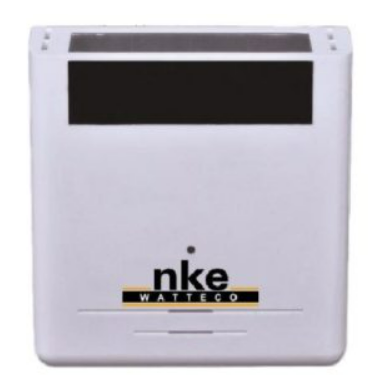
### nke Watteco THr environmental sensor
**Attributes:** Brightness, humidity, temperature, voltage, voltage\_available, solar\_voltage.
**Battery life:** one disposable battery ½ 3.6 V type A and one rechargeable battery.
**Use cases:**
* Measurement of temperature, relative humidity and illuminance of the remote sensor.
* Determination of the supply voltage.
\[External link] [Learn more.](http://support.nke-watteco.com/thr/)
***Example application in Eliona:** With the widget* [*-> Radar chart*](/collection/english-v14/documentation/widgets/vordefinierte-widgets/radar-diagramm.md) *you can display temperature, humidity and light on the same chart.*
To import the asset template into your Eliona system, use the following ".json" file:
{% file src="/files/15fac953299dbc61df76f17cb03dabdf4d76097c" %}
**Infravolt price:** 6 Infravolts
### Objenious Ubifeel Sensor
**Attributes:** Frequency1, Frequency2, Frequency3, Max\_x, Max\_y, Max\_z, Temperature, Voltage.
**Use cases:** Vibration sensor
\[External link] [Learn more.](https://objenious.com/)
To import the asset template into your Eliona system, use the following ".json" file:
{% file src="/files/05363d210db67d3ea622ea0417237ac6aa3c96ee" %}
**Infravolt price:** 8 Infravolts
### Watteco VaqaO LoRaWAN environmental sensor
**Attributes:** Angle, air\_quality, brightness, fall, Co2, humidity, occupancy, pressure, temperature, voltage.
**Battery life:** 3 years.
**Use cases:** Measurement of temperature, relative humidity, air pressure, volatile organic compound (VOC) concentration and carbon dioxide (CO2) in the ambient air of a room in a building, apartment or house.
\[External link] [Learn more.](https://www.watteco.com/product/vaqao-plus-sensor-lorawan/)
***Example application in Eliona:** With the "Radar" you can display temperature, humidity, VOC and CO2 on the same chart.*
To import the asset template into your Eliona system, use the following ".json" file:
{% file src="/files/e5e63b36ade4b10f239e8f1accd05c86afe8f6fa" %}
**Infravolt price:** 10 Infravolts
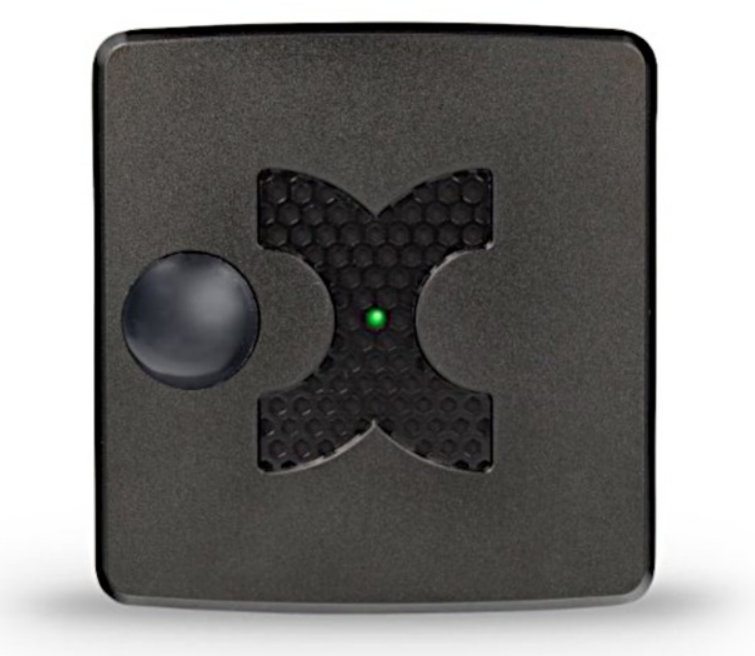
### Kentix Multisensor
**Attributes:** Air pressure, air quality index, Co, Co2, tamper\_connection, counter, dew point, humidity, input1, input2, internal\_tamper, motion, power\_tamper, temperature, terminal\_image, vibration.
**Battery life:**
* via PoE (KMS-LAN / KMS-LAN-RF only) 12-72VAC/DC power consumption approx. 1.5W, PoE class 1.
* via power supply 12-32VAC/DC power consumption approx. 1.5W via system socket.
**Use cases:** Monitoring of temperature, humidity, dew point, carbon monoxide and motion.
\[External link] [Learn more.](https://kentix.com/en/blog-en/multisensor-lan/)
***Example application in Eliona:** With the widget* [*-> Radar chart*](/collection/english-v14/documentation/widgets/vordefinierte-widgets/radar-diagramm.md) *can display temperature, humidity, dew point and carbon monoxide on the same chart.*
To import the asset template into your Eliona system, please install the Kentix app or the KentixONE app. These apps automatically create the template and all detected assets.
\[External link] [asset-type-multi-sensor.json](https://github.com/eliona-smart-building-assistant/kentix-app/blob/master/eliona/asset-type-multi-sensor.json)
**Infravolt price:** 16 Infravolts
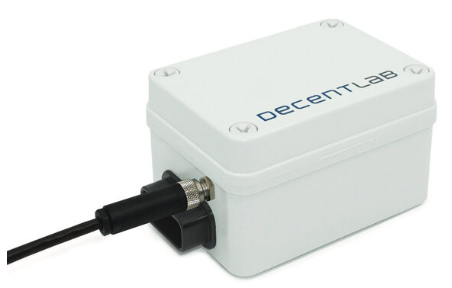
### DecentLab environmental sensor
**Attributes:** battery level, battery\_voltage, humidity, PM0\_5\_number\_concentration, PM1\_0\_mass\_concentration, PM1\_0\_number\_concentration, PM10\_mass\_concentration, PM10\_number\_concentration, PM2\_5\_mass\_concentration, PM2\_5\_number\_concentration, PM4\_mass\_concentration, PM4\_number\_concentration, pressure, temperature, typical\_size.
**Power supply:** 2 C alkaline batteries.
**Use cases:**
* General indoor and outdoor air quality monitoring.
* Global environmental monitoring.
* Indoor air quality monitoring in offices, classrooms, hospitals, stores or shopping centers.
* Control of heating, ventilation and air conditioning (HVAC): for good indoor air quality and energy savings
\[External link] [Learn more.](https://www.decentlab.com/products/particulate-matter-temperature-humidity-and-barometric-pressure-sensor-for-lorawan)
***Example application in Eliona:** The* [*-> Donut chart*](/collection/english-v14/documentation/widgets/vordefinierte-widgets/donut.md) *can be used to illustrate the concentration of air gases.*
To import the asset template into your Eliona system, use the following ".json" file:
{% file src="/files/6f740f361e9877dcc92feab8322f98fdeda802f6" %}
**Infravolt price:** 15 Infravolts
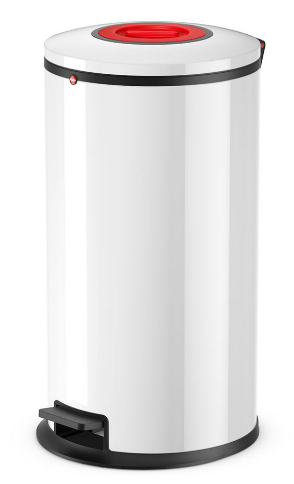
### Hailo Smart Waste Bin
**Attributes:** Alarm, battery level, expected\_fill\_level, last\_contact, last\_cleaning, openings, registration\_date, time, total\_openings, volume, volume\_level.
**Use cases:** Waste management.
[Learn more.](https://www.hailo.de/h16b/smart-waste-solutions/smart-waste-stations)
***Example application in Eliona:** Let all current fill levels of the waste bins be displayed in a dashboard to optimize emptying processes.*
To import the asset template into your Eliona system, please install the Hailo app. The app automatically creates the template and all detected assets.
\[External link] [asset-type-bin.json](https://github.com/eliona-smart-building-assistant/hailo-app/blob/develop/eliona/asset-type-bin.json)
**Infravolt price:** 10 Infravolts
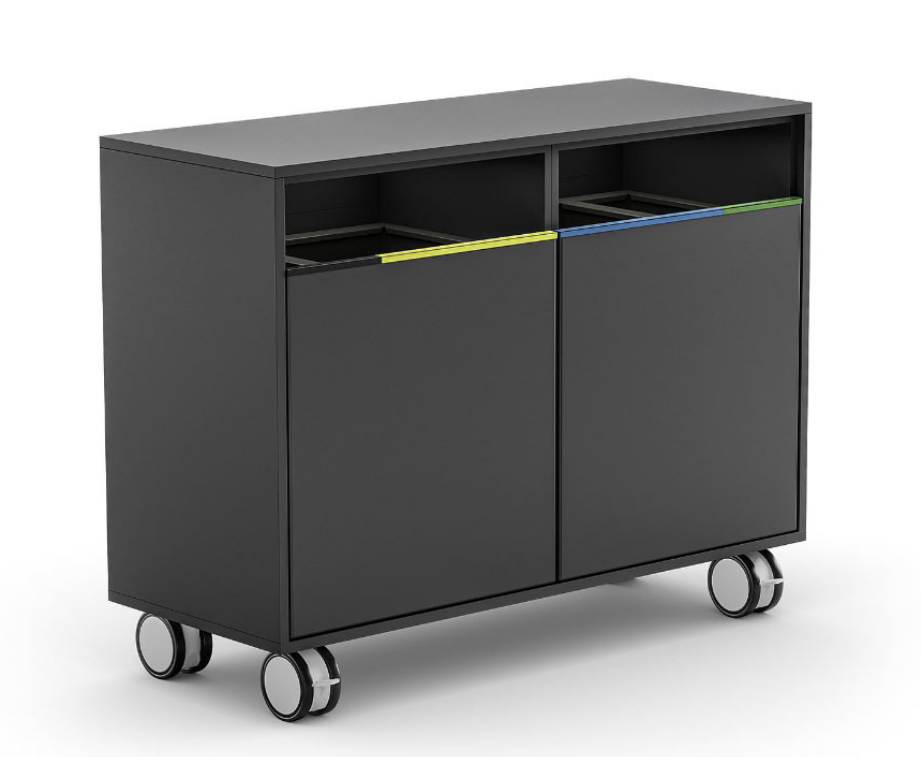
### Hailo Smart Waste Station
**Attributes:** Battery level*,* last\_contact, registration\_date, total\_openings, volume, volume\_level.
**Use cases:** Sorting of up to four different types of waste.
\[External link] [Learn more.](https://www.hailo.de/h16b/smart-waste-solutions/smart-waste-stations)
***Example application in Eliona:** Let the fill levels of the different waste types be displayed in a dashboard to optimize emptying processes.*
To import the asset template into your Eliona system, please install the Hailo app. The app automatically creates the template and all detected assets.
\[External link] [asset-type-recycling-station.json](https://raw.githubusercontent.com/eliona-smart-building-assistant/hailo-app/master/eliona/asset-type-recycling-station.json)
**Infravolt price:** 6 Infravolts
### enginko MCF LW12PLG socket
**Attributes:** Current, time, frequency, input, active\_energy, apparent\_energy, reactive\_energy, output\_setpoint, output, active\_power, apparent\_power, reactive\_power, request\_id, voltage.
**Power supply:** Measuring and switching a 230Vac - 16Amp load.
**Use cases:**
* Monitoring the load's power consumption.
* Remote control (on/off).
\[External link] [Learn more.](https://www.mcf88.it/wp-content/uploads/2020/07/MCF-LW12PLG.pdf)
***Example application in Eliona:** You can use the widget* [*-> Trend*](/collection/english-v14/documentation/widgets/vordefinierte-widgets/analoger-trend.md) *to track power consumption.*
To import the asset template into your Eliona system, use the following ".json" file:
{% file src="/files/ee8a2143b6e6d5ac5399694eefde440073bb9534" %}
**Infravolt price:** 14 Infravolts
### SDI Wireless People Counter PRx20W1
**Attributes:** Battery level, left-to-right counter, right-to-left counter, voltage.
**Power supply:** 4 x 1.5 V AA batteries (about one year life).
**Use cases:** Bidirectional wireless people counting.
\[External link] [Learn more.](https://www.sdinternational.nl/people-counter/bi-directional-wireless-people-counter/)
***Example application in Eliona:*** *Display in a view how many people are in the building.*
To import the asset template into your Eliona system, please use the following .json file.
{% file src="/files/170eb07881e46c995f69b3d1ae2342231c687359" %}
**Infravolt price:** 4 Infravolts
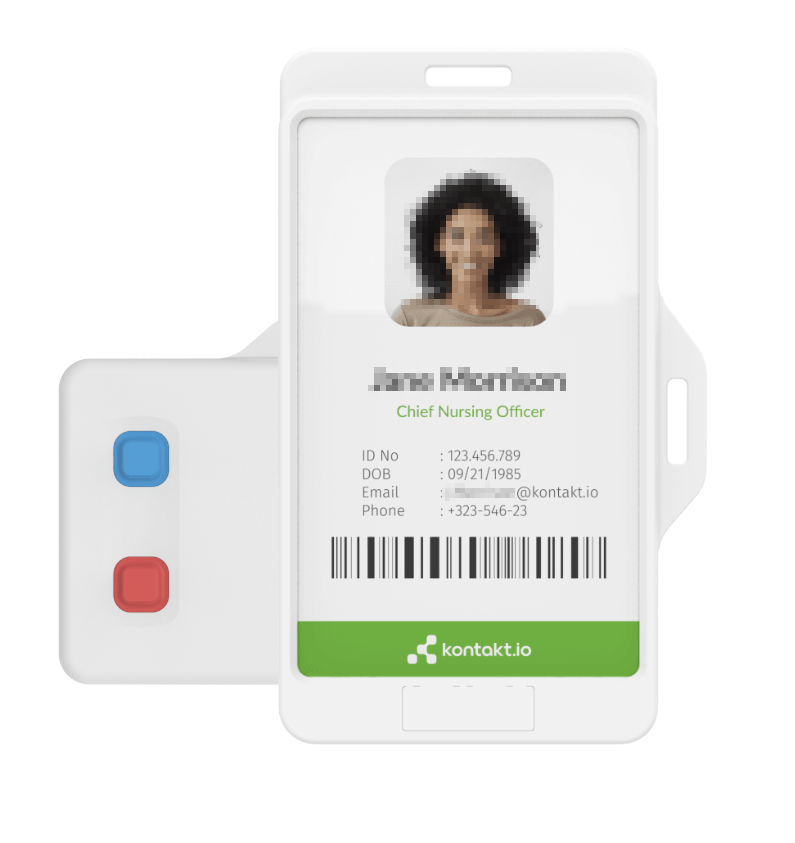
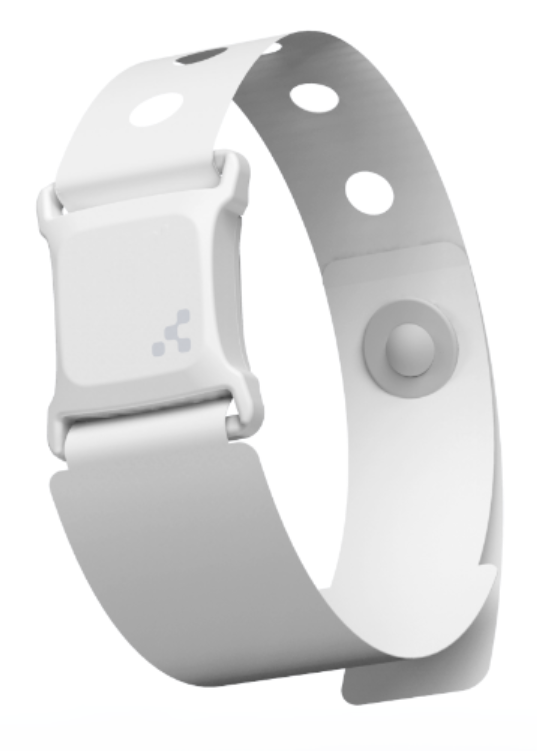
### Smart Badge
**Attributes:** Firmware, model, battery level, map position, temperature
**Power supply:** CP224147 batteries, battery life 3 years with active IR, 5 years at 1 Hz beaconing
**Use cases:**
* Localization of people within buildings
* Identify and locate who is calling and from where
**For more information**:\[External link]
To import the asset template into your Eliona system, please install the \[External link] [Kontakt.io](http://kontakt.io/) App. This app automatically creates the template and all detected assets.
{% file src="/files/d94f77d1a6b1d9aba3db692bca59e808d8e8d62b" %}
**Infravolt price:** 5 Infravolts
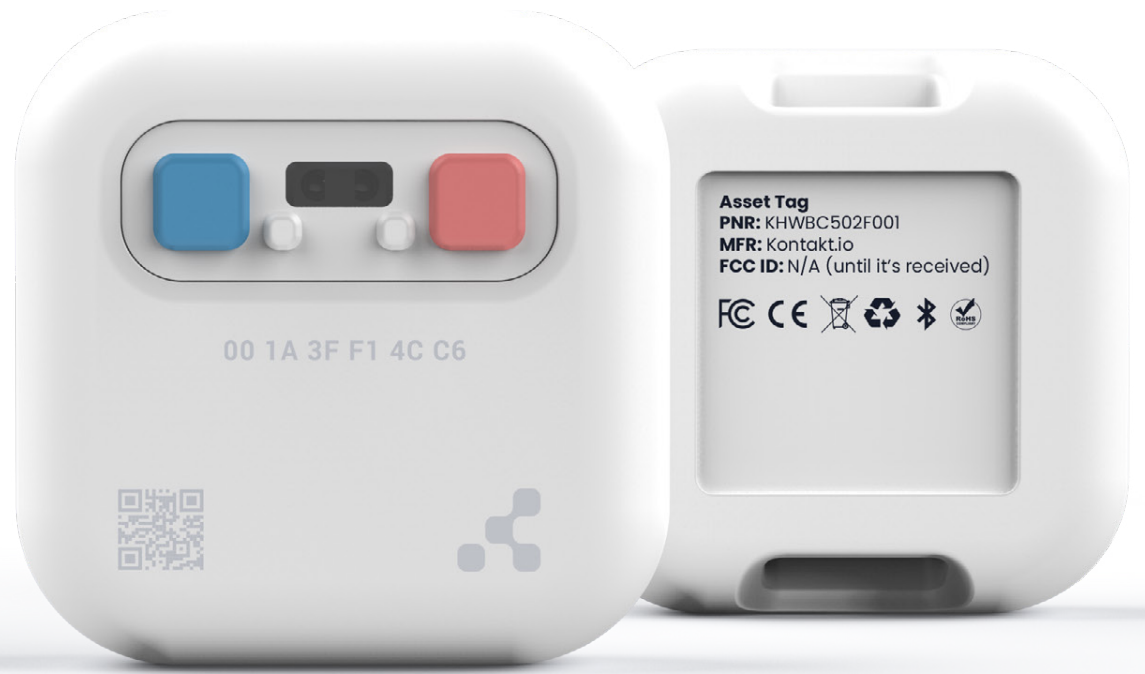
### Asset Tag 2
**Attributes:** Firmware, model, battery level, map position, temperature
**Use cases:**
* Calling is triggered at predefined demand (e.g. maintenance and replenishment).
* Locates assets with room-level accuracy.
**Power supply:** 2 non-replaceable ER14250 (1.2 Ah) batteries. Total 2400mAh. Battery life up to 8 years (transmit power 3; interval 1000 ms; IR disabled)
**For more information**: \[External link]
To import the asset template into your Eliona system, please install the \[External link] [Kontakt.io](http://kontakt.io/) App. This app automatically creates the template and all detected assets.
{% file src="/files/d94f77d1a6b1d9aba3db692bca59e808d8e8d62b" %}
**Infravolt price:** 5 Infravolts
### Nano Tag
**Attributes:** Firmware, model, battery level, map position
**Use cases:** Localization of people.
**Power supply:** Silver oxide battery, disposable, non-toxic, medically safe. Shelf life 1 year, 3 months at 1 Hz.
**For more information**: \[External link]
To import the asset template into your Eliona system, please install the \[External link] [Kontakt.io](http://kontakt.io/) App. This app automatically creates the template and all detected assets.
{% file src="/files/424a2f49082d68a659e9c40cd1093476273fcf3c" %}
**Infravolt price:** 4 Infravolts
---
# Agent Instructions
This documentation is published with GitBook. GitBook is the documentation platform designed so that both humans and AI agents can read, navigate, and reason over technical content effectively. Learn more at gitbook.com.
## Querying This Documentation
If you need additional information that is not directly available in this page, you can query the documentation by asking a question.
Perform an HTTP GET request on the following URL with the `ask` and `goal` query parameters:
```
GET https://docs.buildings.ability.abb/collection/english-v14/documentation/assets/die-template-bibliothek.md?ask=&goal=
```
`ask` is the immediate question: it should be specific, self-contained, and written in natural language.
`goal` is what the user is ultimately trying to achieve, the reason they need the answer. Sharing it helps GitBook give you a better, more relevant answer. A goal is most helpful when it describes the outcome the user wants rather than restating the question. For example, with `ask=how do I create an API token`, a goal like `automate deployments from our CI pipeline` lets GitBook tailor the answer to that use case.
The response will contain a direct answer to the question and relevant excerpts and sources from the documentation.
Use this mechanism when the answer is not explicitly present in the current page, you need clarification or additional context, or you want to retrieve related documentation sections.