

Add links to an asset
Via "Links," you can attach links to resources on the internet to any asset.
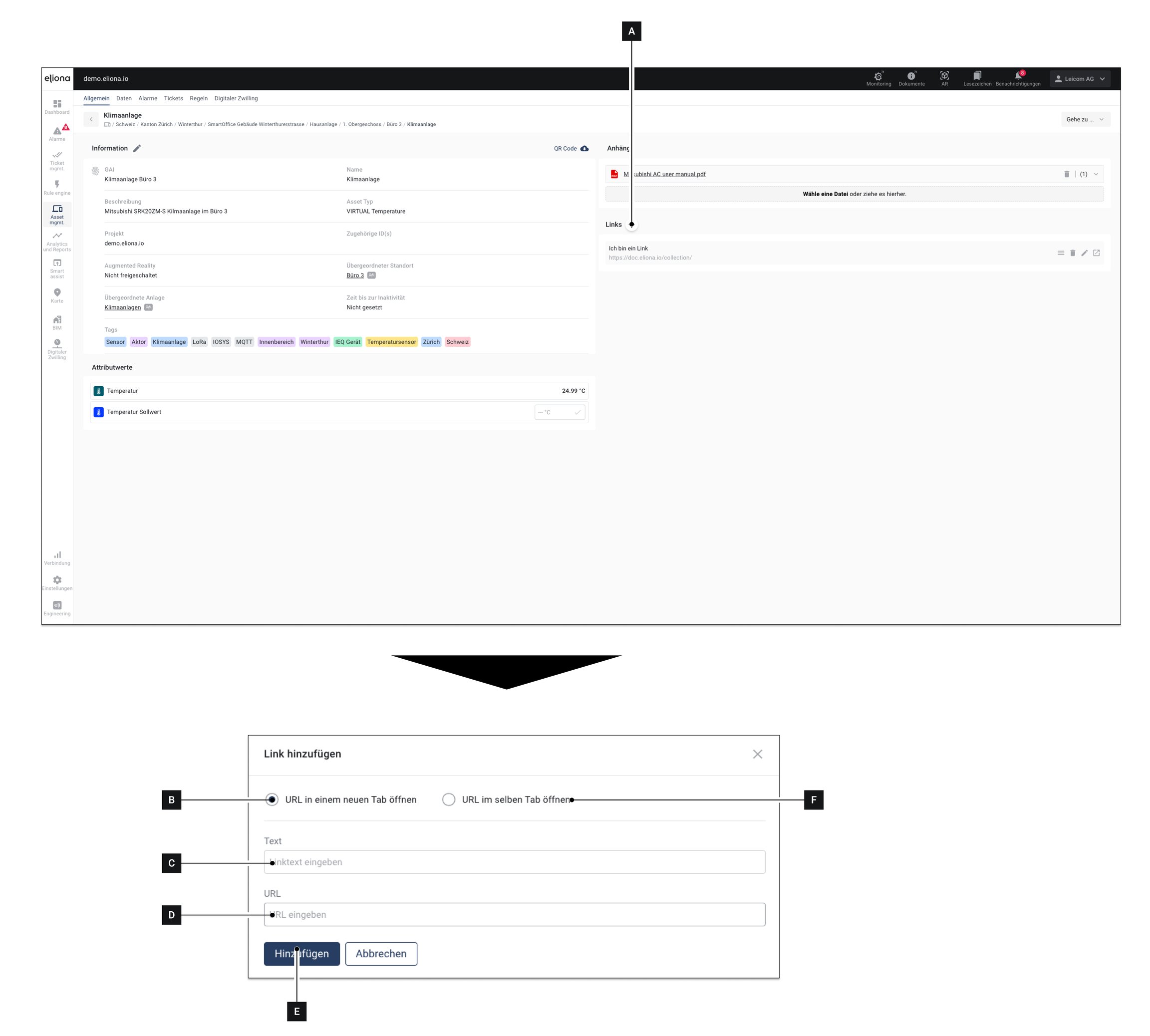
Go to the -> asset details on
Click on [A] ▷ The "Add link" window opens
Select under [B] respectively [F] whether the link should be opened in a new tab
Enter under [C] enter a description of the link
Enter under [D] enter the URL for the resource
Click on [F] to save ▷ The link has been added to the asset
Last updated
Was this helpful?