

Internal notifications
Internal notifications appear in the Eliona interface.
Internal notifications are indicated by a red dot in the title bar [A], a visual indication [B] and a notification sound.
The number in the red dot indicates the number of new notifications.
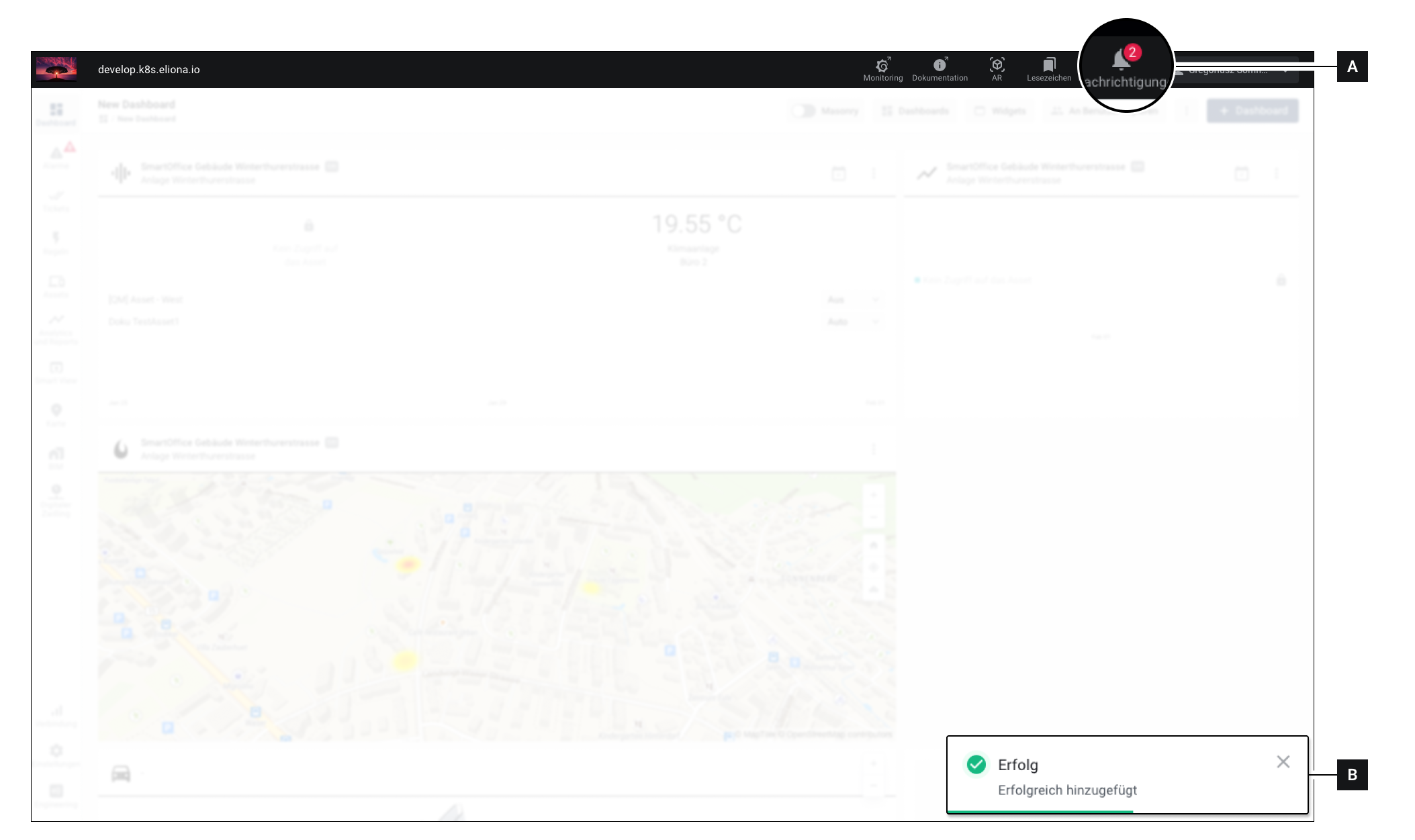
Show all notifications
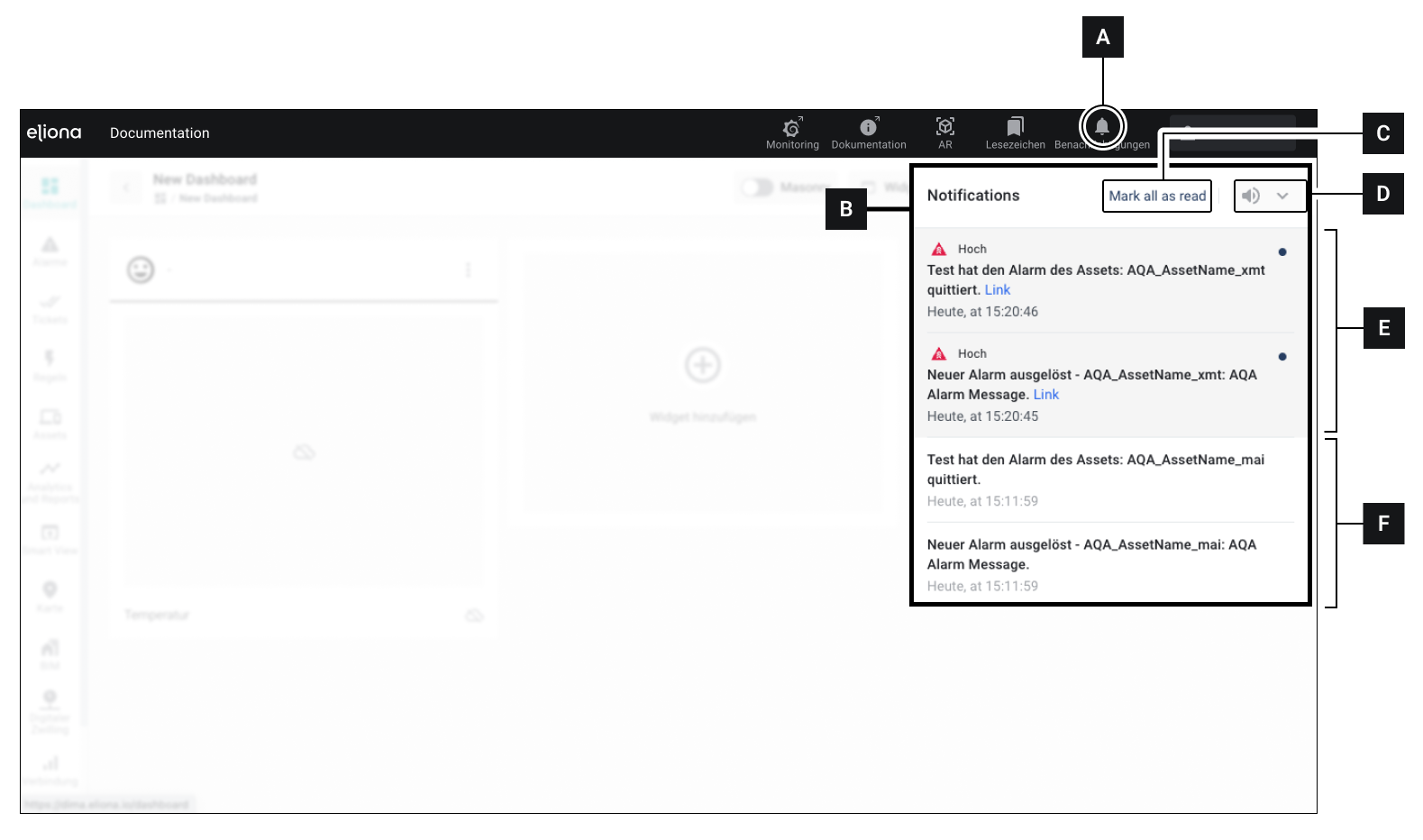
Click in the title bar on Notifications [A] ▷ The window Notifications [B] opens
Details
In the window Notifications [B] you have the following options
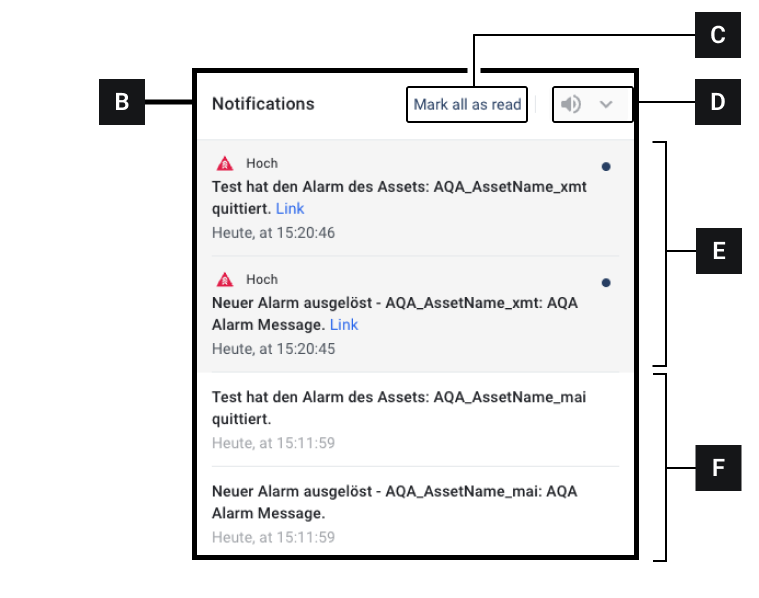
[B]
The Notifications window
The Notifications window
[C]
Mark all as Read
Click to mark all notifications as read
[E]
New notifications
New notifications are marked with a dot and highlighted in dark. Click a notification to mark it as read
[F]
Read notifications
Read notifications
.
Last updated
Was this helpful?