

Change a user's role
Adjust project role
As explained in the previous chapter, you automatically assign a role to a user when you add them to a project.
You can subsequently adjust the role a user has in a project.
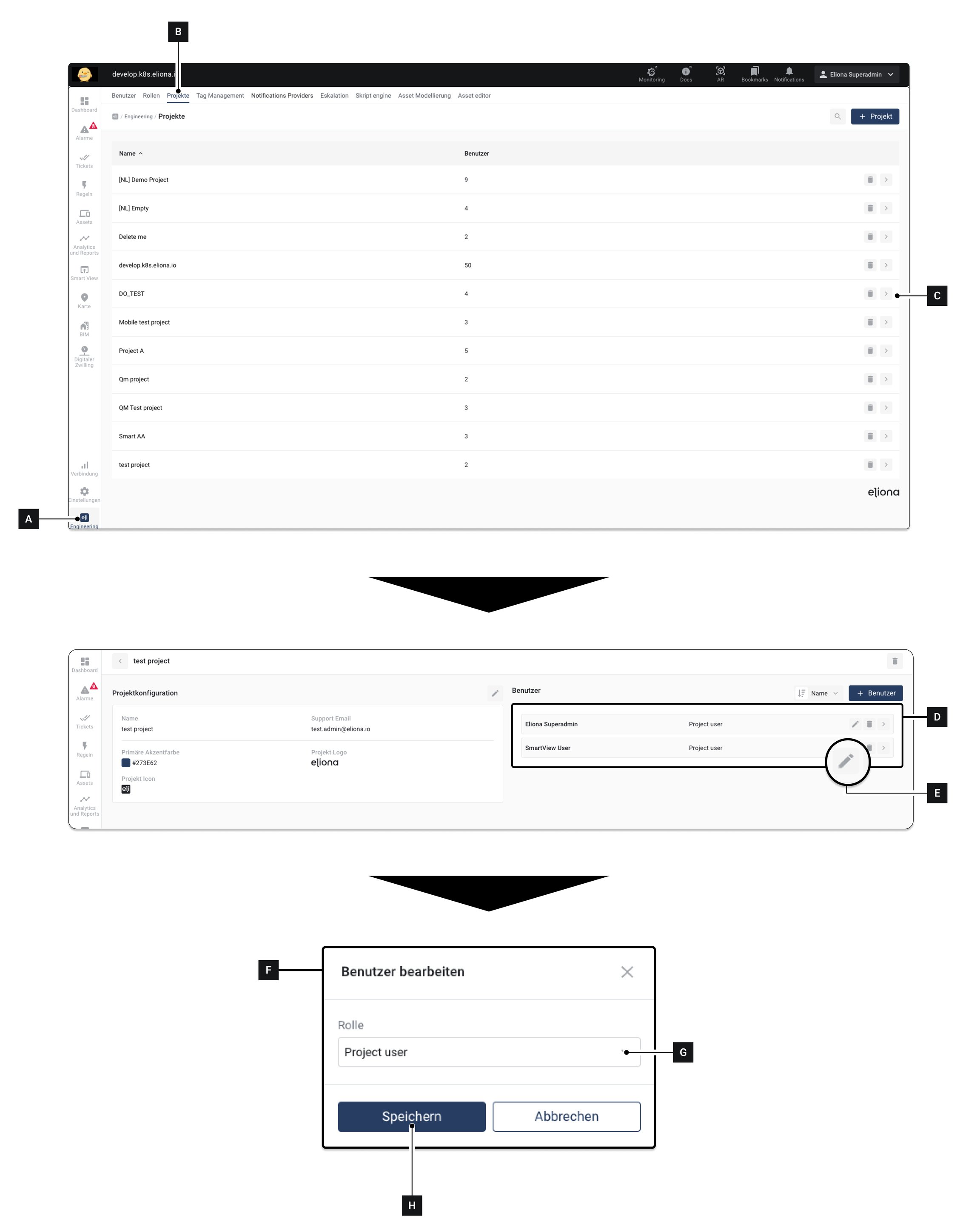
Click on Engineering [A]
Make sure that the tab Projects [B] is selected
Click on the user whose role you want to adjust [C] ▷ The project settings open ▷ In [D] you can see all users assigned to this project
For the user whose project role you want to adjust: Click on [E] ▷ The window Edit user [F] appears
Select in [G] the role you want to assign to this user.
Click on Save [H]
Adjust system role
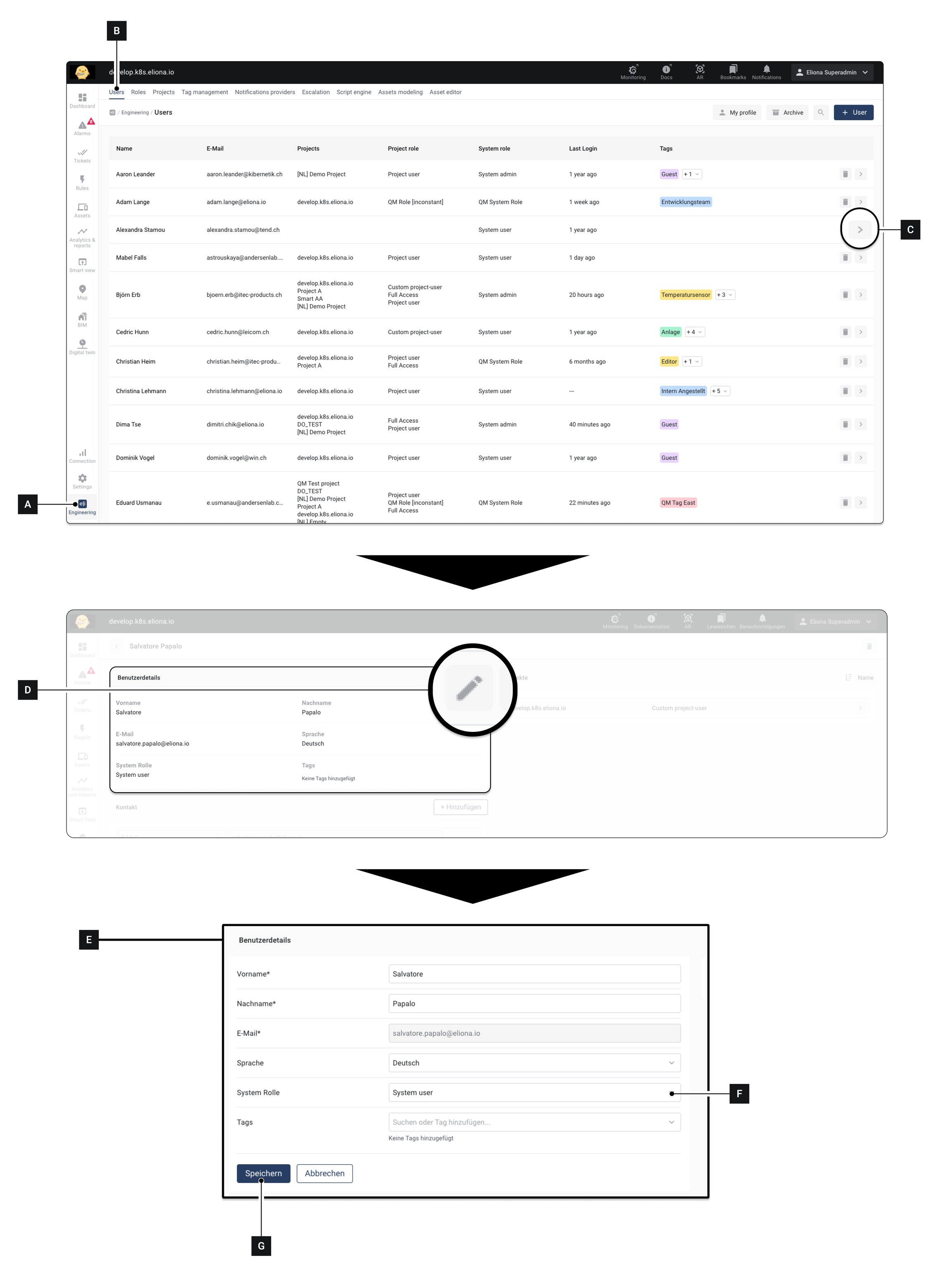
Click on Engineering [A]
Make sure that the tab Users [B] is selected
Click on the user whose role you want to adjust on [C] ▷ The user settings open
For the user whose project role you want to adjust: Click on [D] ▷ The window Edit user [E] appears
Select in [F] the role you want to assign to this user.
Click on Save [G]
Last updated
Was this helpful?