

System roles
About the system role
The settings in system roles govern the permissions for options that apply system-wide. The options controlled by this role remain the same in all projects.
Every user always has exactly 1 system role. Users cannot have more than 1 system role at the same time.
Default system roles
By default, eliona is delivered with the following roles:
system owner
This role is created when the system is deployed and has all permissions.
The role "System-Owner" is the only role that can create new system roles.
The role "System-Owner" is the only role that can grant the "System-Admin" role.
System-Admin
A role with extensive permissions. Users with this role can, among other things, create new users. Users with the "System-Admin" role can other users NOT the role ""System-Admin".
System User
This role is automatically assigned to every newly created user. Users with this role have no write permissions and can create neither new system admins nor new system users.
Create a custom system role
You can create and customize an unlimited number of custom roles.
Proceed as follows to create a new system role
System role options
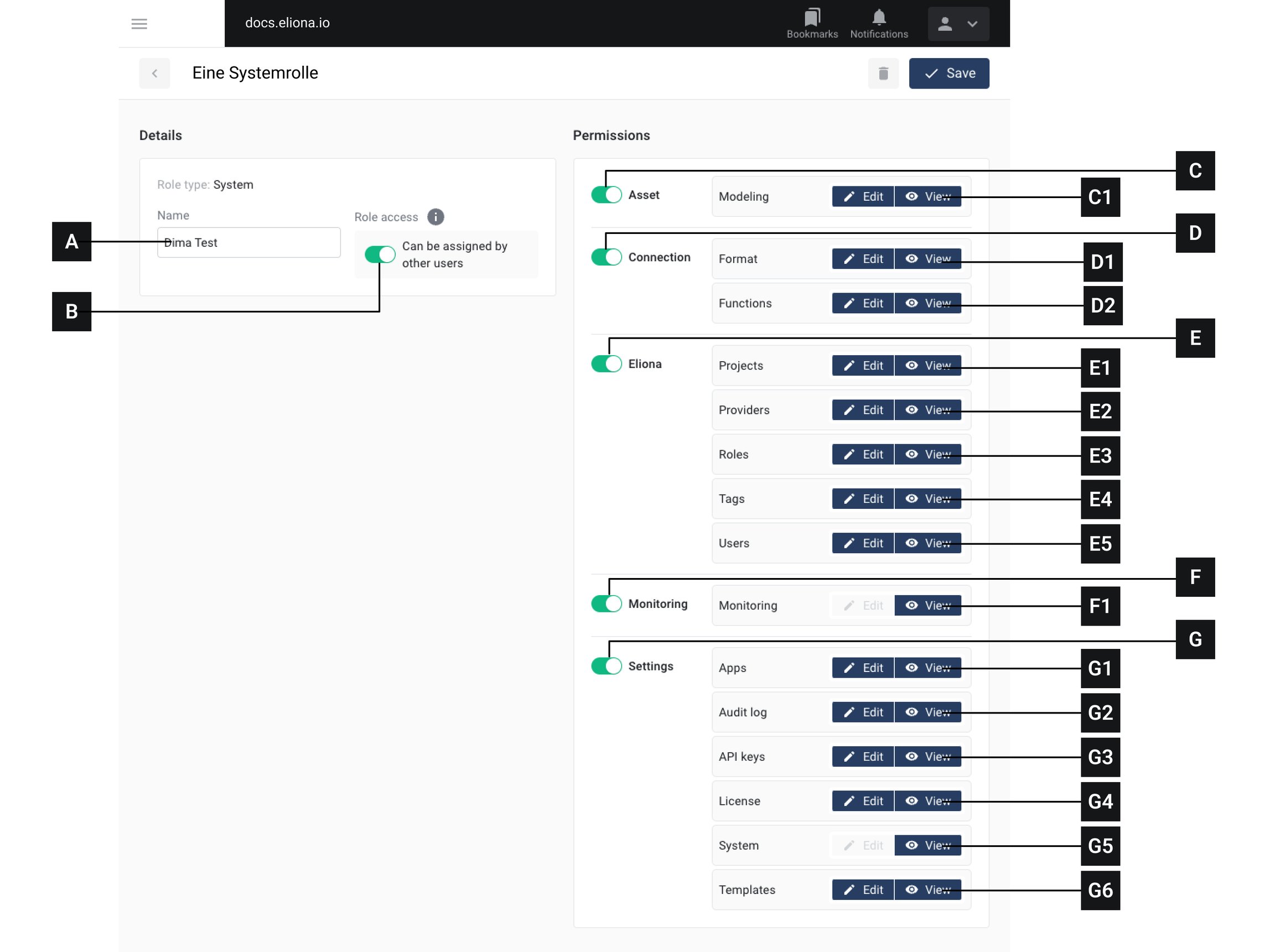
A
Name
Name of the system role
B
Role Access
If this switch is enabled, other authorized users (e.g. admins) can assign this role to users. -> More info
C
Universal switch "Asset"
Enable/disable all write and read access for the "Asset" function
C1
asset
Grant write access/read access for "Asset modeling"
D
Universal switch "Connection"
Enable/disable all write and read access for the "Asset" function Disable the switch to hide the menu item
D1
Format
Grant write access/read access for "Format"
D2
Features
Grant write access/read access for "Functions"
E
Universal switch "Eliona"
Enable/disable all write and read access for the "eliona" function
E1
Projects
Grant write access/read access for "Projects"
E2
Provider
Grant write access/read access for "Provider"
E3
Roles
Grant write access/read access for "Roles"
E4
Tags
Grant write access/read access for "Tags"
E5
User
Grant write access/read access for "Users". If write access is enabled for this item, users with this system role can create new users.
F
Universal switch "Monitoring"
Enable/disable all write and read access for the "Monitoring" function
F1
Monitoring
Grant write access/read access for "Monitoring"
G
Universal switch "Settings"
Enable/disable all write and read access for the "Settings" function
G1
Apps
Grant write access/read access for "Apps"
G2
Audit Log
Grant write access/read access for "Audit Log"
G3
API Keys
Grant write access/read access for "API Keys"
G4
license
Grant write access/read access for "License"
G5
System
Grant write access/read access for "System"
G6
Templates
Grant write access/read access for "Templates"
[B] Role Access
With this option, you can define who can assign the corresponding system role to other users.
This function can be configured separately for each system role.
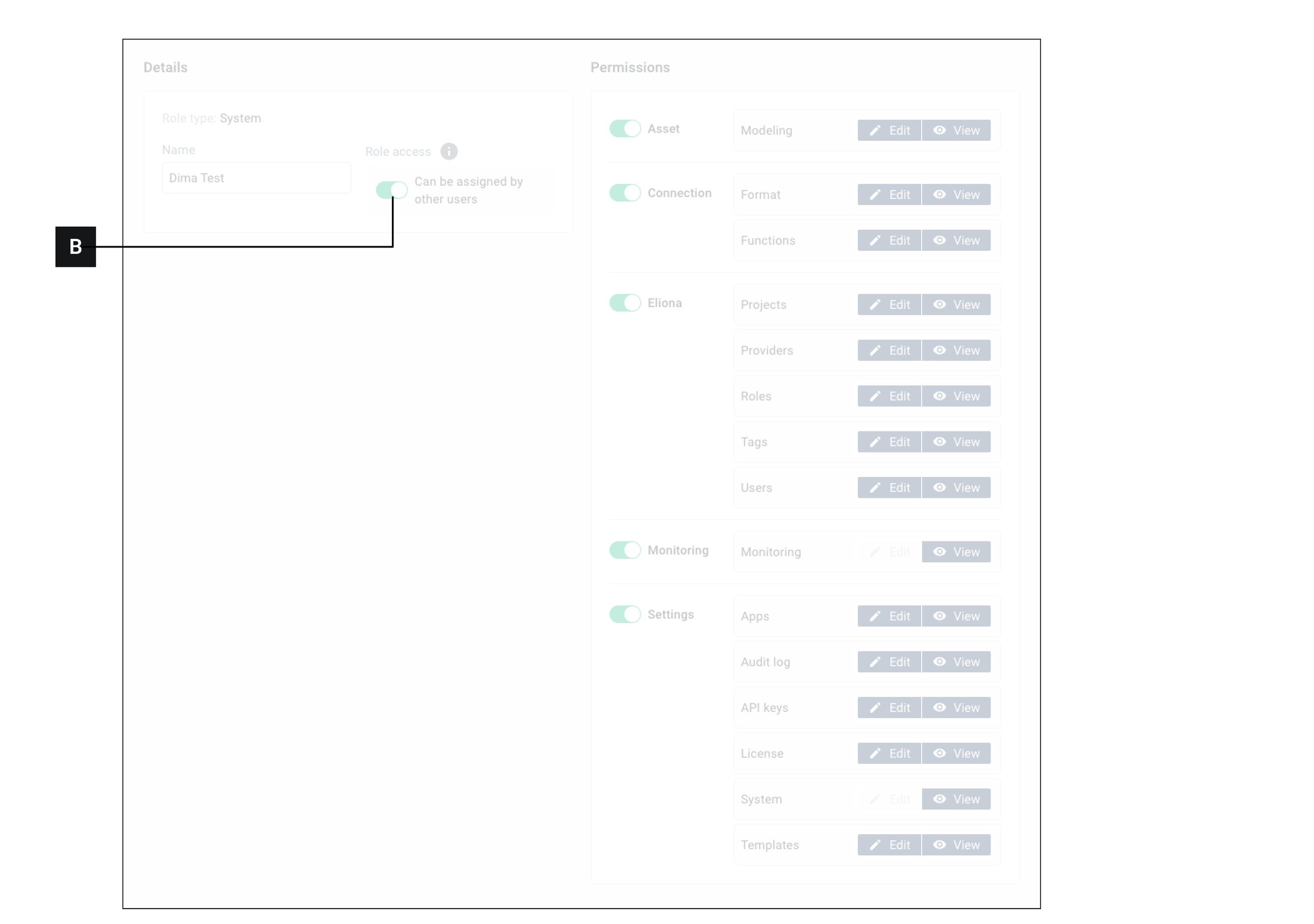
Switch enabled This system role can be assigned by users whose system role has write permissions in the area Roles .
Switch disabled This role can only be assigned by the System Owner.
Assign a system role to a user
Last updated
Was this helpful?