

Create a new Smart View
Create a Smart View
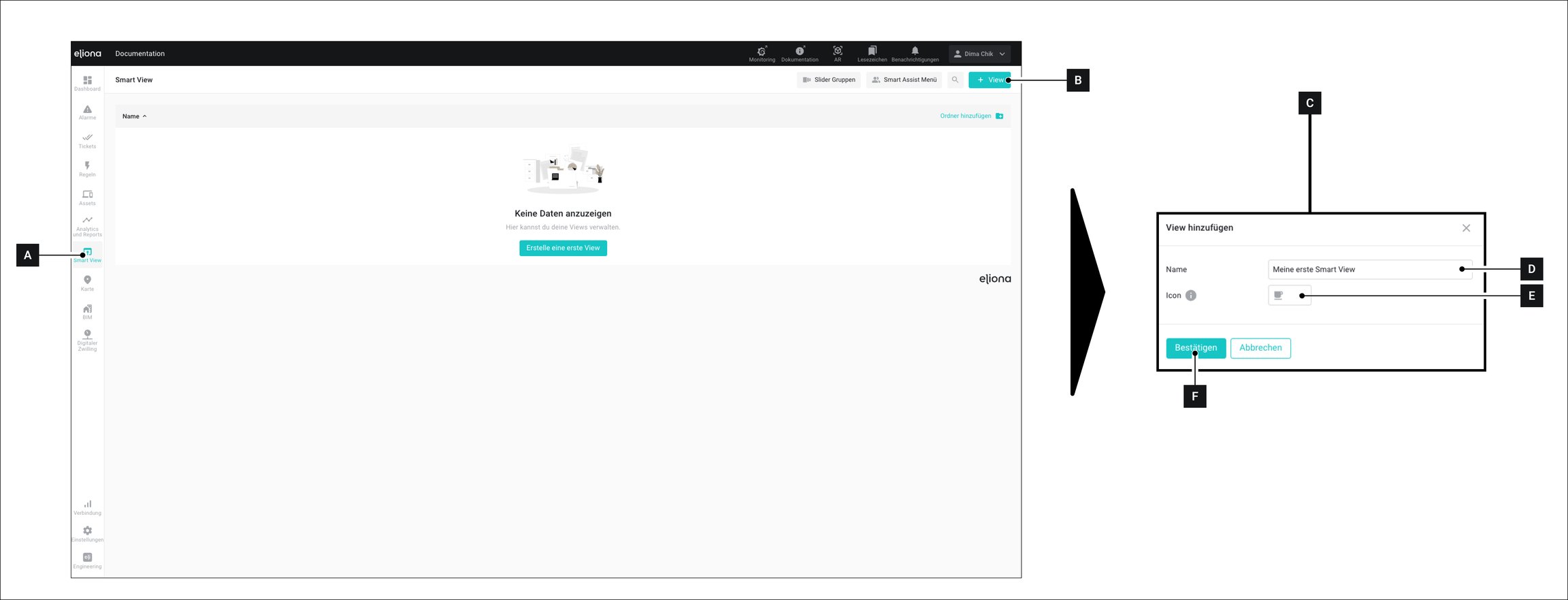
Open the menu item Smart View [A] ▷ The "Smart Views" workspace opens. ◈ If you have not created any Smart Views yet, the workspace is empty.
Click on [B] ▷ The window "Add View" [C] opens
Enter the new Smart View in [D] a name
Select in [E] Choose an icon for the Smart View from
Click on [F] ▷ The "Configure Smart View" menu opens
Last updated
Was this helpful?