

Create tickets
Tickets can be created directly, from an alarm, or from a template. A project role with write access to tickets is required for this. -> Permissions for tickets and tasks
Create directly
Open Tickets.
Click on + Ticket [1].
Select Create new.
Fill out the form. -> Configure ticket
Create from an alarm
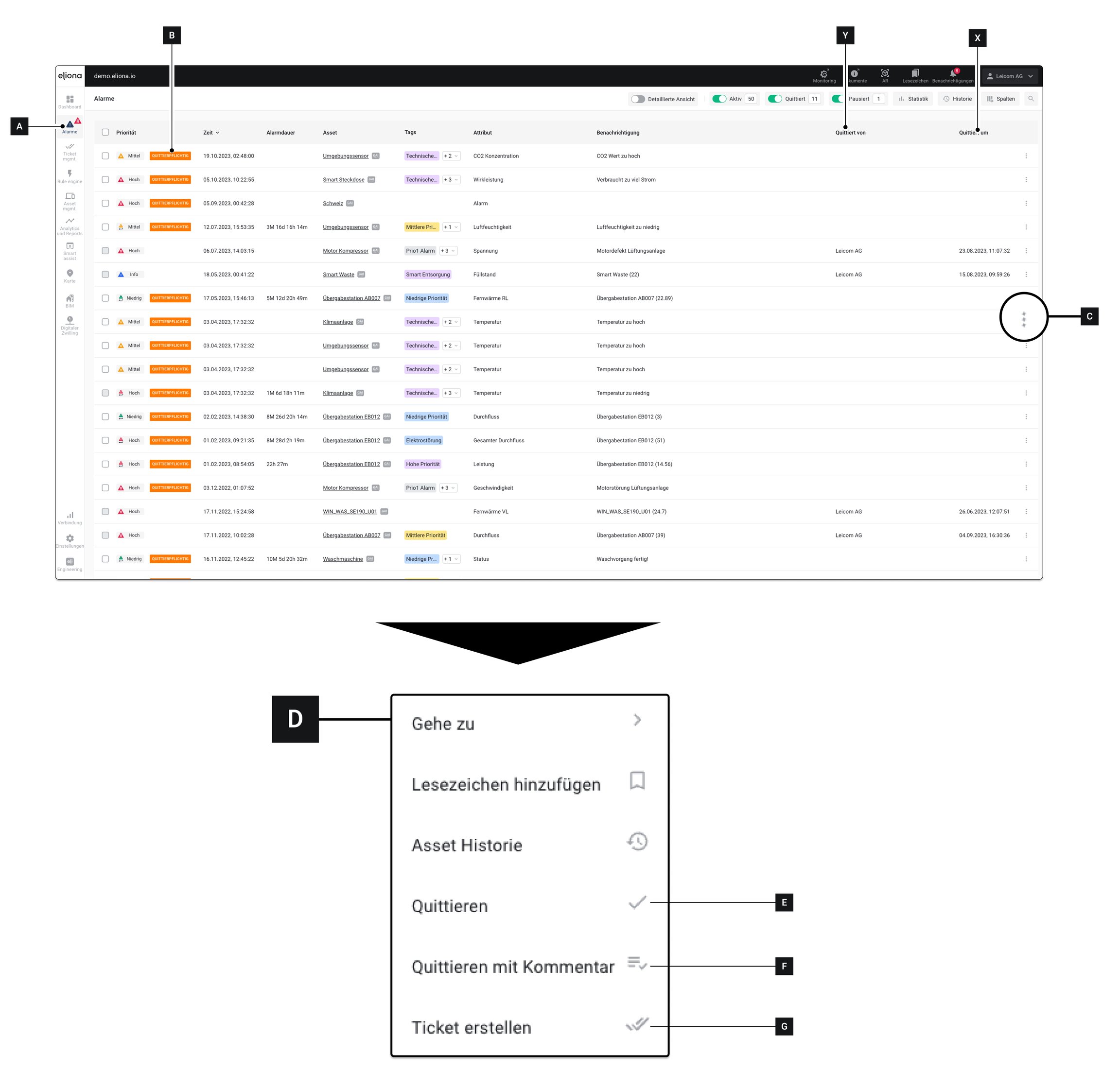
Open the alarm menu via Alarms [A].
Click on the desired alarm [C].
Open More options [D].
Select Create ticket [G].
Complete the details in the ticket form and create the ticket. -> Configure ticket
The selected alarm and, if available, the associated asset are automatically transferred to the ticket form.
Create from a template

Click on + Ticket [1].
Select Create from template [2].
Open the desired template with [3].
Check and add to the transferred information and create the ticket.
How templates are created, organized, and managed is described under -> Ticket templates described.
Last updated
Was this helpful?