

Wayfinding in use
Wayfinding can be used in many different ways to help users navigate a building. Here are the various ways you can use the system:
1. Use of QR codes
One of the most effective ways to use wayfinding is to create and physically place QR codes at the starting points within the building. Customers can scan these QR codes to immediately start navigation to their destination. This is especially useful in larger buildings, where it is important that users find their way quickly and without confusion.
Generate QR code2. Integration into Smart Views
Wayfinding can also be integrated into a Smart View.
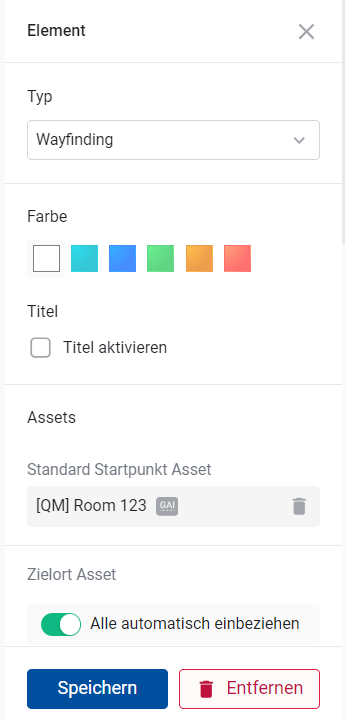
In this view, you can select the starting point as an asset and define specific destinations to which the user should have access. Alternatively, you can also release all destinations. This method offers a digital and interactive way to find your way through the building without the need for physical QR codes.
🎛️Smart Views3. Use of the wayfinding link or QR code
Another option is to provide a general link or QR code that leads to the wayfinding page (/wayfinding). Users can then select the building they are currently in and set the desired starting point.
4. Selecting the starting point and the building
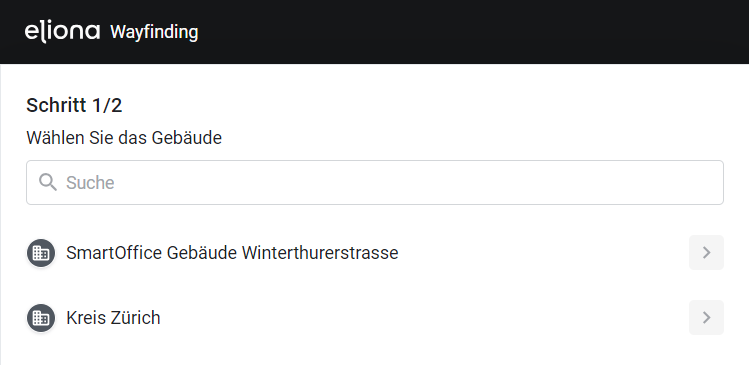
After the user has selected a building, they can determine the starting point within the building. The process is as follows:
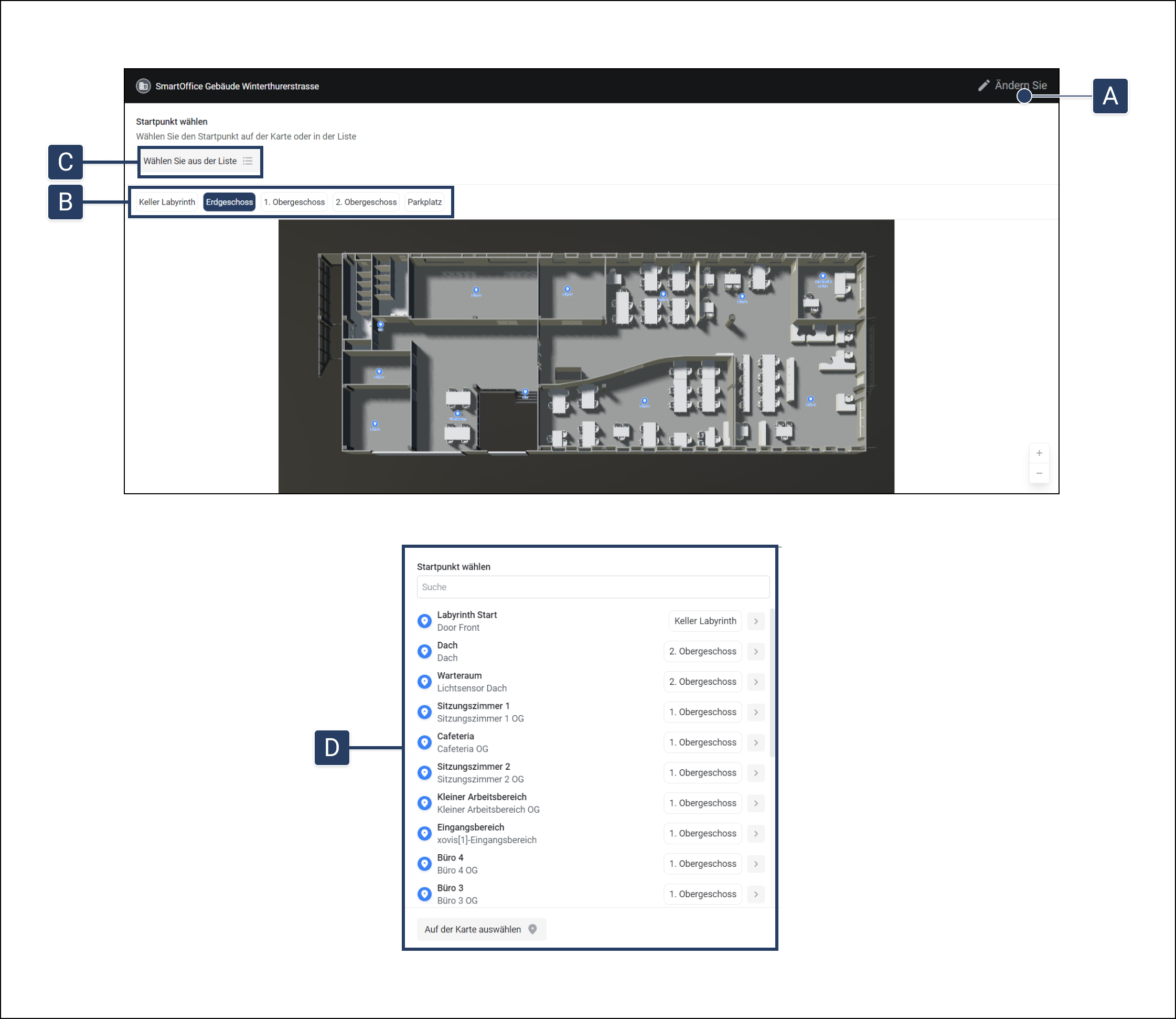
Click on "change" [A]
▷ You return to the building view.
Click on one of the floors in [B]
▷ You change floors.
To select a starting point, click on one of the points on the floor plan from which you want to start, or click on "Select from the list" [C]
▷ A list appears [D]in which a starting point can be searched for and selected.
These options offer flexible ways to use the wayfinding system and ensure that users always find the fastest and most efficient route to their destination. Whether physically via QR codes or digitally via a Smart View, wayfinding is a powerful solution for making orientation in complex buildings easier.
Last updated
Was this helpful?