

List of alarms
The widget List of alarms in Eliona offers a compact overview of alarms triggered by specific rules. It enables a quick overview of all active alarms and provides basic information so that you can respond to disruptions promptly. Filtering alarms by tags helps display only the most relevant alarms.
Widget
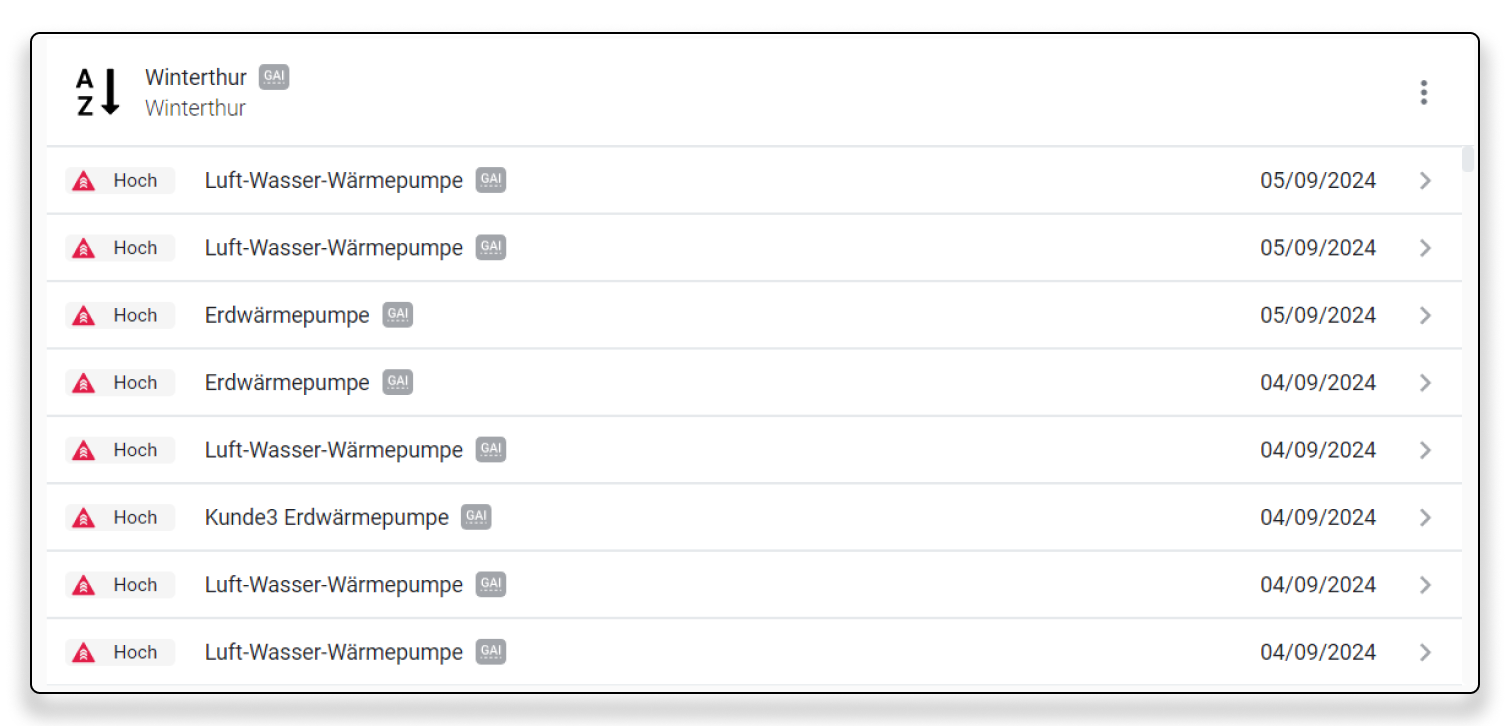
The List of alarms-Widget shows an overview of all active alarms filtered by tags. It contains information about the priority of the alarms, the affected assets, and the date the alarm was triggered. The alarms are displayed in a compact sorted list, which makes it possible to quickly grasp the most important alarm details.
When should this widget be used?
The List of alarms-Widget should be used when a quick and compact overview of all active alarms is needed. It is especially suitable for situations in which many alarms need to be monitored at once without going into detail. This widget is ideal for keeping track of the status of all alarms in a simple way and intervening selectively when needed.
[A]
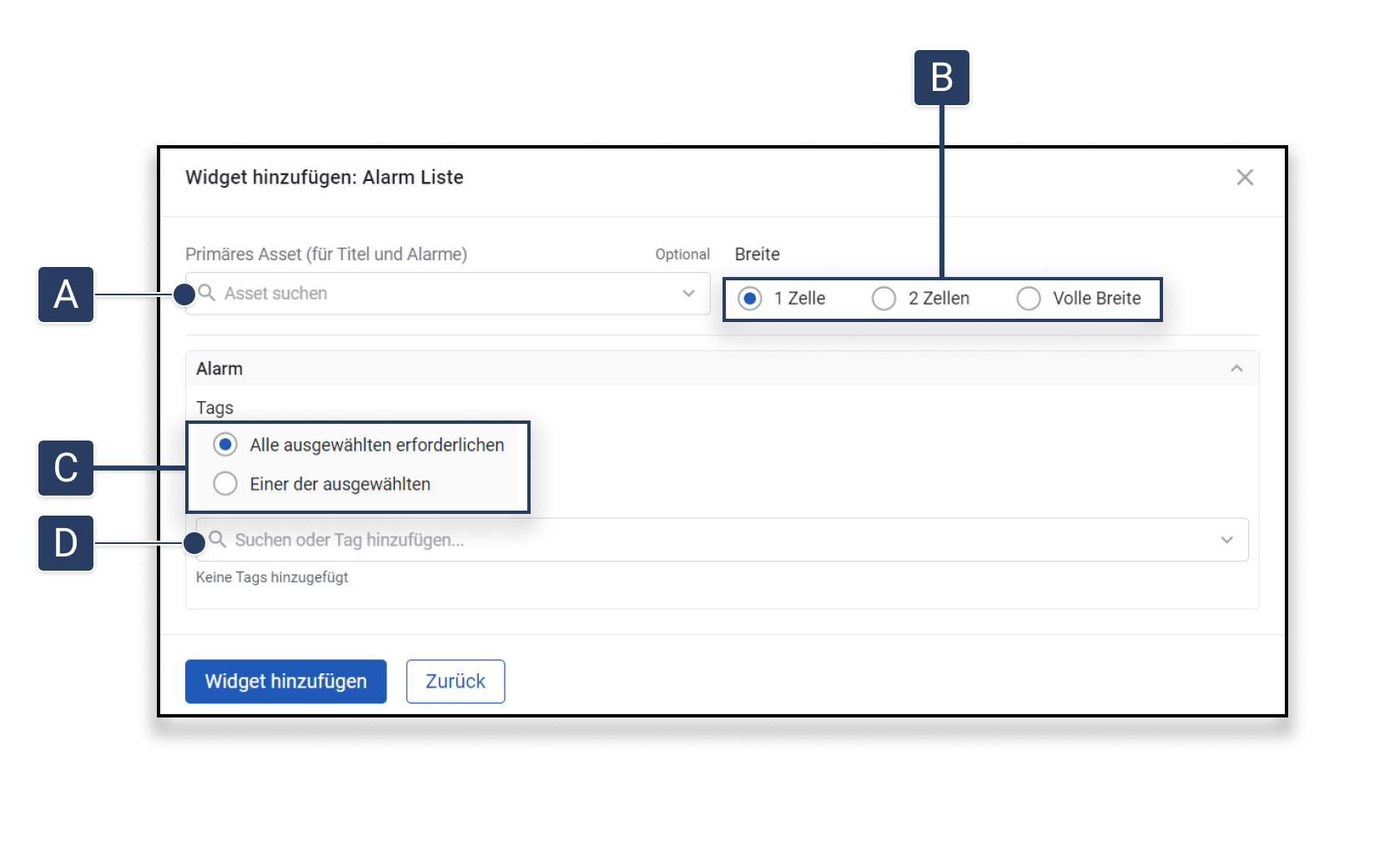
Primary asset
Select primary asset. This selection determines which title [A] appears in the widget
[B]
Width
Select how much space the widget should take up on the dashboard.
[C]
Tag setting
You can filter alarms by specific tags to display only relevant alarm data.
All selected required: Only alarms that have all selected tags are displayed.
One of the selected: Displays alarms that have at least one of the selected tags.
[D]
Select tags
Select the tags by which the alarms in the widget should be filtered to display only the relevant alarms.
Last updated
Was this helpful?