

Progress
The “Progress” module offers various display types for progress or fill levels.
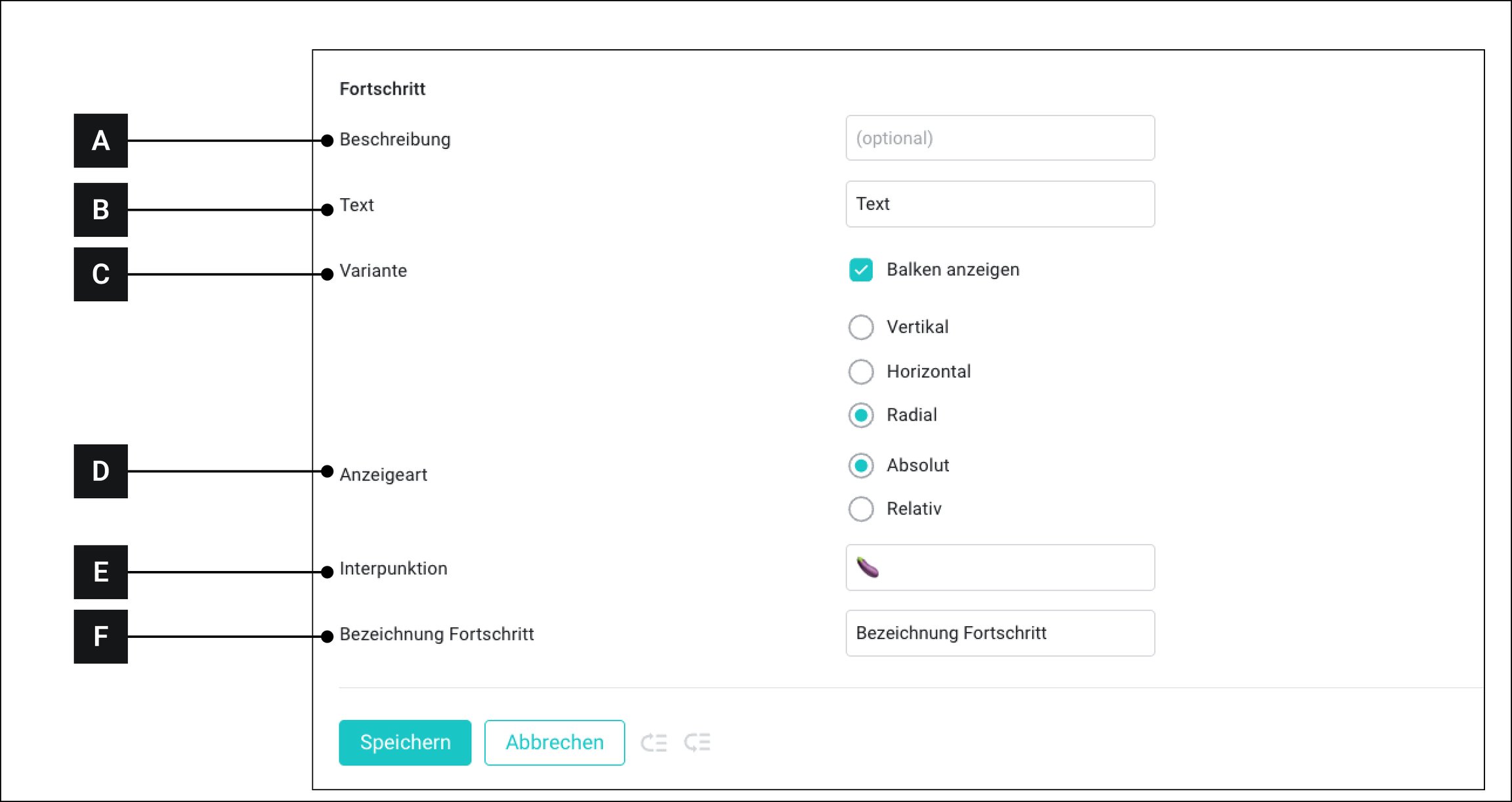
[A]
Description
This text is displayed when the custom widget is later connected to assets
[B]
Text
Free text
[C]
Variant
Show bars: If this option is enabled, a chart is displayed above the values. If this option is NOT enabled, only the values are displayed.
Vertical: Shows a vertical bar
Horizontal: Shows a horizontal bar
Radial: Shows a curved vertical bar
[D]
Display type
Absolute: Displays progress as absolute values.
Relative: Displays progress as a percentage
[E]
Punctuation
Is only available when “Absolute” is selected as the display type. Here you can enter the symbol that appears between the two values.
[F]
Progress label
This text appears below the values or between the percentage display
Last updated
Was this helpful?