

Create a user
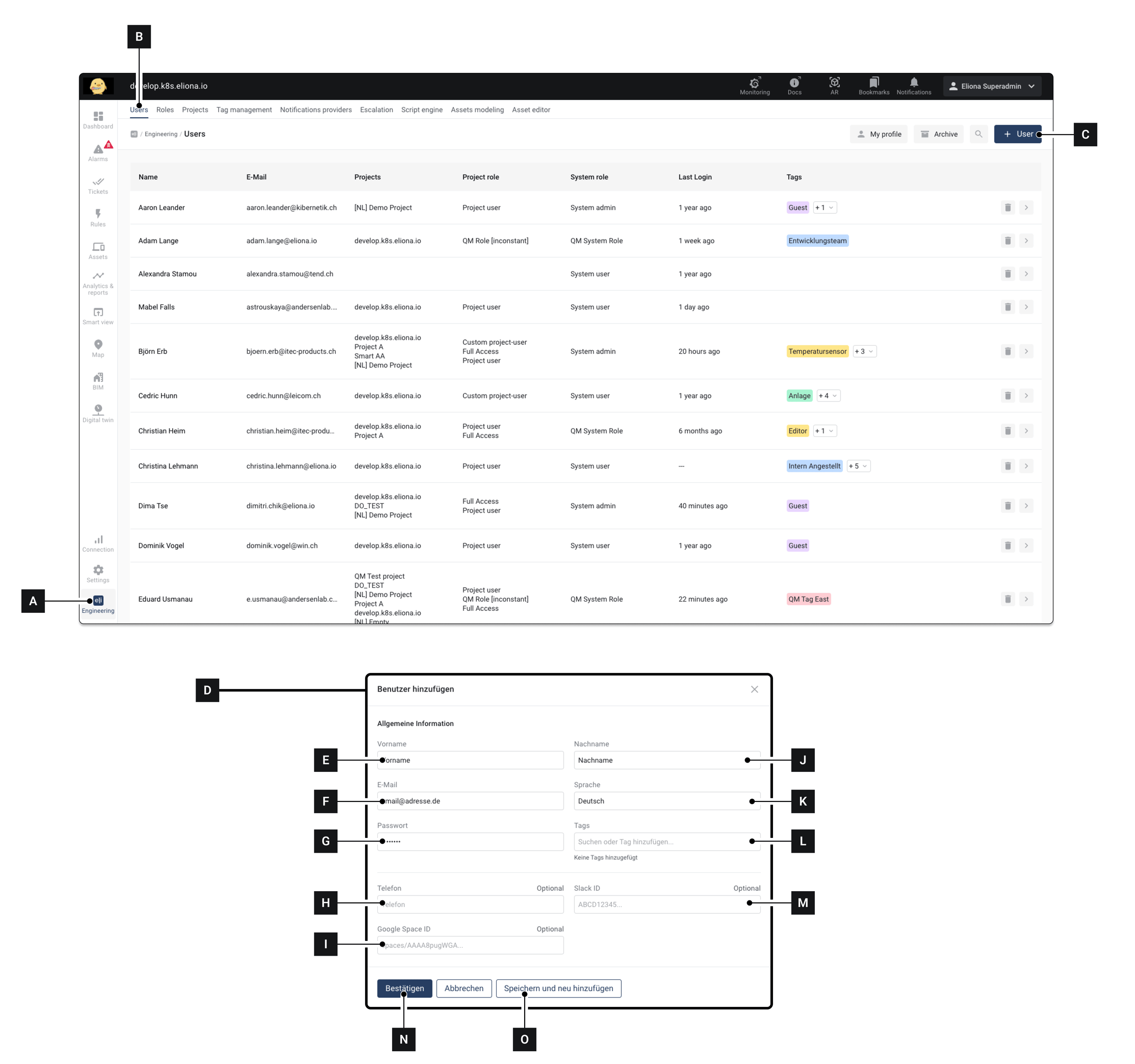
Click on Engineering [A]
Make sure that the tab User [B] is selected
Click on [C] ▷ The window [D] appears
Fill in the information ◈ For details about the information, see below
Click on [N], to create the user and complete the process
▷ The window [D] is closed ▷ A new user is created ▷ The new user appears in the user list
Last updated
Was this helpful?