

Create and configure an analytic
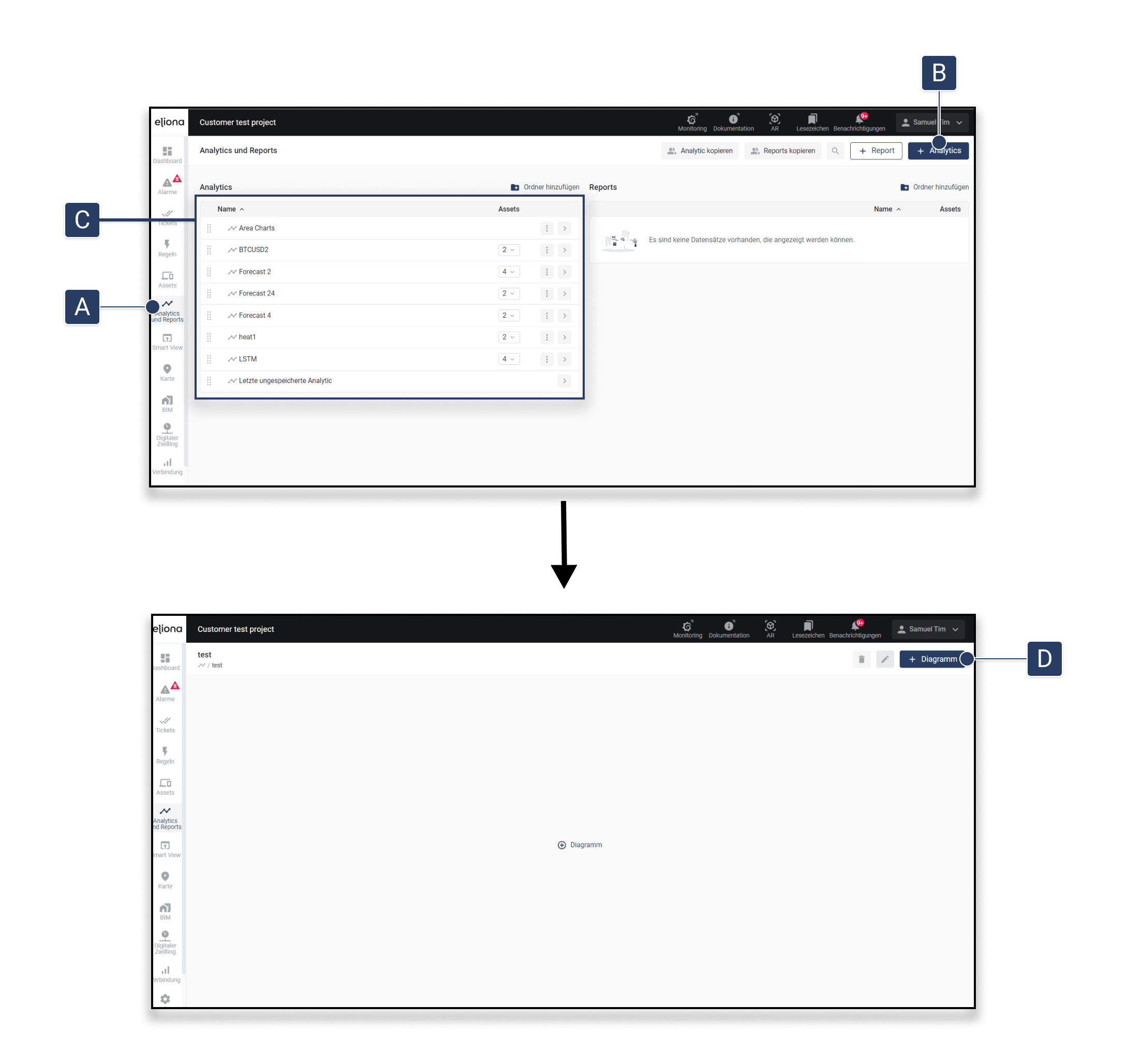
Open the menu Analytics and Reports [A] open ▷ The "Analytics and Reports overview" opens
Click on [B], to create an analytic
▷ The "Name" window opens
Give the analytic a name
Click Save ▷ The analytic is saved under the entered name
Click in the list of analytics [C] on your created analytic
▷ The analytic opens
Click on [D] ▷ The "Edit chart" menu opens
Last updated
Was this helpful?