> For the complete documentation index, see [llms.txt](https://docs.buildings.ability.abb/collection/llms.txt). Markdown versions of documentation pages are available by appending `.md` to page URLs; this page is available as [Markdown](https://docs.buildings.ability.abb/collection/english-v14/getting-started/kunstliche-intelligenz-in-abb-buildingpro/nl2sql.md).
# NL2SQL
## Natural language → SQL (NL2SQL) – the “ChatGPT” for your building data
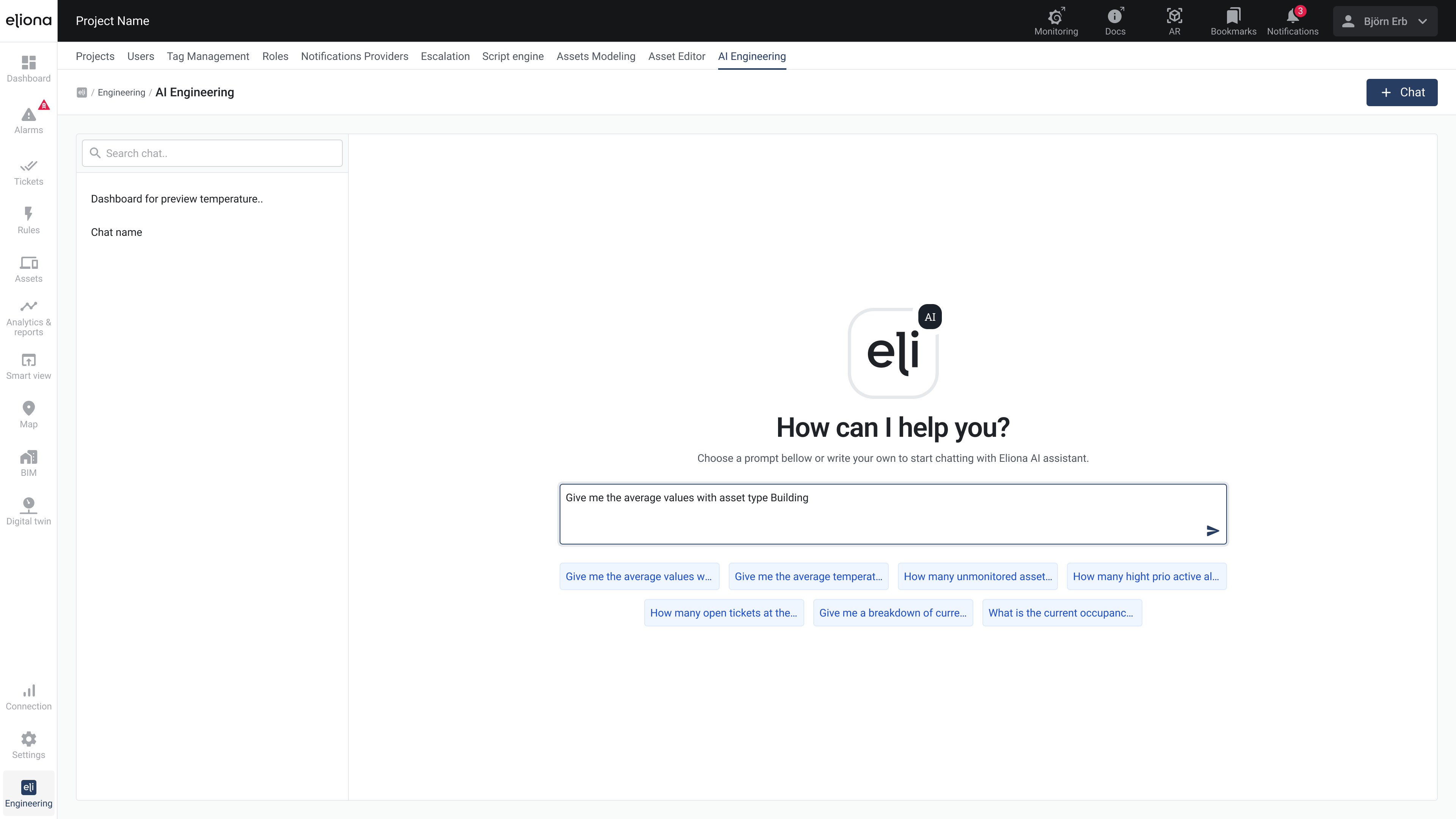
With our NL2SQL module you can in **everyday language** access all data in Eliona – completely without SQL knowledge. A large language model (LLM) translates your questions live into correct SQL queries, executes them and returns results immediately.
***
## What is an LLM?
A **Large language model** like ChatGPT is a neural network pretrained on vast amounts of text. It understands relationships in language, answers questions and can – with appropriate fine-tuning – also generate technical commands like SQL.
### How does NL2SQL work in Eliona?
1. **Enter question**\
“When do I consume the most energy – and which five consumers are responsible?”
2. **LLM translation**\
The model transforms your query into an optimized SQL query, knows through our **Smart building ontology** all assets and measurement points .
3. **Query & result**\
You immediately see a table and graphical presentation.
***
## What problems does NL2SQL solve?
* **Data democratization**\
Energy managers, CFOs and technicians get **ad hoc** insights, completely without BI training .
* **Mitigating the shortage of skilled workers**\
“Non-experts” take over simple analyses – up to **30% fewer** data engineer tickets .
* **Organization without silos**\
Combine location, cost and emissions data in a single question.
* **Faster ROI**\
Typical **80% time savings** for standard reports, payback usually under 3 months .
### Practical example
> **Question:** “What was the peak electricity consumption in the last quarter, and which five systems contributed the most to it?”
>
> **Answer:**
>
> 1. Peak load: **310 kW** on May 12, 4:00 PM
> 2. Top 5 consumers: Ventilation hall A (24%), cooling compressor C (18%), …
All results appear as a table plus integrated bar chart.
***
## Data protection & transparency
* **On-premise LLM** – your data never leaves your network.
* **Chain of Thought**- explanations: Transparent insight into which assets and filters the LLM selected .
* **Safeguards:** If it is about write actions or starting apps, the action is always shown to the user first and they must confirm it first.
{% hint style="success" %}
With NL2SQL, Eliona makes your building data **easily accessible** like ChatGPT – fast, secure and without time-consuming SQL writing.
{% endhint %}
---
# Agent Instructions
This documentation is published with GitBook. GitBook is the documentation platform designed so that both humans and AI agents can read, navigate, and reason over technical content effectively. Learn more at gitbook.com.
## Querying This Documentation
If you need additional information that is not directly available in this page, you can query the documentation by asking a question.
Perform an HTTP GET request on the following URL with the `ask` and `goal` query parameters:
```
GET https://docs.buildings.ability.abb/collection/english-v14/getting-started/kunstliche-intelligenz-in-abb-buildingpro/nl2sql.md?ask=&goal=
```
`ask` is the immediate question: it should be specific, self-contained, and written in natural language.
`goal` is what the user is ultimately trying to achieve, the reason they need the answer. Sharing it helps GitBook give you a better, more relevant answer. A goal is most helpful when it describes the outcome the user wants rather than restating the question. For example, with `ask=how do I create an API token`, a goal like `automate deployments from our CI pipeline` lets GitBook tailor the answer to that use case.
The response will contain a direct answer to the question and relevant excerpts and sources from the documentation.
Use this mechanism when the answer is not explicitly present in the current page, you need clarification or additional context, or you want to retrieve related documentation sections.