> For the complete documentation index, see [llms.txt](https://docs.buildings.ability.abb/collection/llms.txt). Markdown versions of documentation pages are available by appending `.md` to page URLs; this page is available as [Markdown](https://docs.buildings.ability.abb/collection/german/plattform/map-and-floor.md).
# Karte und Etage
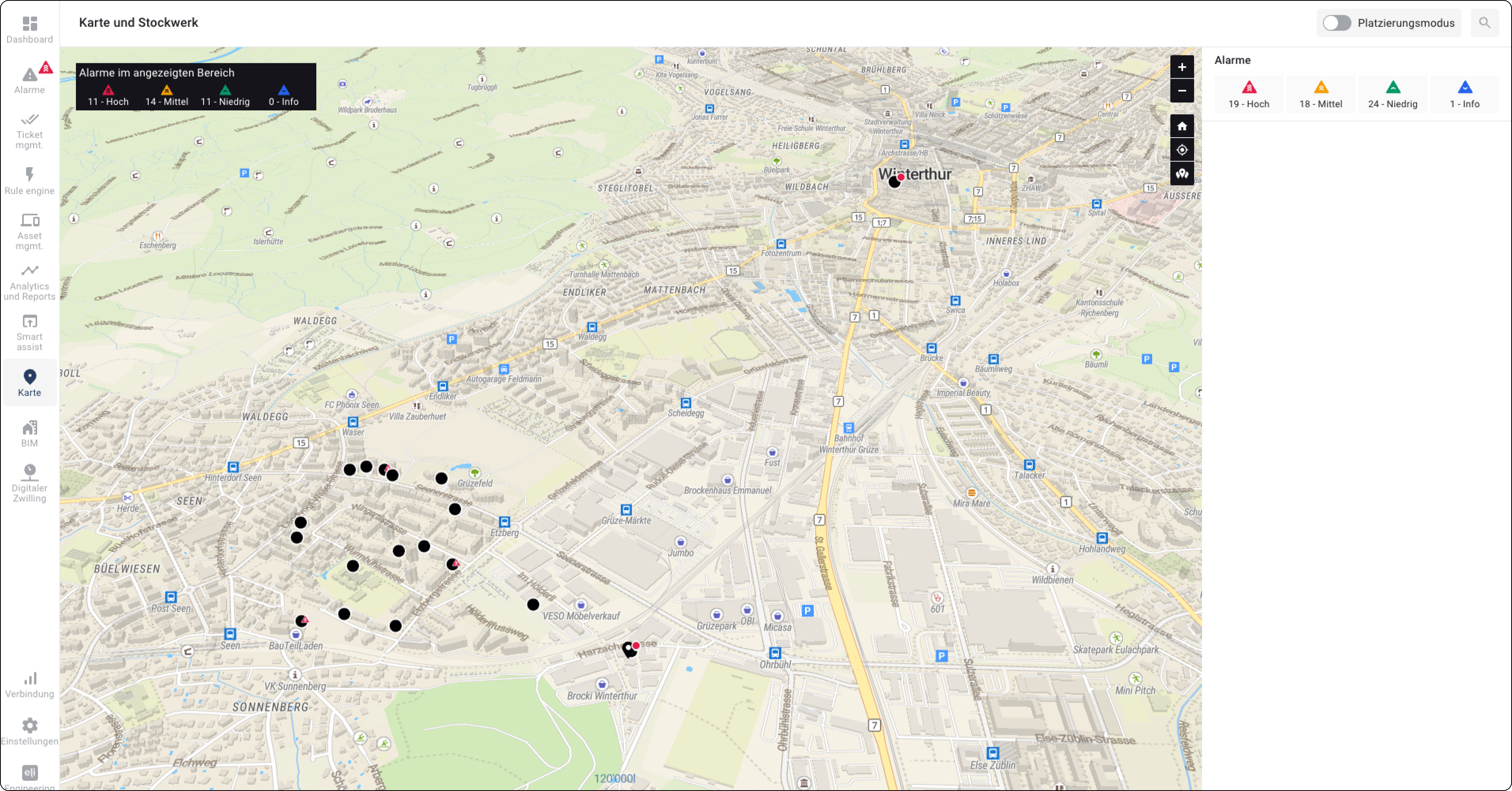
Mit den Optionen Karte und Etage können Sie Assets geografisch platzieren.
Unternehmen mit einem großen Immobilienportfolio oder Anbieter von Facility-Management-Dienstleistungen verfügen meist nur über tabellarisch aufbereitete Gebäudedaten.
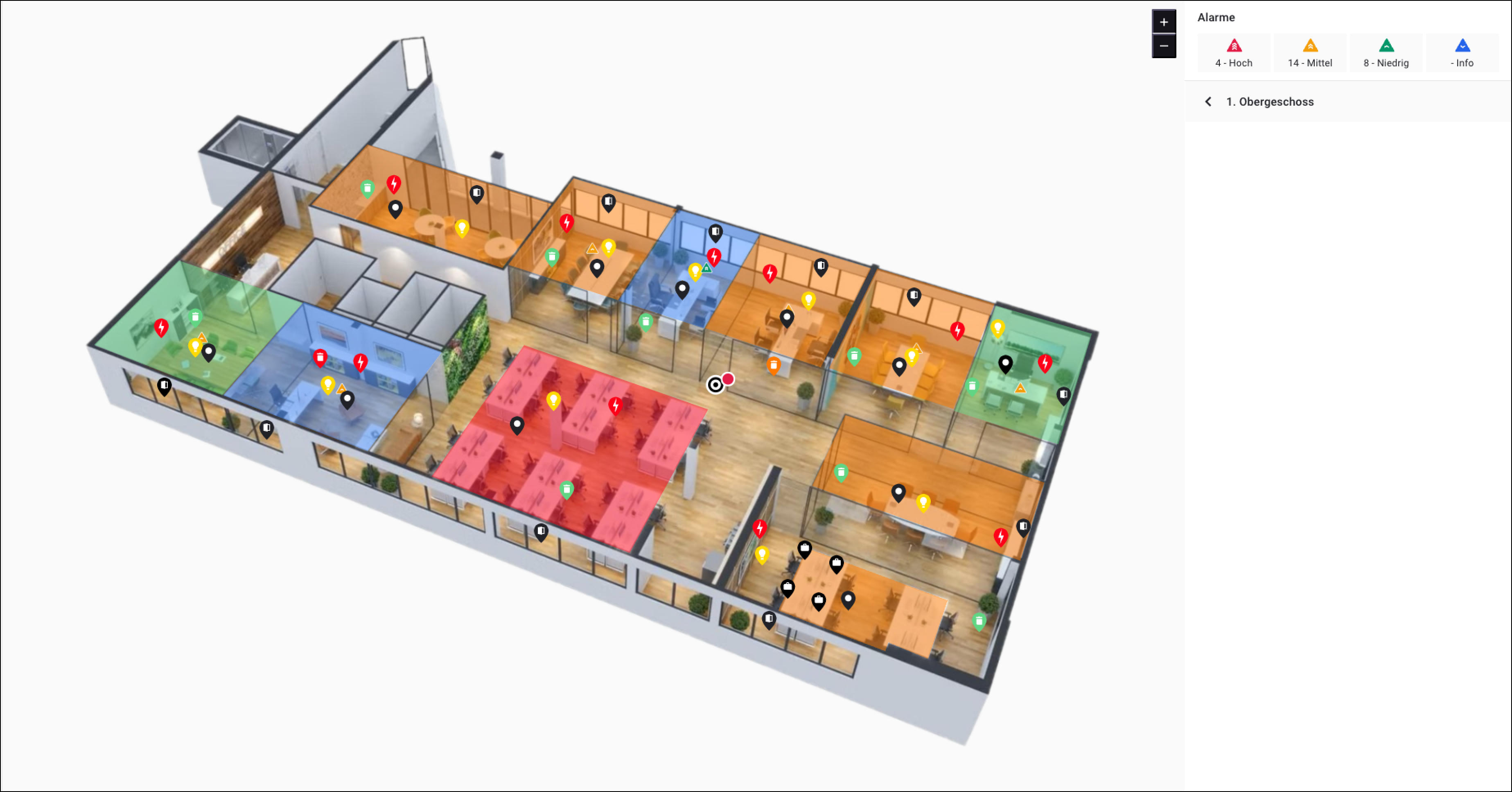
Die vollständige Übersicht über Daten, Status und Standorte aufrechtzuerhalten, ist sehr anspruchsvoll. Mit BuildingPro Suites kann das gesamte Immobilienportfolio abgebildet werden. Darüber hinaus können 2D- und 3D-Grundrisse in die Karte integriert und mit bestimmten Gebäudedaten verknüpft werden. So wird die vollständige Kontrolle über alle Infrastrukturen sichergestellt.
Zusätzlich zu einem schnellen Überblick über alle gebäudespezifischen Daten können Raumstatus auch über die Karte oder die Grundrisse überwacht und gesteuert werden.
Beispiel: Sie besitzen verschiedene Systeme in unterschiedlichen Gebäuden. Sie platzieren die Assets Ihres Systems auf der Karte und verknüpfen verschiedene Grundrisse in Ihren Gebäuden. Nun haben Sie einen Überblick über die Standorte, an denen sich Ihre Systemkomponenten befinden. Mit Hilfe der Grundrisse können Sie die Assets noch genauer lokalisieren und ihre Daten einsehen.
Abb. 1 – Die Karte
Abb. 2 – Die Etage
---
# Agent Instructions
This documentation is published with GitBook. GitBook is the documentation platform designed so that both humans and AI agents can read, navigate, and reason over technical content effectively. Learn more at gitbook.com.
## Querying This Documentation
If you need additional information that is not directly available in this page, you can query the documentation by asking a question.
Perform an HTTP GET request on the following URL with the `ask` and `goal` query parameters:
```
GET https://docs.buildings.ability.abb/collection/german/plattform/map-and-floor.md?ask=&goal=
```
`ask` is the immediate question: it should be specific, self-contained, and written in natural language.
`goal` is what the user is ultimately trying to achieve, the reason they need the answer. Sharing it helps GitBook give you a better, more relevant answer. A goal is most helpful when it describes the outcome the user wants rather than restating the question. For example, with `ask=how do I create an API token`, a goal like `automate deployments from our CI pipeline` lets GitBook tailor the answer to that use case.
The response will contain a direct answer to the question and relevant excerpts and sources from the documentation.
Use this mechanism when the answer is not explicitly present in the current page, you need clarification or additional context, or you want to retrieve related documentation sections.