# Custom Floor

The "Floor" module shows an overview of a floor with a selection of assets located on the floor.

<figure><img src="https://3489494878-files.gitbook.io/~/files/v0/b/gitbook-x-prod.appspot.com/o/spaces%2F9GvUpaatBiReR43XFSMg%2Fuploads%2Fh8gQzkspG0D8kUZlbpd5%2FF6F51175-29F0-415A-BB60-F305E2E5AB1E.png?alt=media&#x26;token=eaf2c093-71db-40ab-9212-22d893449b63" alt=""><figcaption></figcaption></figure>

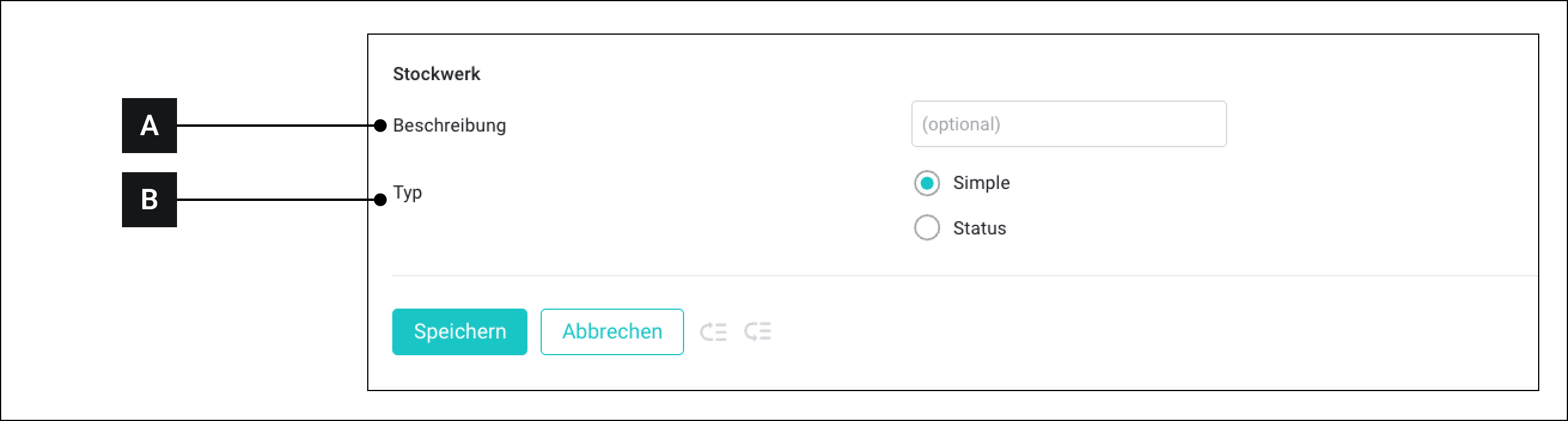
<table data-full-width="true"><thead><tr><th width="57.5999755859375"></th><th width="105"></th><th></th></tr></thead><tbody><tr><td><strong>[A]</strong></td><td>Description</td><td>This text is displayed when the custom widget is later connected to assets</td></tr><tr><td><strong>[B]</strong></td><td>Type</td><td><ul><li>Simple<br>Select "Simple" when assets that send values between 0 and 1 should be connected to the widget.</li><li>Status<br>Select "Status" when assets that send more values between 0 and 1 should be connected to the widget.<br>In this case, you can move the mouse pointer over an asset in the widget and see the asset's status.</li></ul></td></tr></tbody></table>