# Map

The "Map" module shows a map with assets located on it.

<figure><img src="https://3489494878-files.gitbook.io/~/files/v0/b/gitbook-x-prod.appspot.com/o/spaces%2F9GvUpaatBiReR43XFSMg%2Fuploads%2FObtH81qw7N9yHwiwTkrq%2F2643B063-834E-42CC-A09A-7D3487D3DA50.png?alt=media&#x26;token=53f9dd34-b7c5-4586-bed2-87d9507b2b3d" alt=""><figcaption></figcaption></figure>

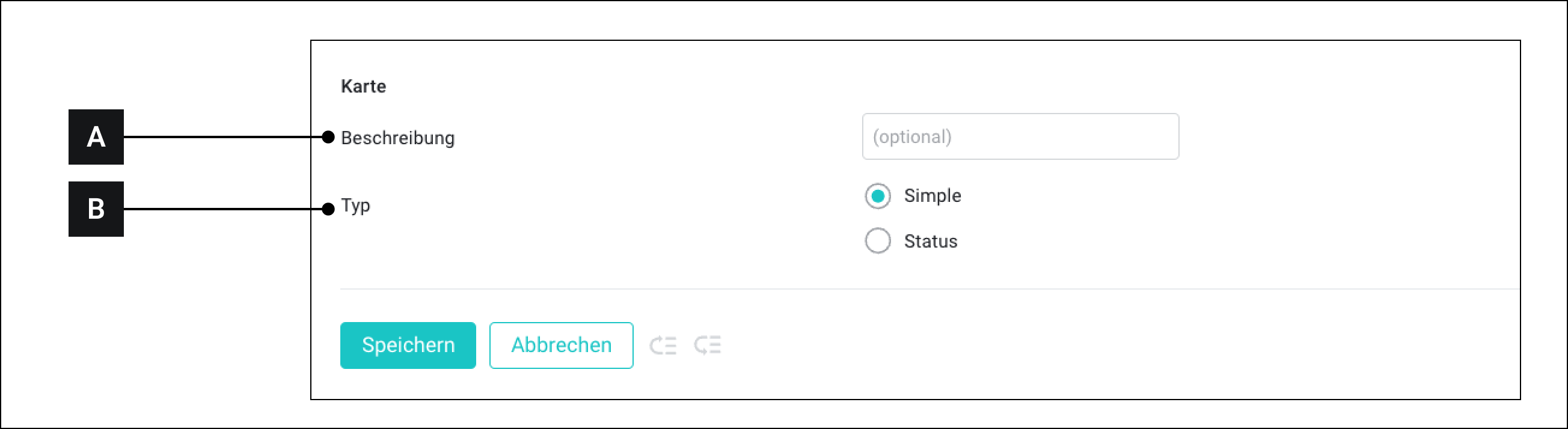
<table><thead><tr><th width="62.5999755859375"></th><th width="118"></th><th></th></tr></thead><tbody><tr><td><strong>[A]</strong></td><td>Description</td><td>This text is displayed when the custom widget is later connected to assets</td></tr><tr><td><strong>[B]</strong></td><td>Type</td><td><ul><li><strong>Simple</strong><br>Select "Simple" when assets that send values between 0 and 1 should be connected to the widget.</li><li><strong>Status</strong><br>Select "Status" when assets that can send more values than 0 and 1 should be connected to the widget.<br>In this case, you can move the mouse pointer over an asset in the widget and see the asset's status.</li></ul></td></tr></tbody></table>

You can learn how to set up this module [->here](https://docs.buildings.ability.abb/collection/platform/live-cockpit/widgets/predefined-widgets/map)