# Vertical Progress

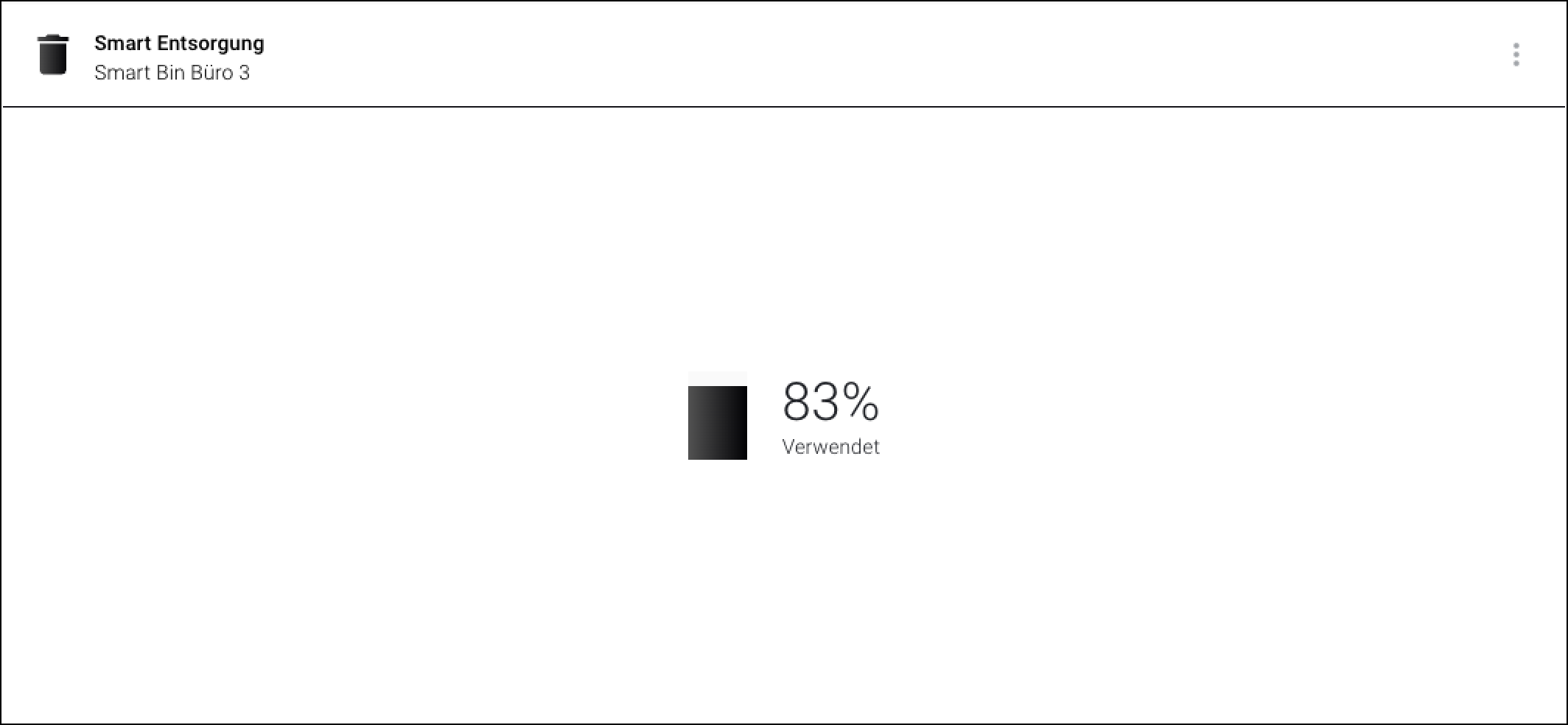
The "Vertical Progress" widget displays a progress or fill level.

<figure><img src="https://3489494878-files.gitbook.io/~/files/v0/b/gitbook-x-prod.appspot.com/o/spaces%2F9GvUpaatBiReR43XFSMg%2Fuploads%2Fkm5E5mniu04RVxTFqpY5%2F2B3FC75A-5BE1-4F82-8C34-EA20805F6E27.png?alt=media&#x26;token=9e50b944-66d2-47b0-9095-c4010249cbf5" alt=""><figcaption><p>The "Vertical Progress" widget</p></figcaption></figure>

## Difference from "Radial Progress" Widget

There can be **no** threshold value defined. If you want a visual warning as soon as a threshold you have set has been exceeded, use the [-> Radial Progress widget](https://docs.buildings.ability.abb/collection/platform/live-cockpit/widgets/predefined-widgets/radial-progress).

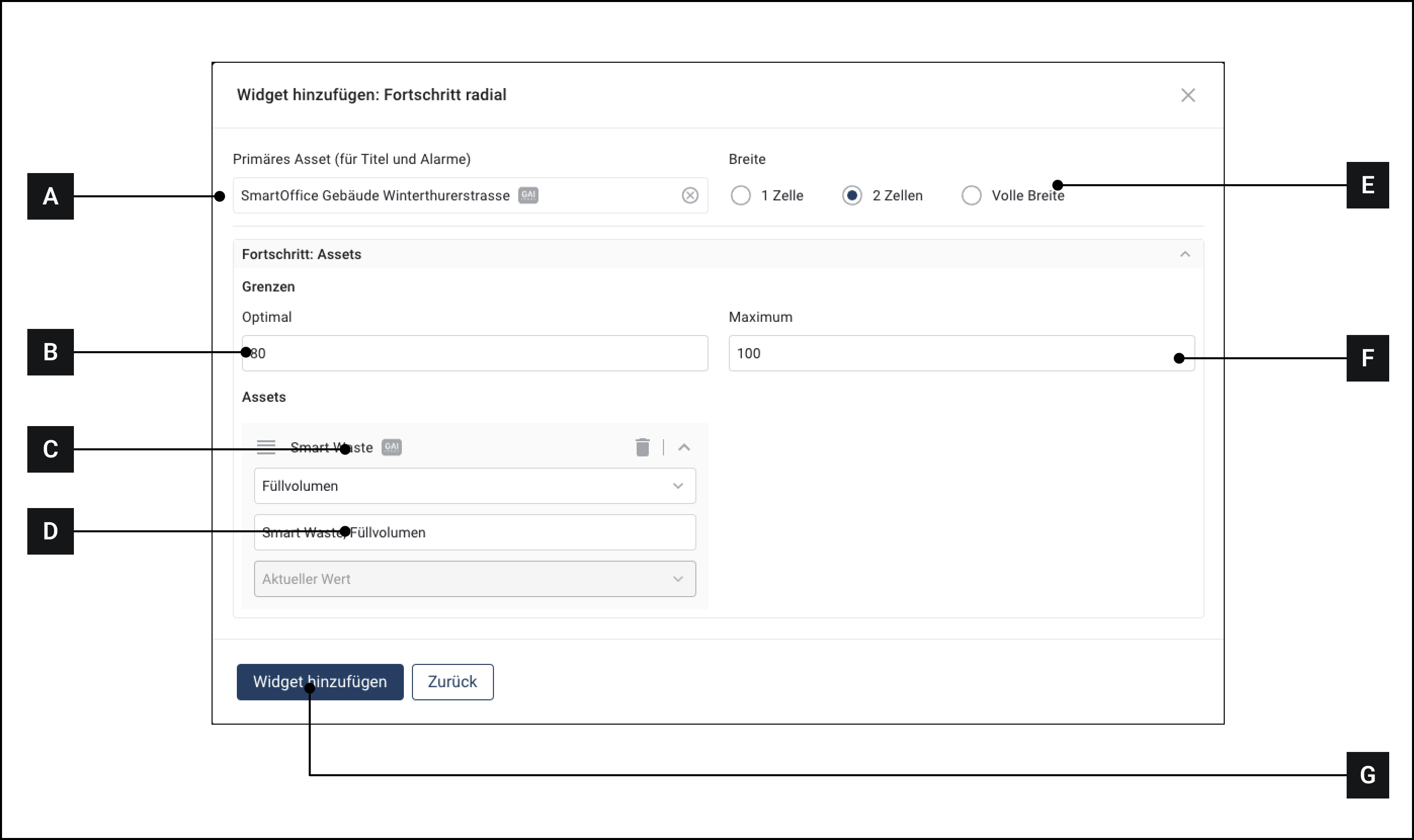
## Configure Widget

<figure><img src="https://3489494878-files.gitbook.io/~/files/v0/b/gitbook-x-prod.appspot.com/o/spaces%2F9GvUpaatBiReR43XFSMg%2Fuploads%2FNfQkhK461EMneqrvt3KY%2F5162D888-F05B-48FA-BF44-0485FD8CB7F3.png?alt=media&#x26;token=d177b8ad-1b46-4a85-b8c9-4ccb616f4470" alt=""><figcaption></figcaption></figure>

1. Make sure you are in the "Dashboard" menu
2. Click on "Add widget"
3. Click on "Input"
4. Click on "Vertical Progress"
5. Select the primary asset. The name of this asset will appear in the title bar of the widget.
6. Select the asset you want to monitor.
7. Select an attribute
8. Enter a maximum value
9. Click on "Add widget"

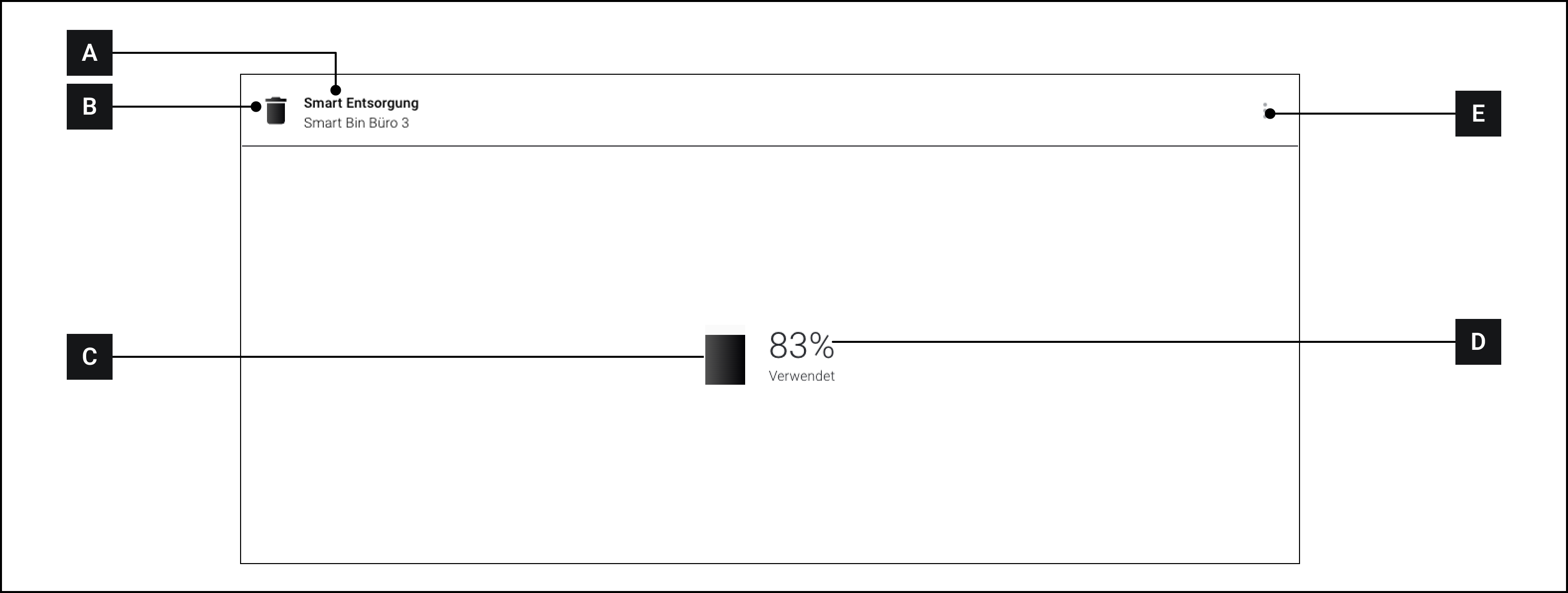
## Overview

<figure><img src="https://3489494878-files.gitbook.io/~/files/v0/b/gitbook-x-prod.appspot.com/o/spaces%2F9GvUpaatBiReR43XFSMg%2Fuploads%2FAopwiQU8vATwqi4l9ziD%2FACB5B774-E5DD-4400-8FA4-1C6FBD84651D.png?alt=media&#x26;token=3797615f-43f6-43ac-9375-1002d7715db8" alt=""><figcaption></figcaption></figure>

<table data-full-width="true"><thead><tr><th width="63.133321126302064"></th><th width="288.79998779296875"></th><th></th></tr></thead><tbody><tr><td><strong>[A]</strong></td><td>Title bar</td><td>Name of the primary asset</td></tr><tr><td><strong>[B]</strong></td><td>Icon</td><td></td></tr><tr><td><strong>[C]</strong></td><td>Progress indicator</td><td>Displays the progress visually</td></tr><tr><td><strong>[D]</strong></td><td>Current value</td><td>Displays the current value in percent</td></tr><tr><td><strong>[E]</strong></td><td>More options</td><td>Displays more options</td></tr></tbody></table>