

Operate widgets
Widget options
You can access additional options for each widget.
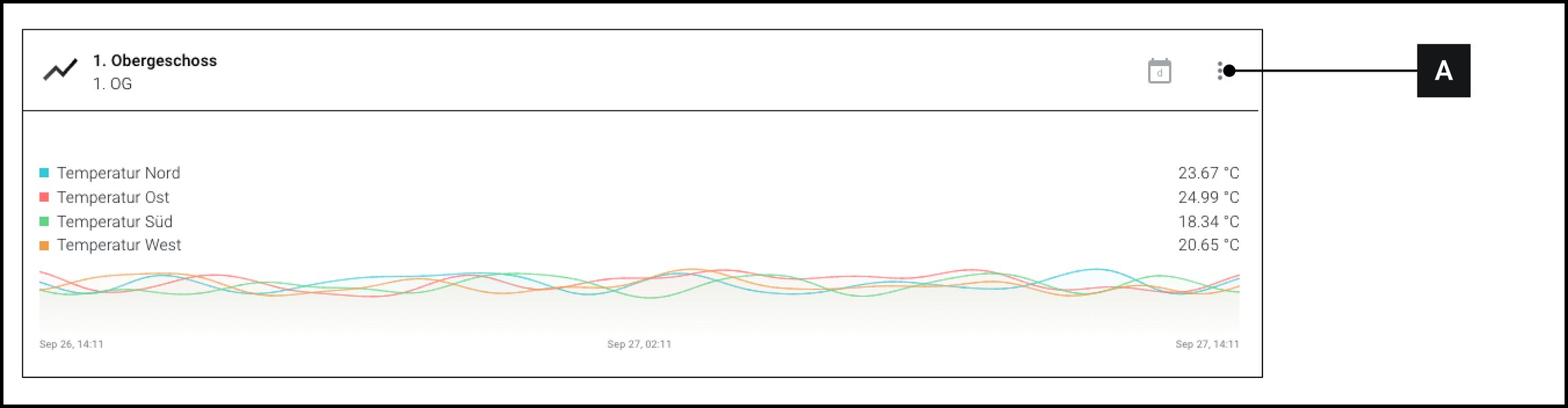
Click the button on any widget [A], to show more options.
[B]
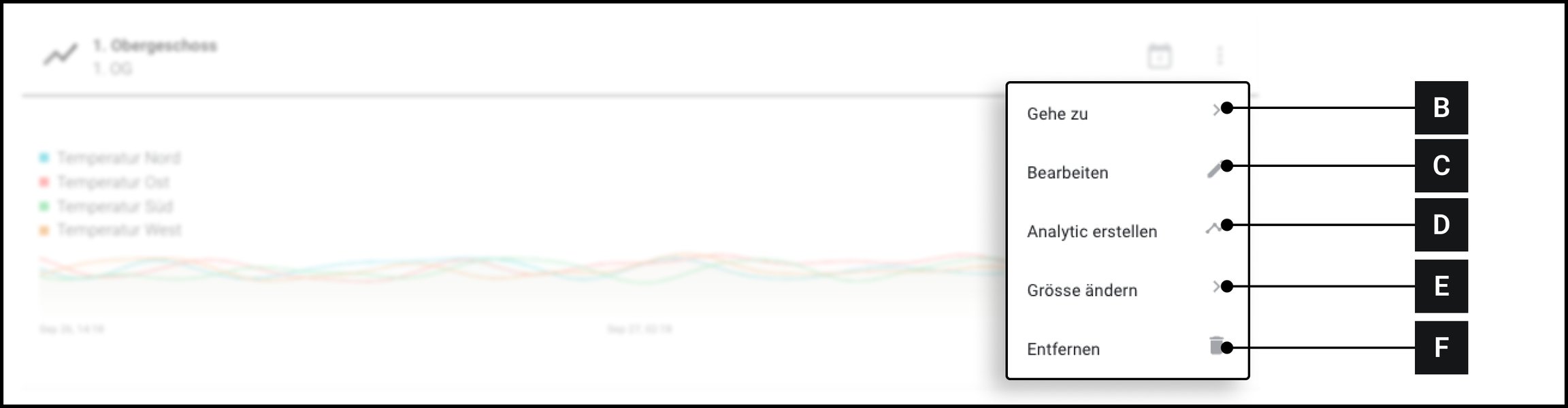
Go to...
Opens available points related to the widget. More details see -> Navigate through widgets
[C]
Edit
This item allows you to make changes to the widget contents.
[D]
Create analytic
Creates an analytic for the selected widget
[E]
Resize
Changes the size of the widget
[F]
Remove
Removes the widget from the dashboard. ⚠ This action cannot be undone!
Arrange widgets
Navigate through widgets
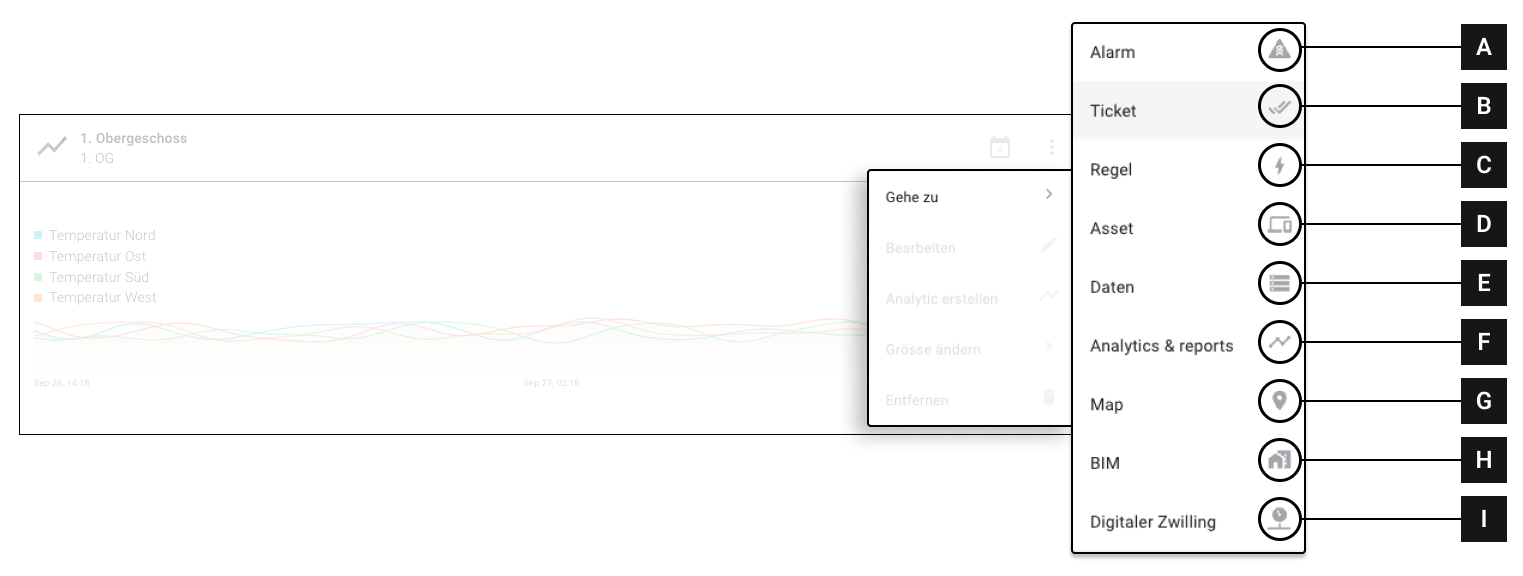
With the "Go to..." option, you can navigate directly from the widget to relevant settings.
E
Data
-> call up the data of the primary asset
Add subtitle and description
For each widget, an additional subtitle and a Description can now be defined. These fields make it possible to provide the widget with additional information or context – visible directly in the widget itself.
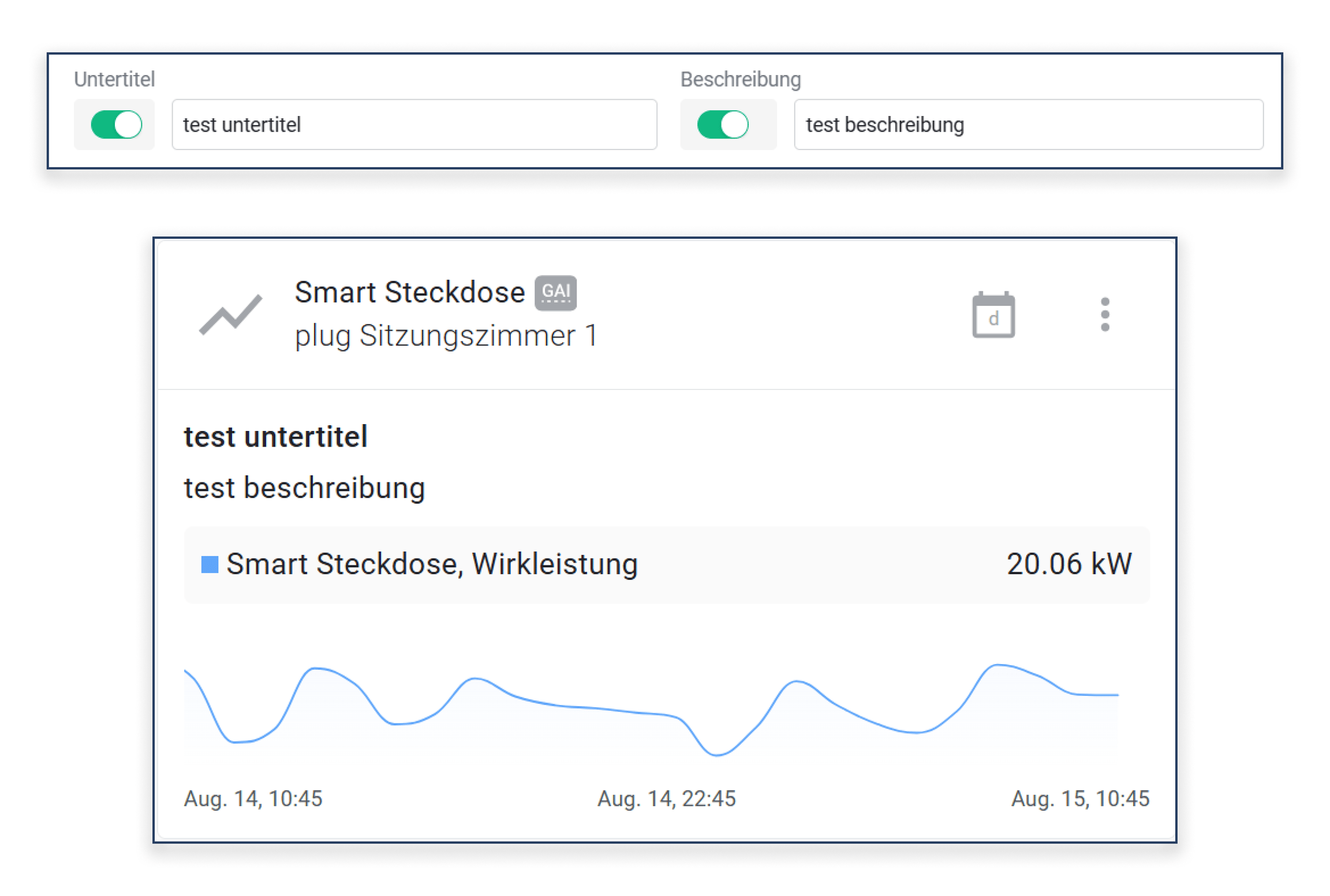
subtitle: Short, highlighted text below the widget title. Ideal for additional information such as location, device type, or status.
Description: Free-text field for a more detailed explanation of the widget content, e.g. purpose, measurement range, or special notes.
Last updated
Was this helpful?